





Create Customer Payment Journal Using Payment Proposal Function from Code
Views (1901)
 Evaldas
 1,800
1,800
 Like
Like Share
Share
 Report
Hello Extension World,
This time we are going to create a customer payment journal using payment proposal function from code.
Executing functions from code can be a little bit trickier in this extension world.
First, let me explain what exactly we are going to do here.
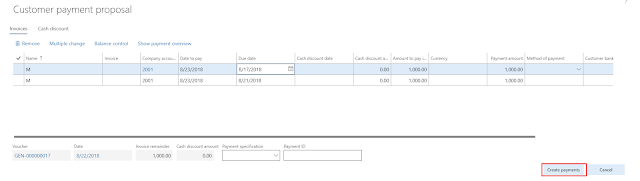
Done.
The following code will execute the steps 3-7.
As an input we need LedgerJournalId and customer account. I guess you know how to create that so I can make my example simple.
We will also set PaymProposalType and ToDate parameters.
What you also need is to extend CustVendCreatePaymJournal_Cust class as there is no method to pass LedgerJournalId and initialize UserInteractive.
Note: this will not be user interactive.
Here you go. Now you are ready.
Be aware and take care!
This time we are going to create a customer payment journal using payment proposal function from code.
Executing functions from code can be a little bit trickier in this extension world.
First, let me explain what exactly we are going to do here.
- Open form Accounts payable\Payments\Payment journal
- Create a journal and go to the lines.
- Create one line and select a customer.
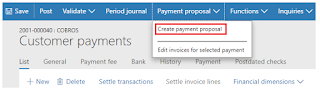
- Click button Payment proposal\Create payment proposal
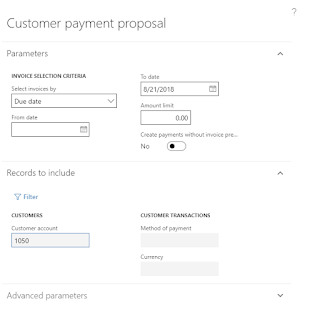
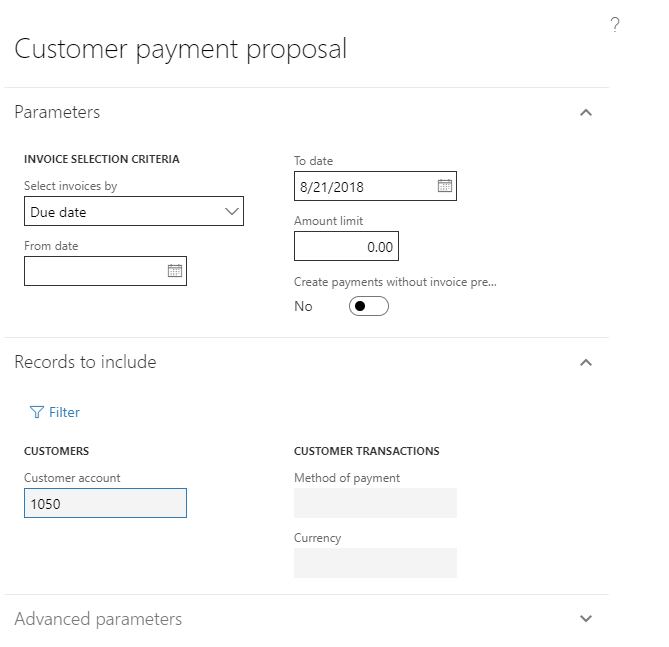
- Fill in the dialog. Customer will be automatically selected from the line we created.
- In this example we will use Due date in the Select invoices by and set To date.
- Select all lines and click the button Create payments

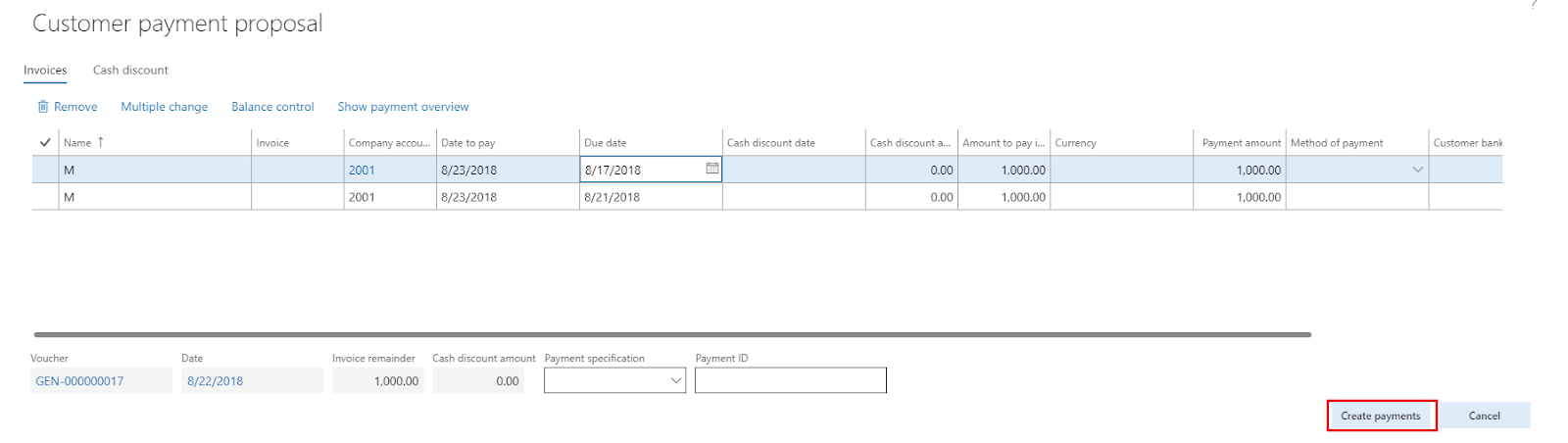
Done.
The following code will execute the steps 3-7.
As an input we need LedgerJournalId and customer account. I guess you know how to create that so I can make my example simple.
We will also set PaymProposalType and ToDate parameters.
1 | CustVendCreatePaymJournal_Cust custVendCreatePaymJournal = CustVendCreatePaymJournal_Cust::construct(); |
What you also need is to extend CustVendCreatePaymJournal_Cust class as there is no method to pass LedgerJournalId and initialize UserInteractive.
Note: this will not be user interactive.
1 | [ExtensionOf(classStr(CustVendCreatePaymJournal_Cust))] |
Here you go. Now you are ready.
Be aware and take care!
This was originally posted here.
*This post is locked for comments