







Job to apply vendor prepayment on (PO) invoice through X++ code in D365
Views (565)
 dasdasd
 841
841
 Like
Like Share
Share
 Report
Prepayments are a common business practice, with organizations issuing prepayments to vendors for goods or services before those goods or services are fulfilled. To minimize risk, you can track prepayments by defining the prepayment on a purchase order. Vendors can also create a prepayment invoice that is associated with a purchase order.
In this blog, I will discuss how we can apply prepayment through X++ code.in Microsoft Dynamics 365 finance & operation.
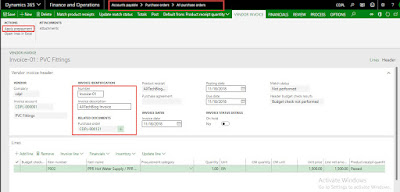
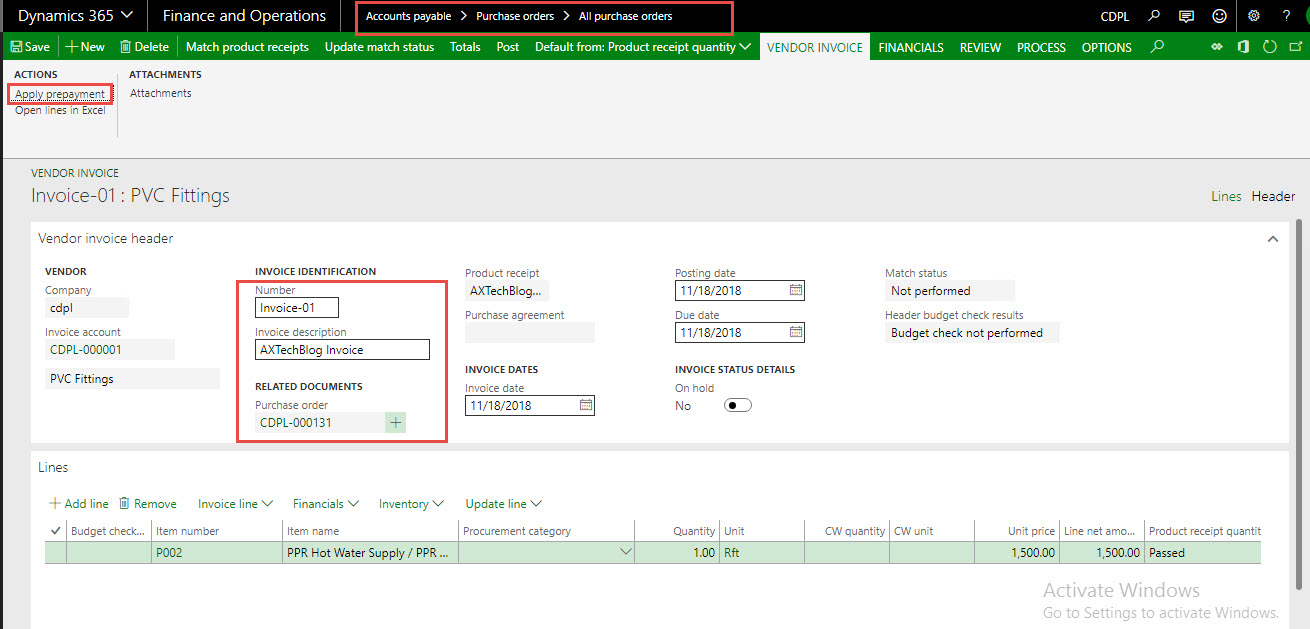
Note: For applying the prepayment you need to have the vendor invoice, you can create manually or you can create it by X++ code Job to create vendor invoice (PO) through X++ code in D365.



In this blog, I will discuss how we can apply prepayment through X++ code.in Microsoft Dynamics 365 finance & operation.
Note: For applying the prepayment you need to have the vendor invoice, you can create manually or you can create it by X++ code Job to create vendor invoice (PO) through X++ code in D365.

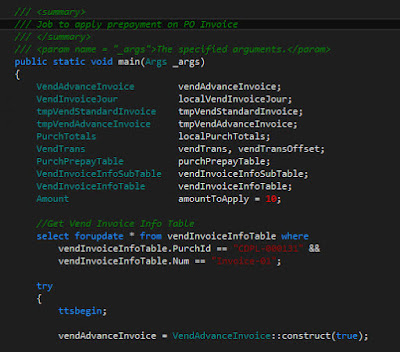
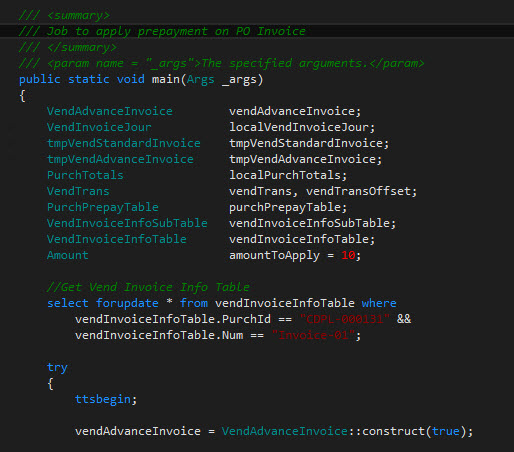
For this example I have created a job, please see source code screenshots below.
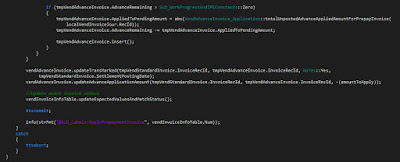
Source code explanation (1.1):
- Initialize classes and tables buffers.
- Get Vendor invoice by passing purchase order and invoice number.
- Construct the VendAdvanceInvoice class.
Source code explanation (1.2):
- Pass data to parm methods of VendAdvanceInvoice class.
- Get purchase order amount calculation through PurchTotals class.
- Iterate data of VendInvoiceInfoSubTable table.
- Populate data in temporary tmpVendStandardInvoice table.

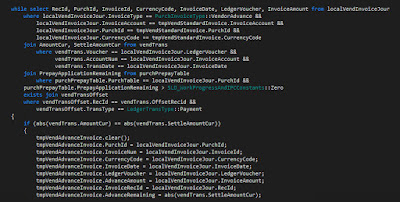
Source code explanation (1.3):
- Iterate record and populate data in tmpVendAdvanceInvoice table.
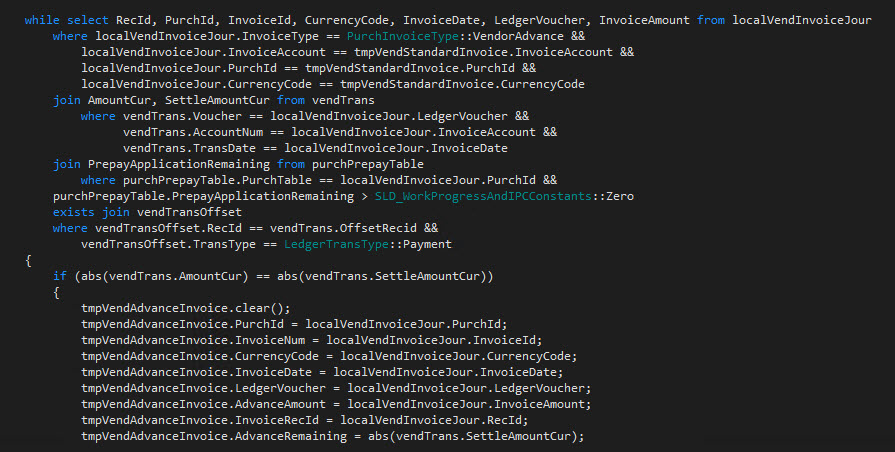
Source code explanation (1.4):
- Pass amount to applied as prepayment.
- Pass temporary tables in OOTB of the vendAdvanceInvoice class.
- Update invoice match status.
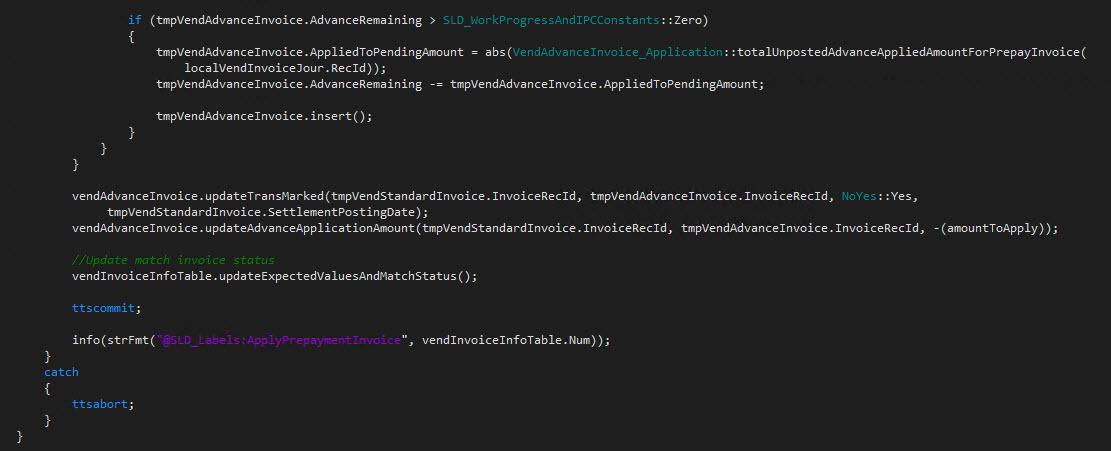
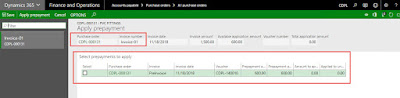
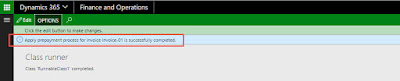
That is all you need to do, now build and run the job.
Result:


This was originally posted here.
*This post is locked for comments