







Send Documents as Email in NAV2015
Views (3863)
 Mohana Yadav
 61,005
Super User 2025 Season 2
61,005
Super User 2025 Season 2
 Like
Like Share
Share
 Report
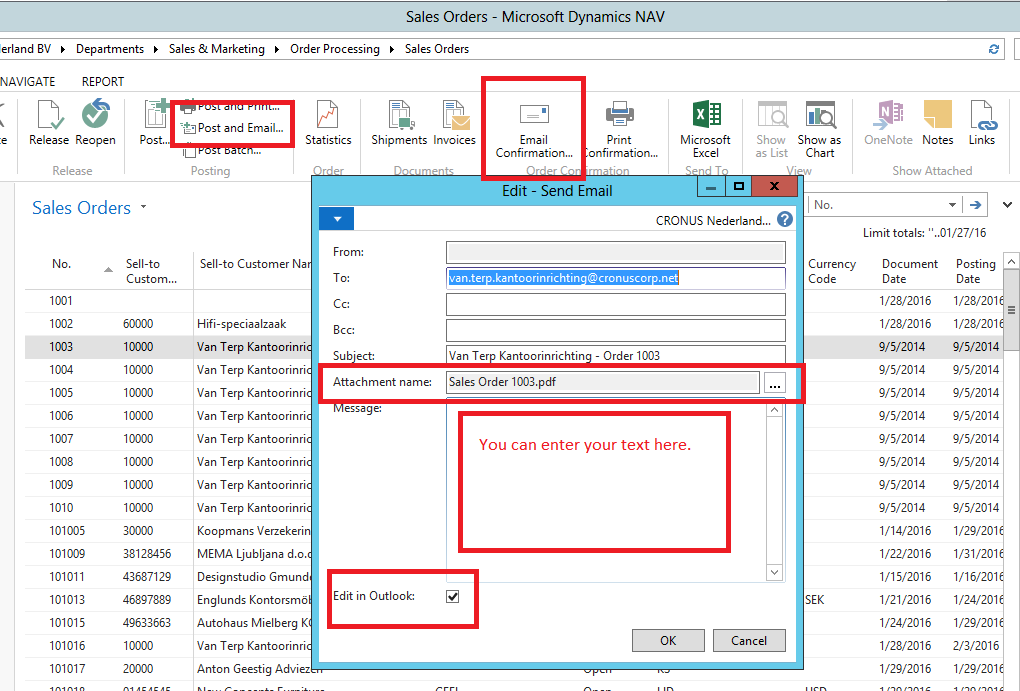
You can send attachments by email from Microsoft Dynamics NAV.
An option for sending attachments as email is available from, for example, sales invoices, sales credit memos, sales orders, sales quotes, reminders, and finance charge memos, as well as some posted documents.
The option is available in the ribbon and called Email or Post and email depending on the context.
It displays a dialog that lets you attach the document together with a short message and send this as email directly from Microsoft Dynamics NAV.
In Microsoft Dynamics NAV Windows client you can decide to modify the email more in your default mail program.
The default email sender address is based on the settings in the SMTP Mail Setup window.
If SMTP is not configured or Outlook is not available, the .pdf file will open instead.
This was originally posted here.
*This post is locked for comments