







How to open lookup control on click of custom button?
Views (13)

 412
412 Like
Like Share
Share
 Report
Introduction
In this blog, we are going to see how we can open a lookup control with the click of a custom button.
Example
We are going to add a custom button named “Open Lookup Control” on the Account entity and on click of which it will open contact lookup control.
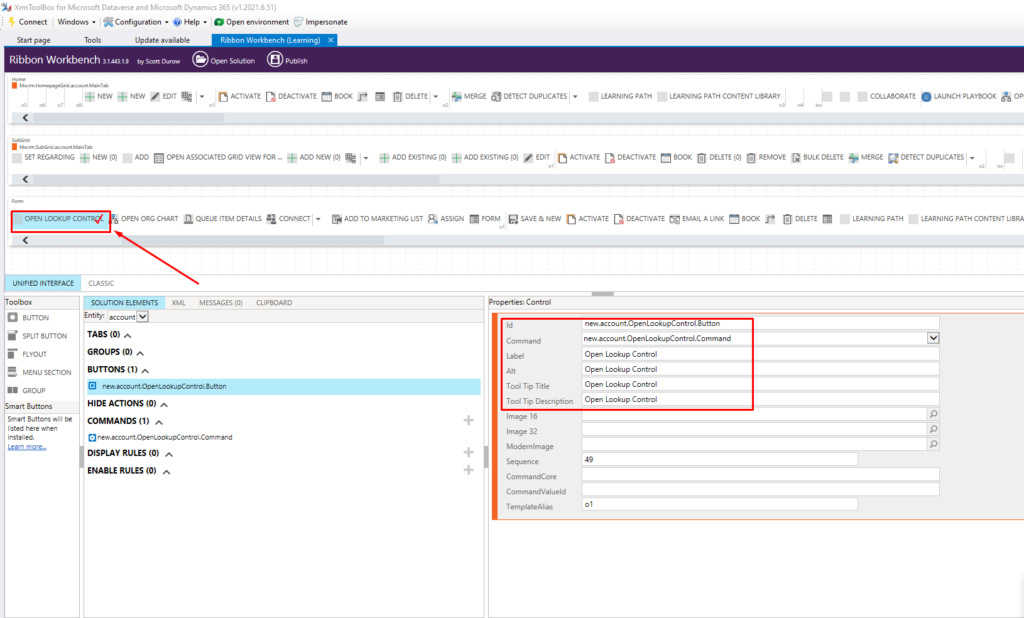
Step 1: Add a custom button on the account entity using Ribbon Workbench by adding its command and necessary details.
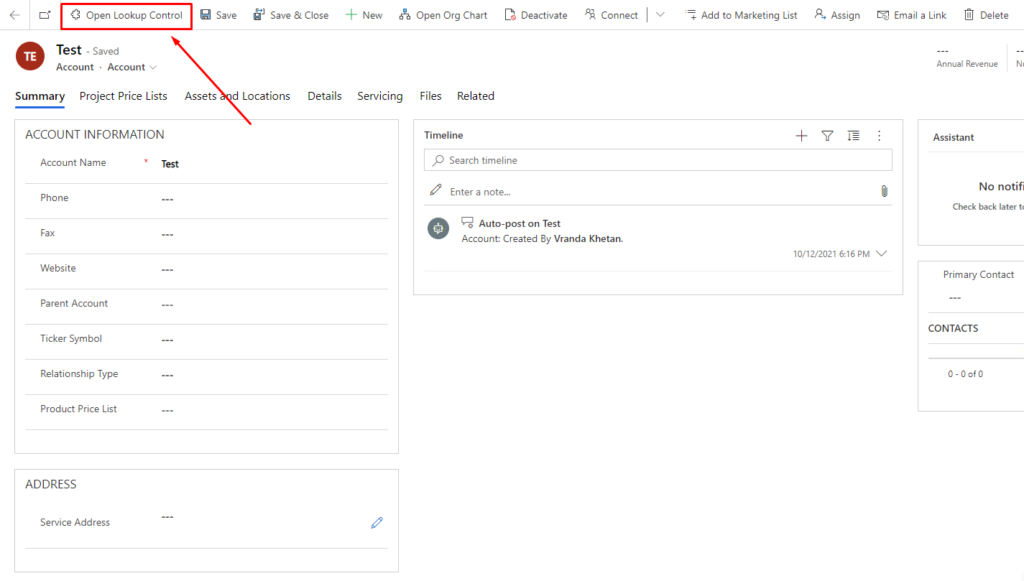
Step 2: Save and Publish the solution. Now you can see the button on the Account form.
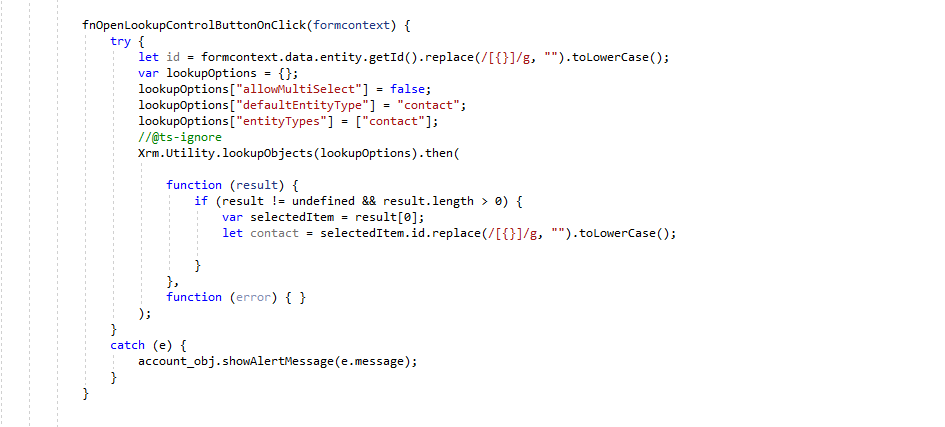
Step 3: Add the following code in the script file for the button.
Step 4: Add the script file in Ribbon Workbench and publish the solution.

Result

The post How to open lookup control on click of custom button? appeared first on Nebulaa IT Solutions.
*This post is locked for comments