Hi
@SA-23121343-0,
Use the "Classic" Advanced Find
If the modern Power Apps table view still hides the record, use the classic interface:
In Power Apps, click the Gear Icon (top right) $\rightarrow$ Advanced Settings.
Click the Funnel Icon (Advanced Find) in the top right.
In the Look for dropdown, select Available Finance and Operations Entities.
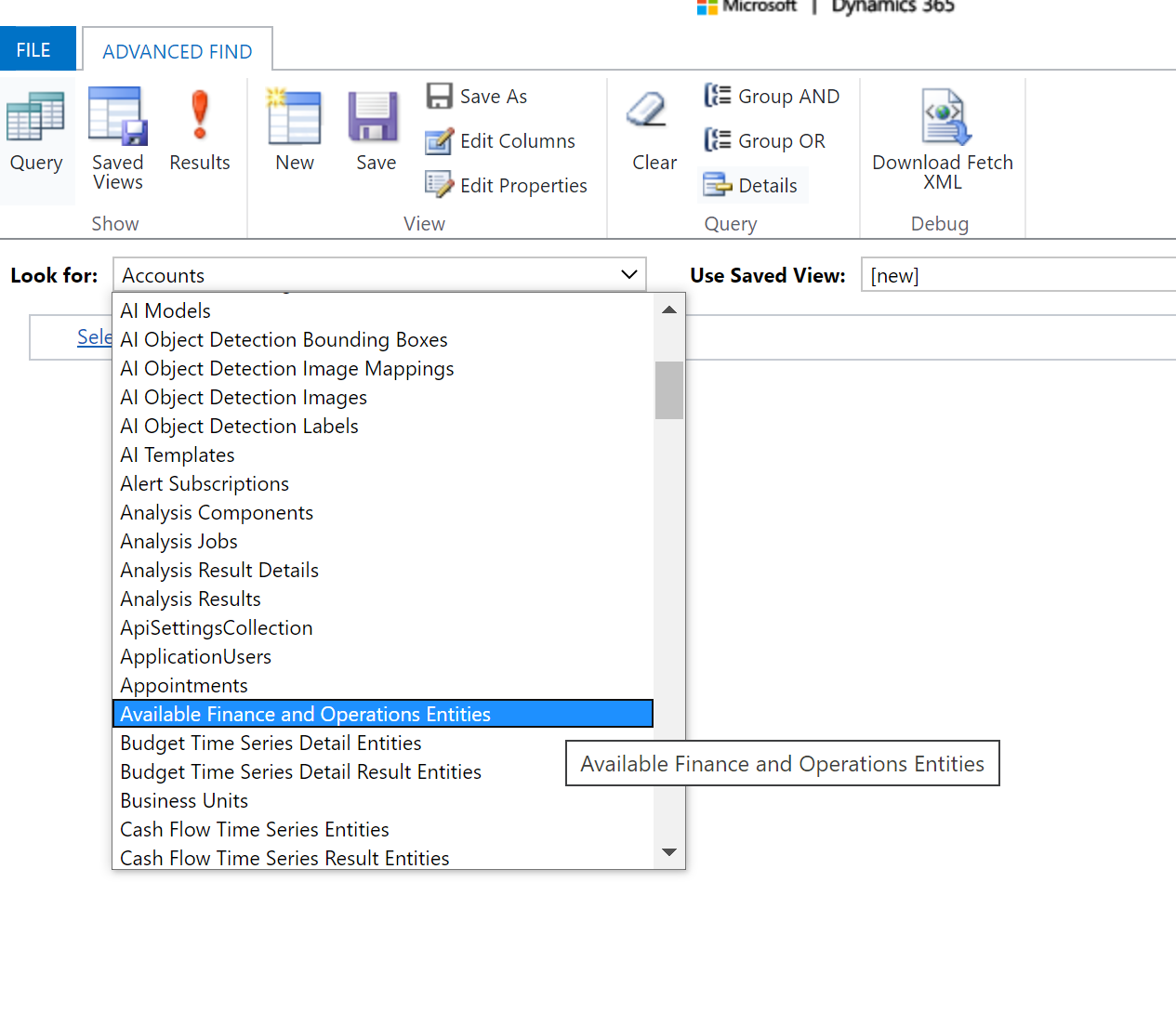
In the criteria, set Name equals GeneralJournalAccountEntryBiEntity.
Click Results.
If found, open the record and verify the Visible box is checked.
Change the Refresh column value to Yes (or ensure the record exists and is active). This forces Dataverse to re-sync the entity properties from F&O, recognizing it as eligible for archival.
Alternate Approach -
Use the below url to open the table Available Finance and Operations Entity-
https://[YourEnvironmentURL]/main.aspx?pagetype=entitylist&etn=mserp_availablefinanceandoperationsentity
Replace YourEnvironmentURL to your crm URL e,g. org64d7a60d.crm8.dynamics.com once it is open
Search for GeneralJournalAccountEntryBIEntity in the Name column.
If found, open the record and verify the Visible box is checked.
Change the Refresh column value to Yes (or ensure the record exists and is active). This forces Dataverse to re-sync the entity properties from F&O, recognizing it as eligible for archival.
Let me know if this works or not.


