web
You’re offline. This is a read only version of the page.
close
Skip to main content

Notifications

Announcements

No record found.

Community site session details

Community site session details

Session Id :
Microsoft Dynamics 365 | Integration, Dataverse...
Answered

How to display custom audit history on an opportunity form

(0) ShareShare
ReportReport
Posted on by

Hello

I have two requirements: collect audit history for 'selected' fields and display it in an area in opportunity form. I see that complete audit history is shown under Related tab but I do not want that.

My research so far tells me there are C# APIs to get audit history of a particular field, however what is not clear is how to embed this into form. Are there any no-code solutions?  Any other ways of doing the same?

Appreciate your help!

Thanks

I have the same question (0)
  • Verified answer
    Community Member Profile Picture
    on at

    Hi rpmsft,

    Unfortunately, you can’t add the records that you get with C# APIs to the form.

    Why you don’t want to view records under related tab, which is the easiest way to view audit history, if you don’t want to see all fields in it, you can select any fields that you need.
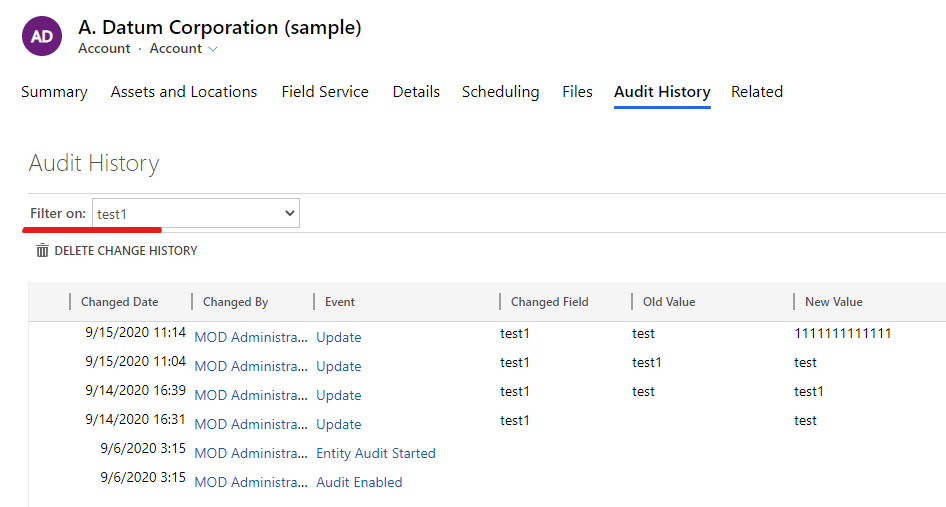
    pastedimage1606380328199v1.png

    Also, you can stop auditing other fields that you don’t need.

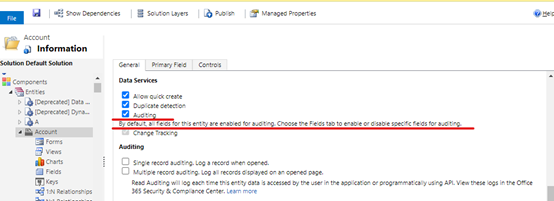
    Go Settings > Customization > Customize the system > Entities > Account.
    pastedimage1606380350073v2.png

    As above screenshot shown, ‘Audting’ is checked, so all fields in account entity will be enabled aduit by default.

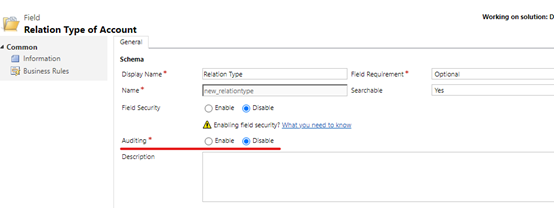
    So you need go Fields to select fields that you don’t need and select ‘disable’ for auditing.
    pastedimage1606380361827v3.png

    Save and publish all customization.

    Test:

    Before:
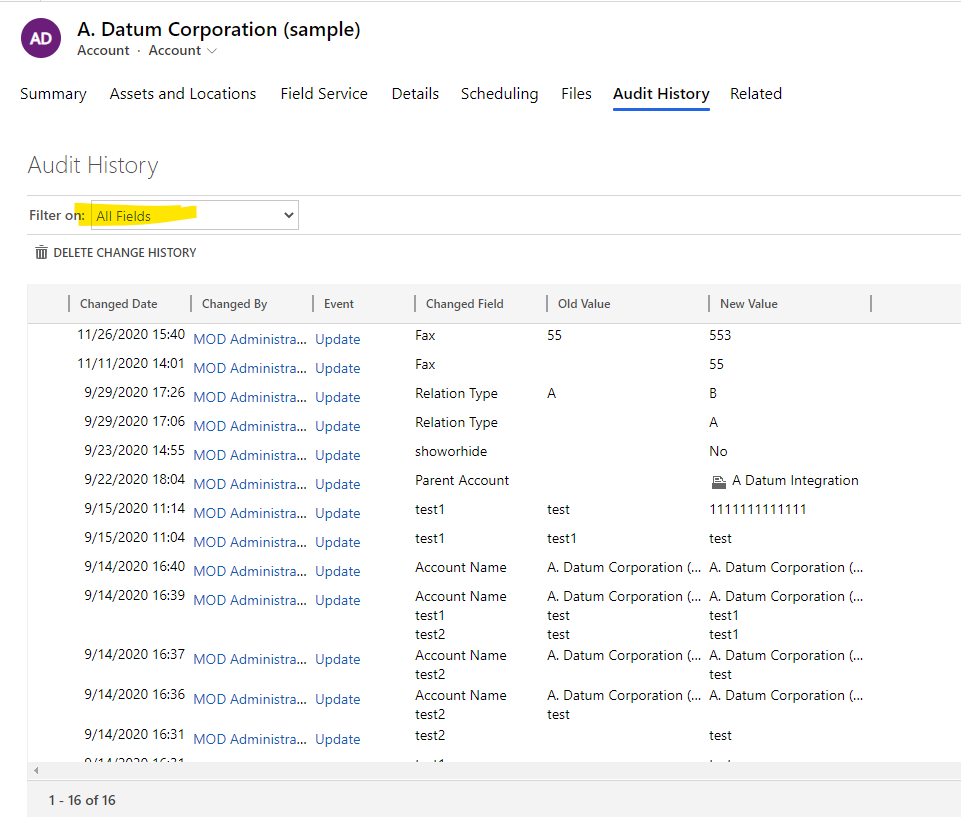
    pastedimage1606380382333v4.png

    After:

    pastedimage1606380395470v5.png

    Now, when you change Fax or Relation type field value, they will not show changes any more.

    Regards,

    Leah Ju

    Please mark as verified if the answer is helpful. Welcome to join hot discussions in Dynamics 365 Forums.

  • rpmsft Profile Picture
    on at

    Thank you, so yeah we cannot deploy custom code inside of Dynamic 365 web application.

  • Suggested answer
    Linn Zaw Win Profile Picture
    3,407 on at

    You can embed an iFrame to the form and update the URL using JavaScript. I have just blogged about it.

Under review

Thank you for your reply! To ensure a great experience for everyone, your content is awaiting approval by our Community Managers. Please check back later.

Helpful resources

Quick Links

Responsible AI policies

As AI tools become more common, we’re introducing a Responsible AI Use…

Neeraj Kumar – Community Spotlight

We are honored to recognize Neeraj Kumar as our Community Spotlight honoree for…

Leaderboard > Microsoft Dynamics 365 | Integration, Dataverse, and general topics

#1
#ManoVerse Profile Picture

#ManoVerse 93

#1
Siv Sagar Profile Picture

Siv Sagar 93 Super User 2025 Season 2

#3
Martin Dráb Profile Picture

Martin Dráb 62 Most Valuable Professional

Last 30 days Overall leaderboard

Product updates

Dynamics 365 release plans



