Resurfacing this thread to suggest 2 workarounds:
1) In the new PVA unified authoring canvas (currently in public preview)
For chatbots created in the new authoring canvas, you can get the conversation id directly from the system variables:

Note: as of today the new unified authoring canvas isn't available for Omnichannel for Customer Service integration.
2) In the production version of PVA, using Bot Framework Composer
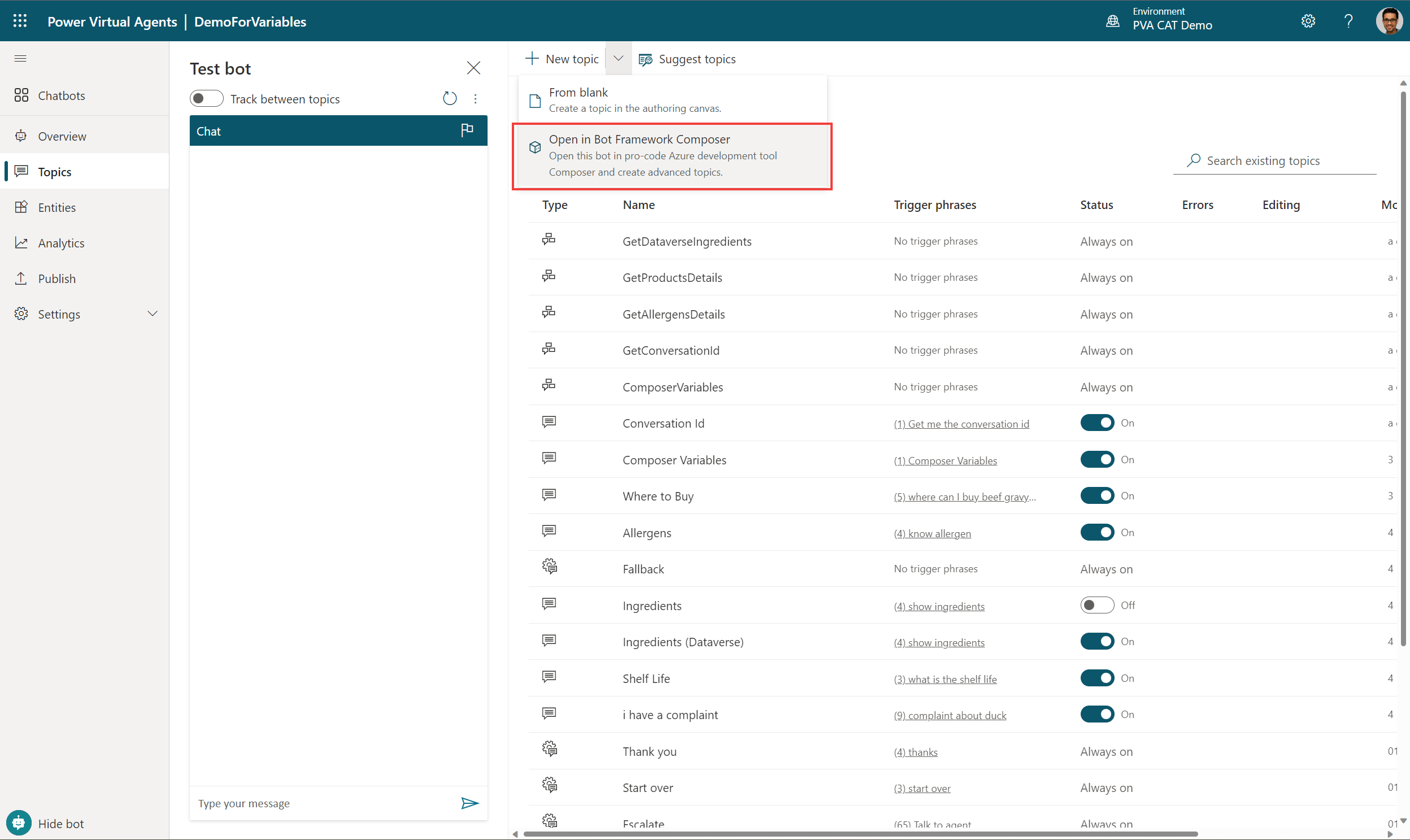
Open the PVA bot with Bot Framework Composer:
Create a new dialog (e.g. GetConversationId)
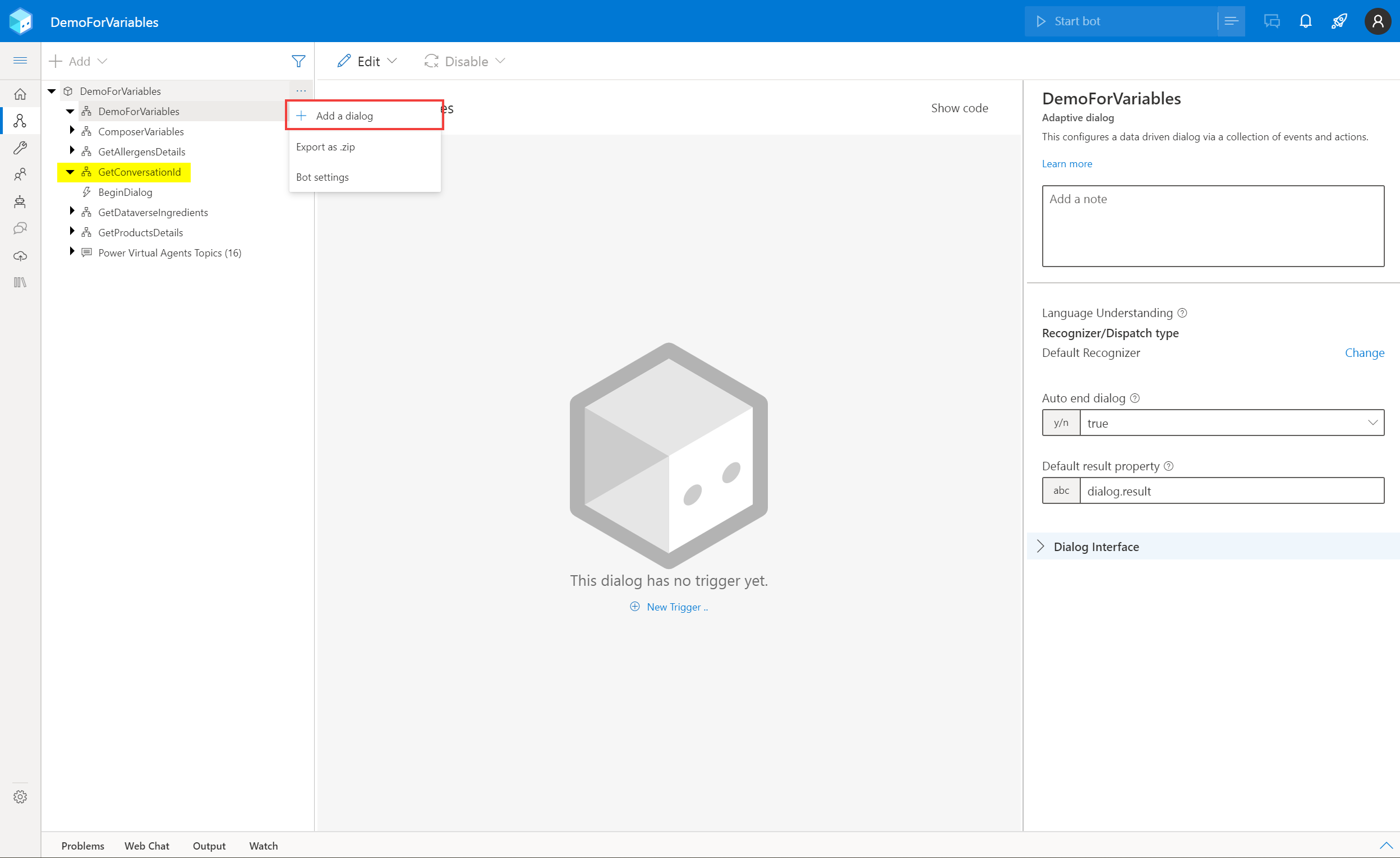
In the dialog, under "Dialog Interface", add a new Output.
With a key name, e.g. "conversationId" and of type "string".

In BeginDialog, add a new node of type "Set a property" (under "Manage properties"), and define it with:
Property: dialog.result.conversationId
Value: =turn.activity.conversation.id (even if it's not auto-suggested)

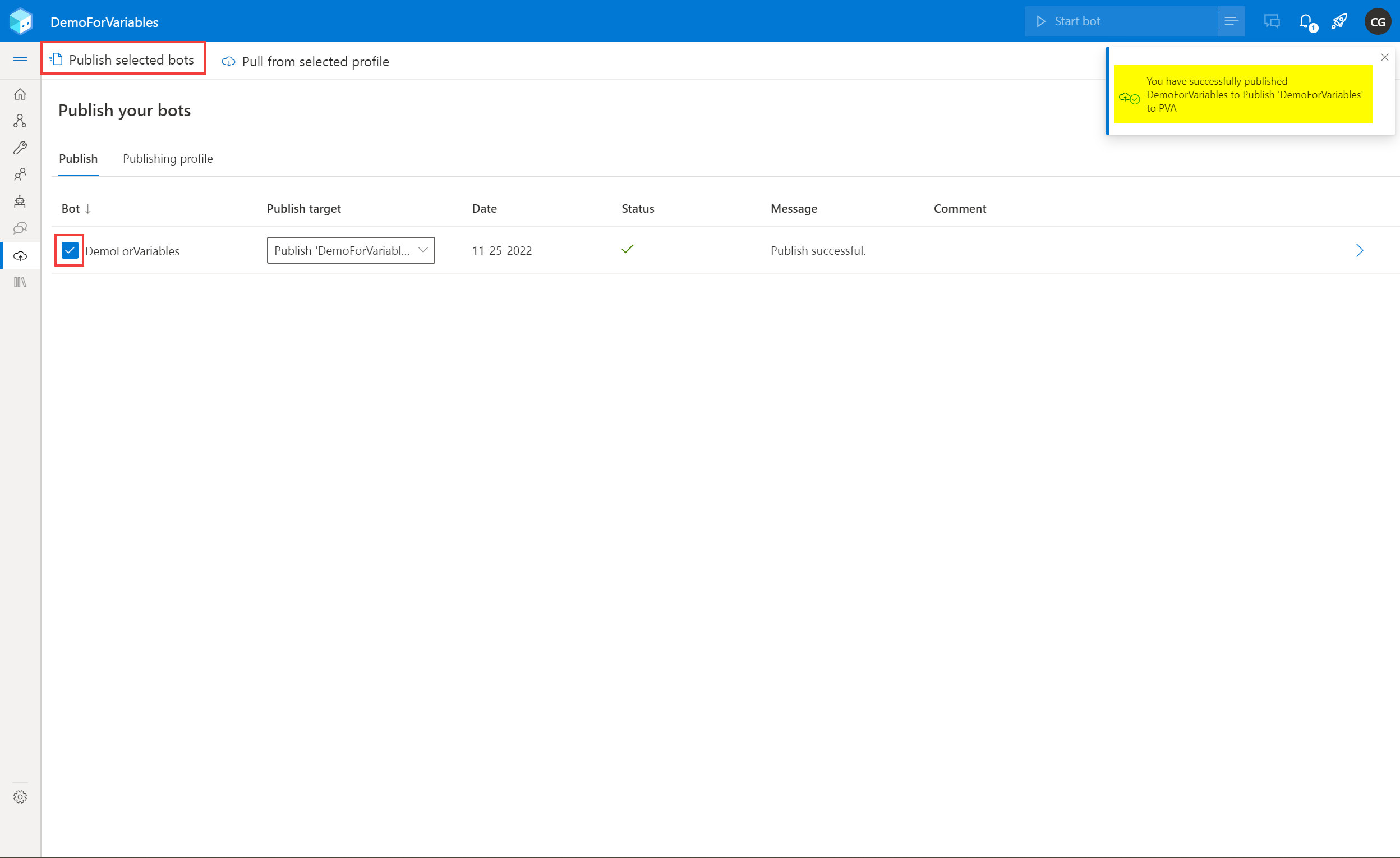
In Bot Framework Composer, the final step is to publish the bot:
Back in Power Virtual Agents, in a topic, you can select "Redirect to another topic" and select the "getConversationId" dialog.
The conversationId variable will be available as an output:







