web
You’re offline. This is a read only version of the page.
close
Skip to main content

Notifications

Announcements

No record found.

Community site session details

Community site session details

Session Id :
Microsoft Dynamics AX (Archived)

Master Planning: Batch Number on hand is not considered

(0) ShareShare
ReportReport
Posted on by

Hi.

I am facing bit strange behavior while running master planning. Please advise me if I am missing any setups:

Scenario: We are working in make to order Industry. FG goods will be produced In house.
Raw materials is purchased as per requirement, can be stocked in bulk with best offer from vendor. RM purchased with Site-WH-Batch Number dimension.

When I am running master planning for FG product, System is straight forward showing me direct planed purchase for raw materials *without considering on hand batches*, So with this stock is lying in Inventory as is.

BOM Structure:
Level1:  RM= 5 Nos Site -WH provided in BOM line.

RM, On hand available=2 Nos. (Site,WH,Batch1)
Master Planning Result: Still showing Planed Purchase Order= 5 Nos.
I am expecting, it should consider On hand 2 Nos, and only planned for required 3 Nos.

Please help. :(

Setup:
 Storage Dimension attached:
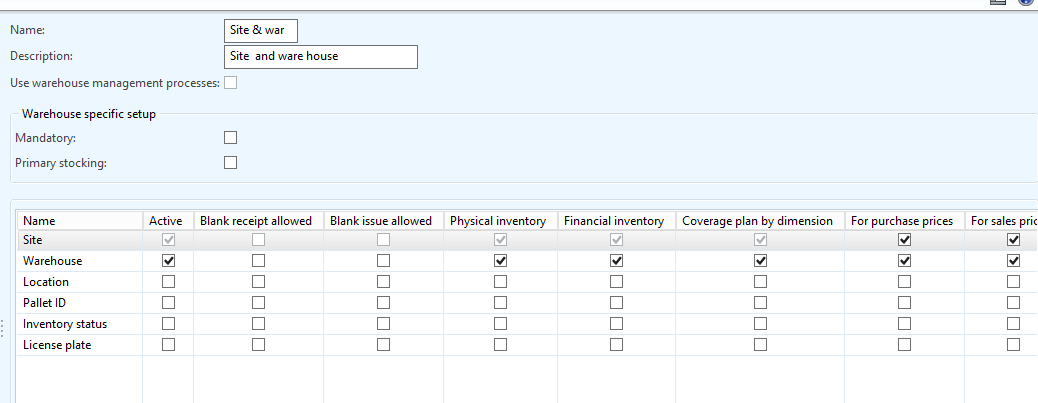
stor.png

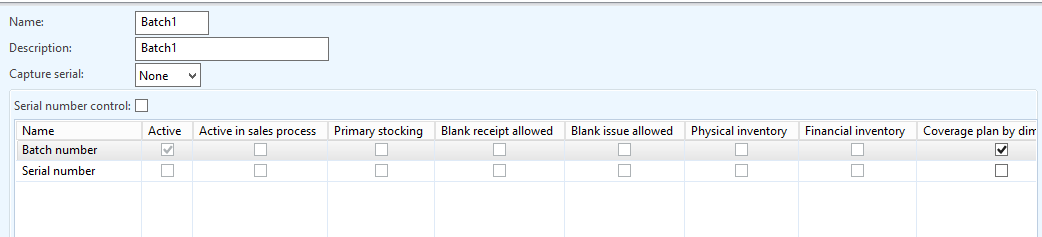
Tracking Dimension:
track.png
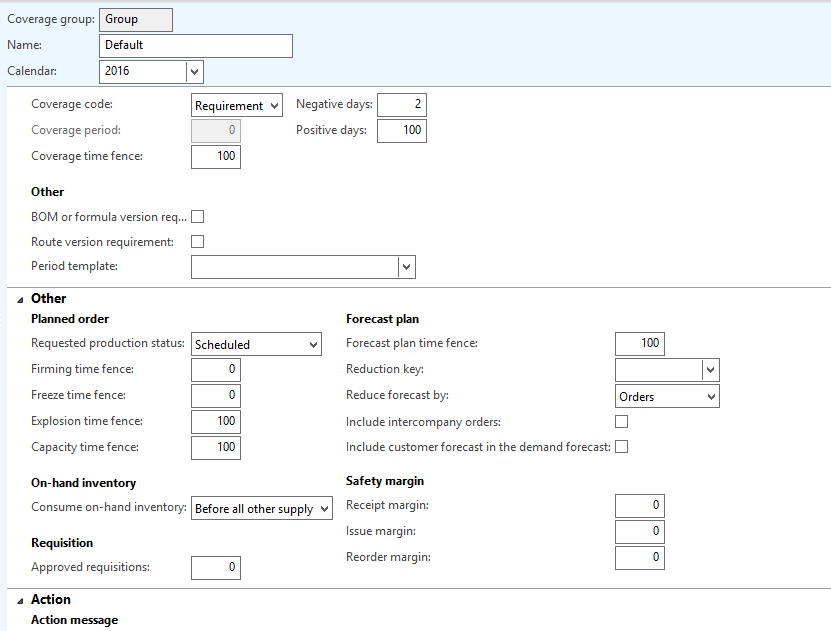
Coverage Group attached to items:

1057.coverage.png

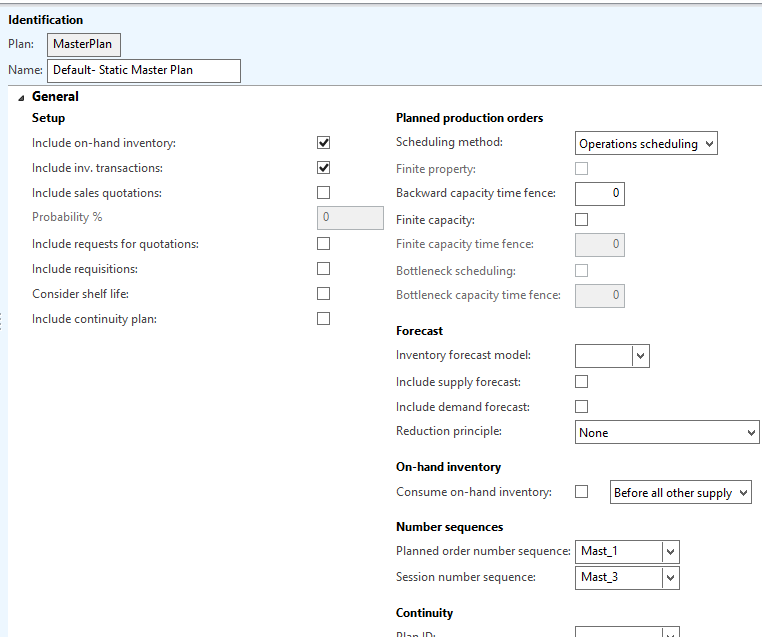
Master Plan:
plan.png

*This post is locked for comments

I have the same question (0)
  • Fredrik Sætre Profile Picture
    12,644 on at

    Could you show net requirements for the item?

  • Verified answer
    Guy Terry Profile Picture
    28,924 Moderator on at

    Hi Pratik,

    Are you sure you need to have 'Coverage plan by dimension' ticked on your Tracking dimension group?

    I think this will cause AX to look at the Batch number when determining if you have enough supply to meet your demand. i.e. If the batch on the BOM line does not match the batch on the inventory, it will not consider the inventory as able to meet the demand.

  • Community Member Profile Picture
    on at

    Hi Terry.

    Thanks for your kind reply.

    Yes, I have realised that all of sudden. Cleared Coverage plan by dimension for Batch number.

    Now it is running smooth. :)

    Thanks

    Pratik B

Under review

Thank you for your reply! To ensure a great experience for everyone, your content is awaiting approval by our Community Managers. Please check back later.

Helpful resources

Quick Links

Responsible AI policies

As AI tools become more common, we’re introducing a Responsible AI Use…

Neeraj Kumar – Community Spotlight

We are honored to recognize Neeraj Kumar as our Community Spotlight honoree for…

Leaderboard > 🔒一 Microsoft Dynamics AX (Archived)

#1
Priya_K Profile Picture

Priya_K 4

#1
Martin Dráb Profile Picture

Martin Dráb 4 Most Valuable Professional

#3
MyDynamicsNAV Profile Picture

MyDynamicsNAV 2

Last 30 days Overall leaderboard

Featured topics

Product updates

Dynamics 365 release plans