web
You’re offline. This is a read only version of the page.
close
Skip to main content

Notifications

Announcements

No record found.

Community site session details

Community site session details

Session Id :
Microsoft Dynamics 365 | Integration, Dataverse...
Answered

Detail column is not shown on the sub-grid page in form

(0) ShareShare
ReportReport
Posted on by 50

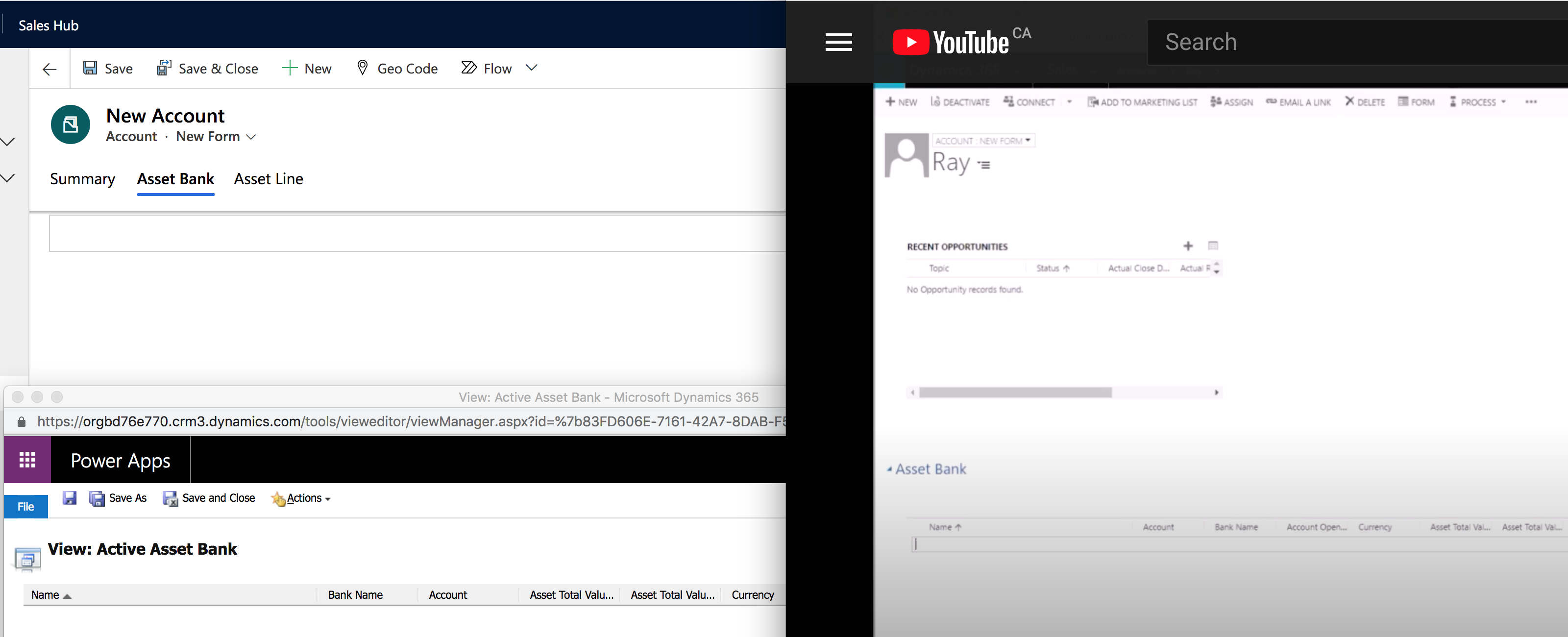
Hi guys, I added a sub-grid page in the system as a couple of column. 

But after I published it, it shows nothing on the front page. 

The left hand side is my front page and my form customization page, and the right hand side is the tutorial front page. 

Am I missing anything while I am creating this sub-grid?
Screen-Shot-2021_2D00_03_2D00_31-at-1.36.47-PM.png

I have the same question (0)
  • Suggested answer
    Wahaj Rashid Profile Picture
    11,321 on at

    Hi,

    Thank you for your query.

    I assume, in the first screen shot (account form), asset and asset lines are new tabs and you have added sub-grids on these tabs.

    The second screenshot (right side) is a view, are you using this view in Sub grid?

    To help you better, please share the screen shot of your form customization.

    However, let me guide you to the right direction:

    • On your Account form, add a sub-grid and set following properties:
      • Name
      • Label
      • Records: Only related records (I assume you have relations 1:N relationship between Accounts and Assets)
      • Entity: Assets (<Relationship field name>)
      • Default view: <the view you created>
    • Save and Publish the form and preview the results.

    Here is a nice and simple article:

    Sub-grids in Dynamics 365 - Everything you need in one place! (websan.com)

  • Florida Tech Profile Picture
    50 on at

    HI Wahaj, 

    Thanks for your answer.

    Here I include the screen shot of my form customization.

    I did apply what you mentioned on the answer section.

    Also I went to check the app designer, I can see the column inside this app designer, but after I save validate and publish still nothing shown on the front page.

    I noticed that after I clicked validate  button it shows 65 warning, I ignored it and publish anyway, is it the cause for this issue?

    Thanks a million

    Screen-Shot-2021_2D00_03_2D00_31-at-4.03.48-PM.pngScreen-Shot-2021_2D00_03_2D00_31-at-4.24.50-PM.pngScreen-Shot-2021_2D00_03_2D00_31-at-4.24.15-PM.png

  • Verified answer
    Wahaj Rashid Profile Picture
    11,321 on at

    Hi,

    Please note, sub-grids are enabled once the parent record is saved.

    This means first you have to save the Account to see related Assets (in the sub-grid). Or open an existing Account record.

  • Florida Tech Profile Picture
    50 on at

    Thanks a million

Under review

Thank you for your reply! To ensure a great experience for everyone, your content is awaiting approval by our Community Managers. Please check back later.

Helpful resources

Quick Links

Responsible AI policies

As AI tools become more common, we’re introducing a Responsible AI Use…

Neeraj Kumar – Community Spotlight

We are honored to recognize Neeraj Kumar as our Community Spotlight honoree for…

Leaderboard > Microsoft Dynamics 365 | Integration, Dataverse, and general topics

#1
Martin Dráb Profile Picture

Martin Dráb 41 Most Valuable Professional

#2
iampranjal Profile Picture

iampranjal 39

#3
Satyam Prakash Profile Picture

Satyam Prakash 35

Last 30 days Overall leaderboard

Product updates

Dynamics 365 release plans



