Dear community members,
I am running into a problem with the Dynamics Marketing Forms. Visitors do not receive any confirmation emails (as set in the customer journey) after they have fill in their data through our marketing forms script, which is placed on our website.
Previously I used mapped forms to link third party custom forms on our website to connect it with Dynamics Marketing. Mapped forms, however, did work, since people received confirmation emails after filling in their data.
But since I've been using the Dynamics' marketing forms by placing the script on the website, it no longer seems to be working and I cannot figure out what problem is.
To give you an idea how everything is setup, see the following steps:
Step 1: I have created a marketing form and a form page in Dynamics Marketing. The form type is a ‘Landing page’ and it is also set to create contacts/leads.
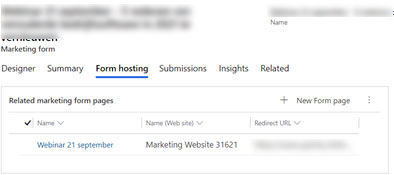
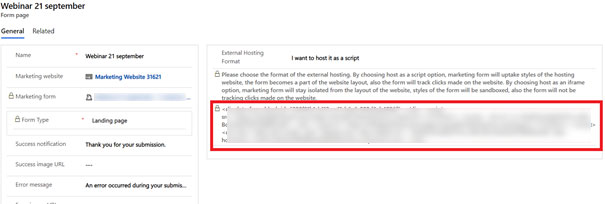
Step 2: Then I put this <div script on our website.
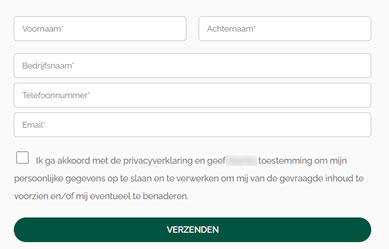
Step 3: As you can see, after placing the script on my website, you can see the Dynamics Marketing Forms script being active.
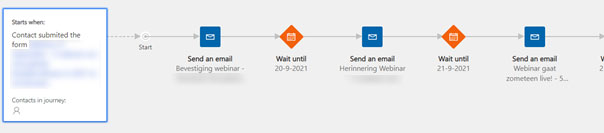
Step 4: I have also set up a customer journey, so that when someone submits the form he should receive a confirmation mail.
Step 5: After the visitor fills in the marketing form, I receive his data, as can be seen in the ‘Submissions’ tab. However, the visitor does not receive any confirmation emails. While it worked before with the mapped Marketing forms.
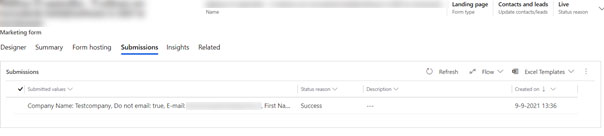
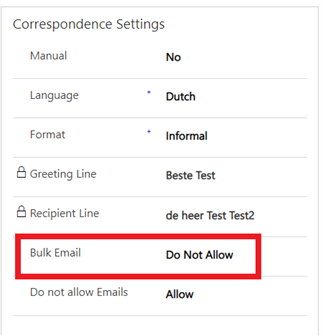
What is striking is that contact setting is automatically switched from 'Allow Bulk Emails' to 'do not Allow Bulk Emails' when they fill in this marketing form. These settings are by default on allow.
I hope you can help me with this