web
You’re offline. This is a read only version of the page.
close
Skip to main content

Notifications

Announcements

No record found.

Community site session details

Community site session details

Session Id :
Microsoft Dynamics CRM (Archived)

Cannot link Opportunity to its Competitor

(0) ShareShare
ReportReport
Posted on by 320

Hello,

I am using CRM online version 9.

I have created a Competitor and have selected the same Competitor when closing an opportunity.
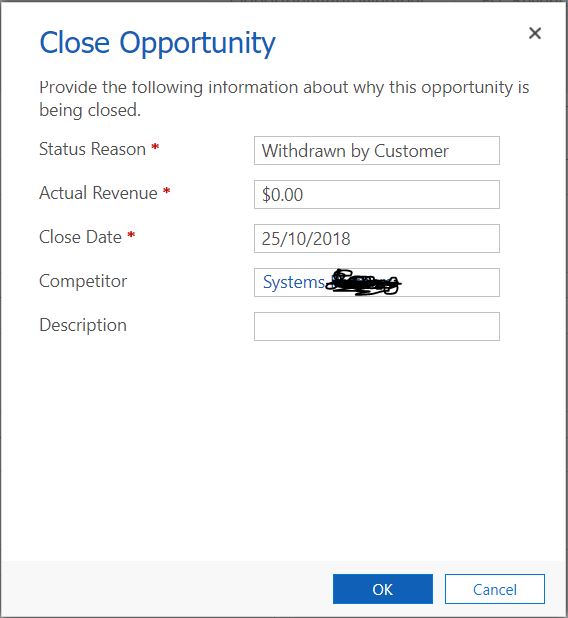
4062.crm1.JPG

I have created a View in Opportunity which shows Lost Opportunities linked to Competitors
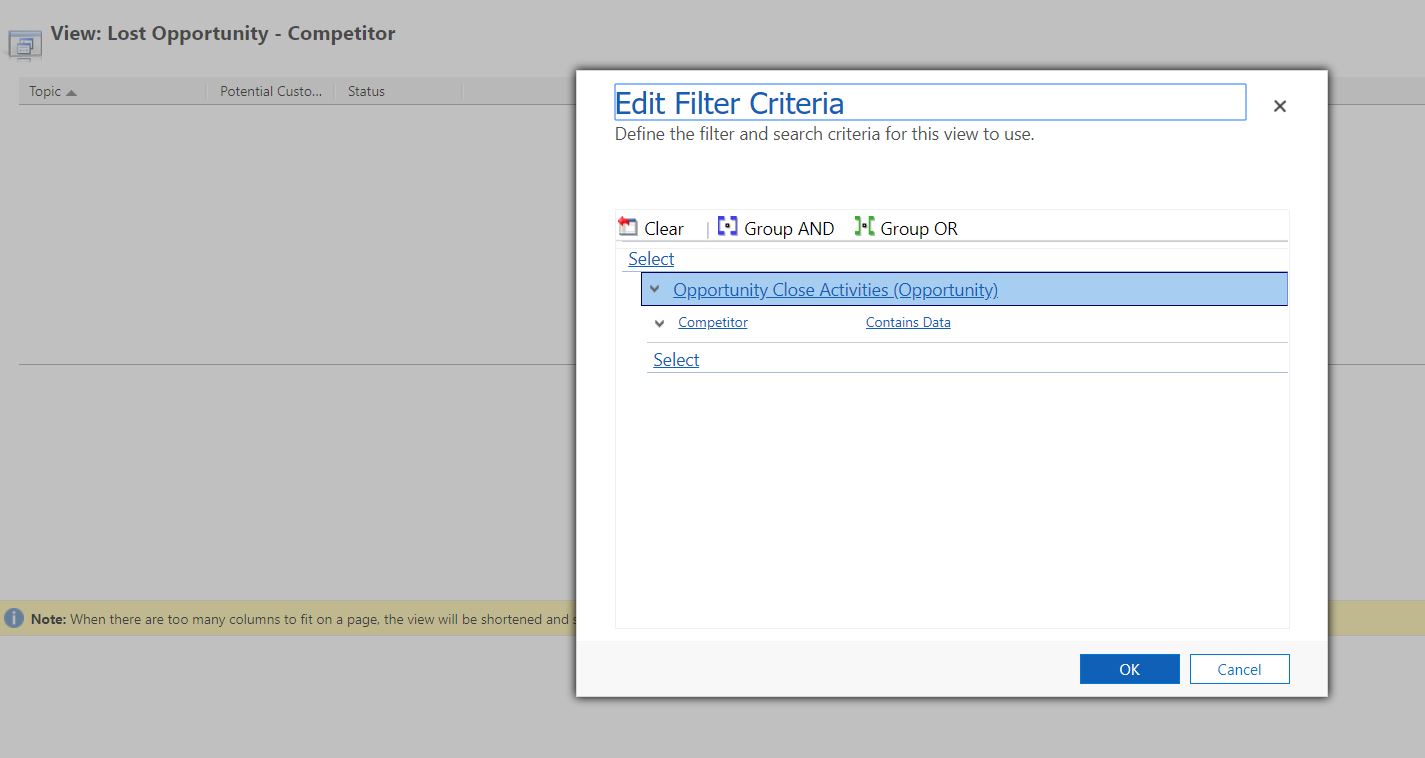
crmview.JPG

(I could not find any column to display on the View which has the Competitor name).

When the Opportunity is closed, I cannot find any opportunity inside the Competitor.
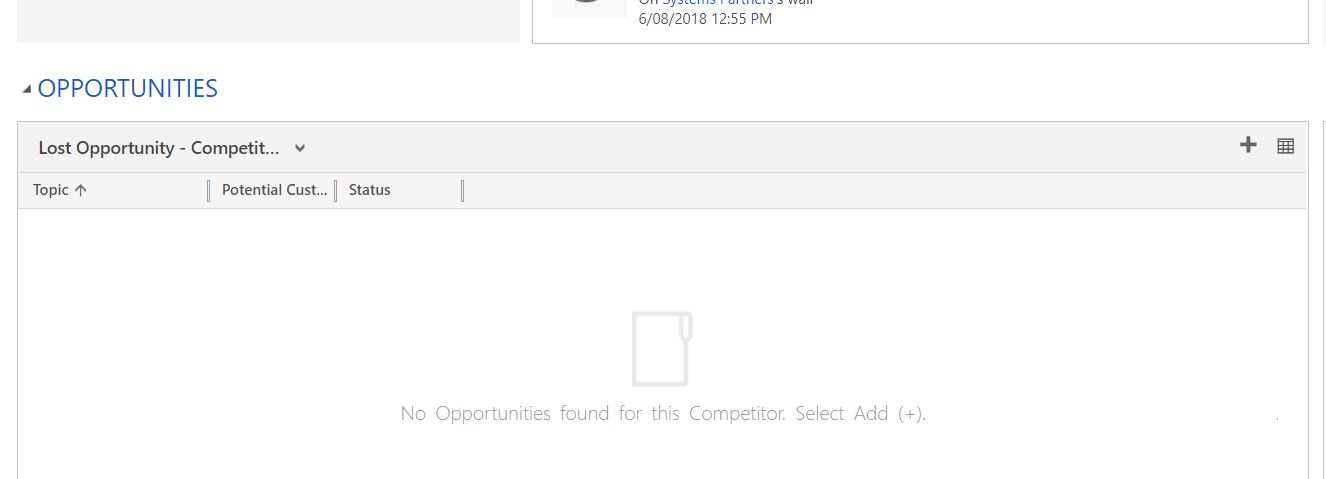
3566.crm2.JPG

I have set these conditions on the Opportunity View under Competitors.

2818.crm3.JPG

I tried playing around with these conditions but could not get the Opportunity linked automatically.

Any help would be appreciated.

Thank you.

*This post is locked for comments

I have the same question (0)
  • Suggested answer
    RaviKashyap Profile Picture
    55,410 Moderator on at

    Hi Huzefa,

    First try the view filter in advance find and see if you have any such records to show. I tried the same and it shows the required records.

    Hope this helps.

  • Huzefa Bootwala Profile Picture
    320 on at

    Hi Ravi,

    Yes, I selected Competitor on Opportunity Closed form. Found the Opportunity by doing Advanced Find. But could not see the Opportunity linked in the Competitor.

  • Suggested answer
    RaviKashyap Profile Picture
    55,410 Moderator on at

    What do you mean by "Opportunity linked in the Competitor"? Are you expecting competitor field on opportunity entity? If yes then you will not find that field on opportunity as this exists in opportunity close entity.

  • Huzefa Bootwala Profile Picture
    320 on at

    When I do this, Results are blank

    5635.crm5.JPG

    But when I do this, I get the Opportunities in the result

    5635.crm5.JPG

    Could you please explain why?

    Thank you.

  • Huzefa Bootwala Profile Picture
    320 on at

    No I am not expecting that.

    I am expecting this: Close an Opportunity with a Competitor.

    Go in Competitor entity, click on the Competitor, scroll down, under Opportunity Sub Grid, I should see the Opportunity which is been closed with that Competitor.

  • Huzefa Bootwala Profile Picture
    320 on at

    I am expecting the Opportunities here.

    crm7.JPG

    I believe this should be the ideal scenario correct?

  • Suggested answer
    RaviKashyap Profile Picture
    55,410 Moderator on at

    This is because in first screenshot, you are querying the competitors related to opportunity ( out of box, there is a subgrid of competitor on opportunity where you can add multiple competitors who are also after the same opportunity) whereas in second you are querying competitor related to the opportunity close entity ( in opportunity close entity you select the competitor against which the opportunity is lost). these are 2 different relationship.

    Hope this helps.

  • Huzefa Bootwala Profile Picture
    320 on at

    Perfect. Got it.

  • Verified answer
    RaviKashyap Profile Picture
    55,410 Moderator on at

    In order to show opportunities which are lost to competitors, you need to have a lookup field on the opportunity entity which you can select. Right now (OOB) you have the field on Opportunity Close entity.

    The view you are referring is the view where this competitor is added on the Opportunity form subgrid. That's an N:N relationship between Opportunity & Competitor which is not same as the one which you see on the opportunioty close entity.

    Refer this:

    opportunitycomp.png

  • RaviKashyap Profile Picture
    55,410 Moderator on at

    If you got the answer to your questions, please close the thread by mrking the suggestion as helpful if it helped you :)

Under review

Thank you for your reply! To ensure a great experience for everyone, your content is awaiting approval by our Community Managers. Please check back later.

Helpful resources

Quick Links

Responsible AI policies

As AI tools become more common, we’re introducing a Responsible AI Use…

Neeraj Kumar – Community Spotlight

We are honored to recognize Neeraj Kumar as our Community Spotlight honoree for…

Leaderboard > 🔒一 Microsoft Dynamics CRM (Archived)

#1
SA-08121319-0 Profile Picture

SA-08121319-0 4

#1
Calum MacFarlane Profile Picture

Calum MacFarlane 4

#3
Alex Fun Wei Jie Profile Picture

Alex Fun Wei Jie 2

Last 30 days Overall leaderboard

Featured topics

Product updates

Dynamics 365 release plans



