web
You’re offline. This is a read only version of the page.
close
Skip to main content

Announcements

No record found.

News and Announcements icon
Community site session details

Community site session details

Session Id :
Microsoft Dynamics AX (Archived)

Field is empty in SSRS - InventValueReport

(0) ShareShare
ReportReport
Posted on by 159

Hi everyone , 
First I add field - Description   in table -  InventValueReportTmpLine .After this I add field - Description in InventValueReportDP ->getInventValueReportTmpLine like this:
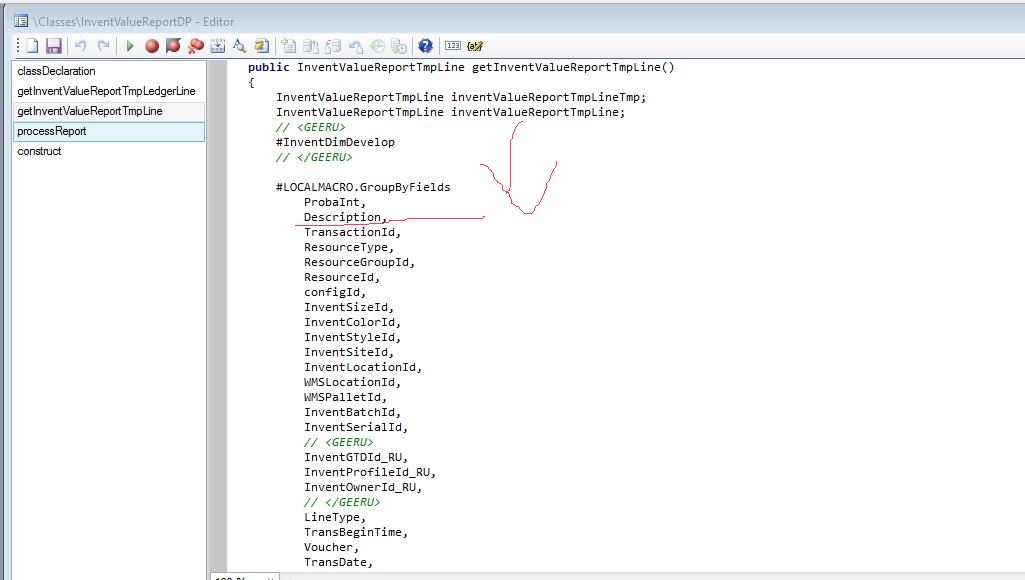
 AddDescription.JPG

I add also and this in InventValueReportPopulateItem -> findReportLine 

tmpReportLine.Description       = InventTable::find(_inventTable.ItemId).defaultProductDescription();
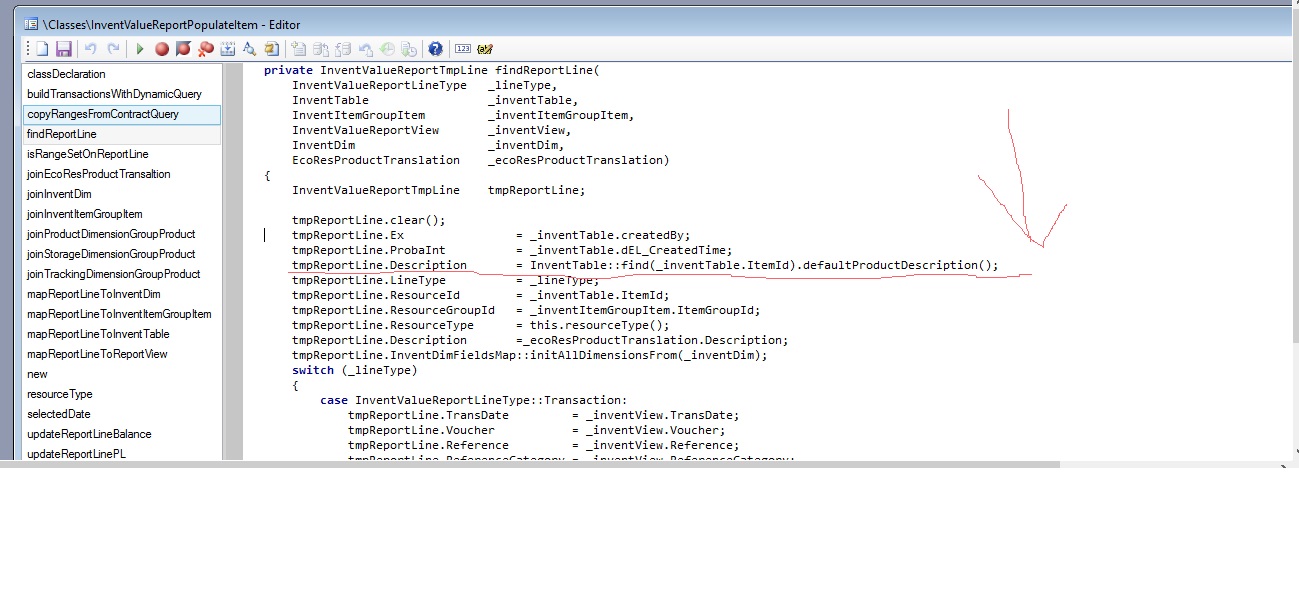
6457.add.jpg
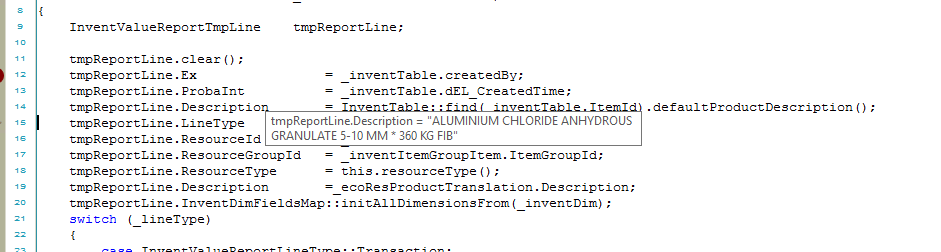
When I debugged it looks okei
emptyDebug.png

but when run Report from Ax View ->nventory management/Reports/Inventory value /Inventory value
FIELD IS EMPTY ?
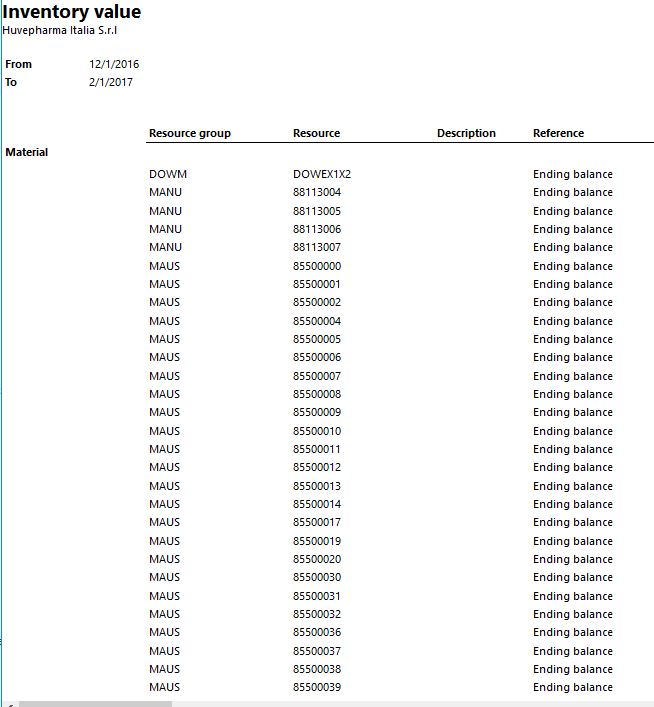
emptyVS.JPG
Can anyone help me :)

*This post is locked for comments

I have the same question (0)
  • Vladislav Profile Picture
    159 on at

    I also deploy it from VS 2013.

  • Vladislav Profile Picture
    159 on at

    Can you tell me what do you mean with incremental CIL ?

  • Vladislav Profile Picture
    159 on at

    Okei , I did everything you said but problem is not there. Some more Ideas ?

  • Suggested answer
    Srini Ramidi Profile Picture
    2 on at

    Hello,

    Are you sure you tried Tools | Caches |Refresh Report server? if you still not see after refresh try to restart the AOS and SSRS services.

    Best,

    Srini

  • Karan Nair Profile Picture
    30 on at

    Hi All,

    I was able to solve this issue by resetting the Usage data. 

    Regards,

    Karan

Under review

Thank you for your reply! To ensure a great experience for everyone, your content is awaiting approval by our Community Managers. Please check back later.

Helpful resources

Quick Links

Introducing the 2026 Season 1 community Super Users

Congratulations to our 2026 Super Stars!

Meet the Microsoft Dynamics 365 Contact Center Champions

We are thrilled to have these Champions in our Community!

Congratulations to the March Top 10 Community Leaders

These are the community rock stars!

Leaderboard > 🔒一 Microsoft Dynamics AX (Archived)

#1
Joris dG Profile Picture

Joris dG 5

#2
Andrew Jones a1x Profile Picture

Andrew Jones a1x 2

#3
GL-01081504-0 Profile Picture

GL-01081504-0 1

Last 30 days Overall leaderboard

Featured topics

Product updates

Dynamics 365 release plans