web
You’re offline. This is a read only version of the page.
close
Skip to main content

Notifications

Announcements

No record found.

Community site session details

Community site session details

Session Id :
Microsoft Dynamics 365 | Integration, Dataverse...
Suggested Answer

Create an email activity in Dynamics 365

(0) ShareShare
ReportReport
Posted on by 129

We have workflow in the ribbon that uses a Flow to create an email.

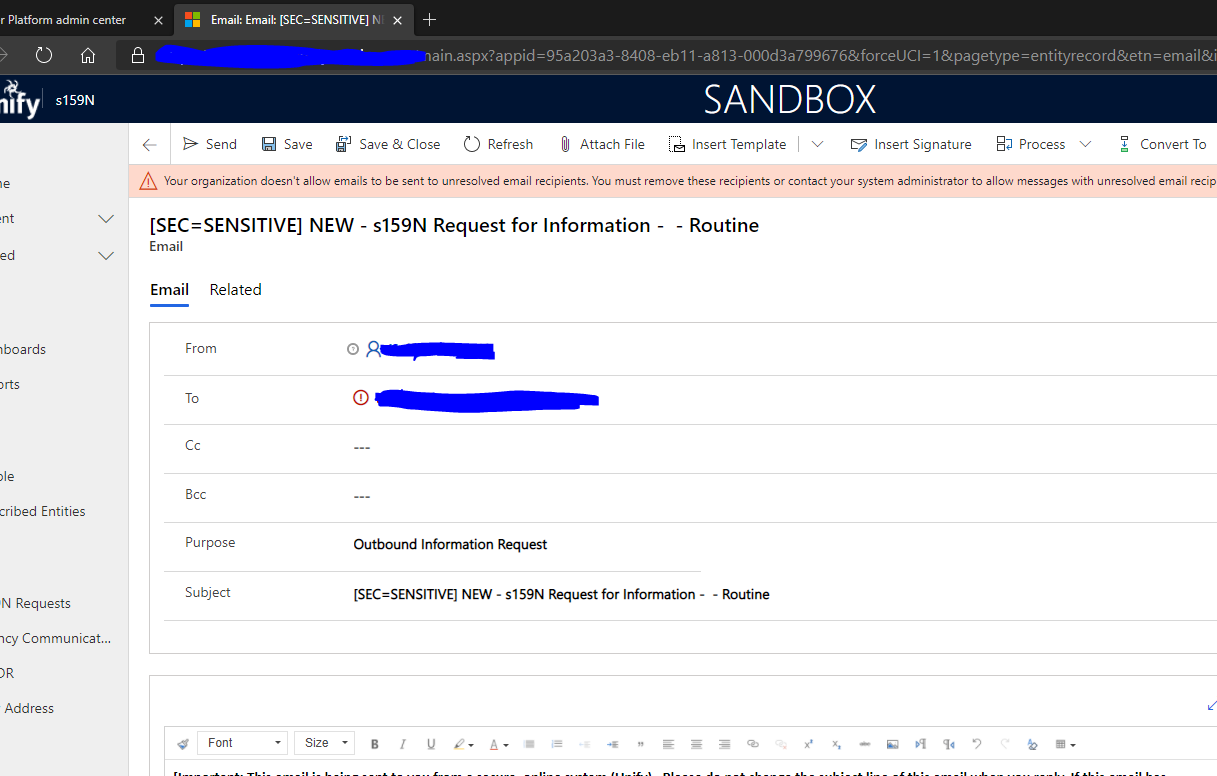
An example of an email created is shown below.
2867.pastedimage1604913262075v1.png

The email is sent to an external client.

The question is what email address should be specified in the "TO" address?

We have been told that in order to send an email on behalf of the user, the "TO" address must be a Dynamics 365 user with a mailbox.

Does it have to be a D365 user?

Can it be a shared mailbox?

If it is user, I can set the "Email on behalf of some" in the User Setting but for a shared mailbox, I can't turn that specific setting.

Is there another way to send that email without specifying a D365 user in the "TO" address?

Note that we Server Side Synching and D365 App for Outlook.

a2z


I have the same question (0)
  • Suggested answer
    LuHao Profile Picture
    40,892 on at

    Hi a2z,

    The To field should be an already verified mailbox, it doesn't have to be a D365 user, it can also be Lead, Contact or Account etc.

    In other words, this mailbox must have already existed in D365. If it is a new unverified mailbox as the value of To, a red exclamation mark will appear.

    To remove this restriction, please go to Settings > Email Configuration > Email Configuration Settings, select "Set To,cc,bcc fields as unresolved values if multiple matches are found in Incoming Emails." to Yes.

    7080.pastedimage1604917321403v1.png

    4520.pastedimage1604917459424v2.png

  • a2z Profile Picture
    129 on at

    Hi Lu

    Thanks for you response.

    I am actually referring to the "FROM" address.

    Does the from address needs to be a user in order to send email on someone's behalf?

    Can that FROM address be a shared mailbox, for example.

    Can it be a Team mailbox?

    a2z

  • Suggested answer
    LuHao Profile Picture
    40,892 on at

    Hi a2z,

    "FROM" address can only be a user or queue, so if you would send email from a group not an individual user, you can select a queue for Form.

    Please refer to the steps in

    1. https://community.dynamics.com/crm/b/meganwalker/posts/automatically-send-emails-from-a-queue
    2. https://alphabold.com/dynamics-365-queues-to-control-the-routing-of-emails/

Under review

Thank you for your reply! To ensure a great experience for everyone, your content is awaiting approval by our Community Managers. Please check back later.

Helpful resources

Quick Links

Responsible AI policies

As AI tools become more common, we’re introducing a Responsible AI Use…

Neeraj Kumar – Community Spotlight

We are honored to recognize Neeraj Kumar as our Community Spotlight honoree for…

Leaderboard > Microsoft Dynamics 365 | Integration, Dataverse, and general topics

#1
Martin Dráb Profile Picture

Martin Dráb 41 Most Valuable Professional

#2
iampranjal Profile Picture

iampranjal 39

#3
Satyam Prakash Profile Picture

Satyam Prakash 35

Last 30 days Overall leaderboard

Product updates

Dynamics 365 release plans



