web
You’re offline. This is a read only version of the page.
close
Skip to main content

Notifications

Announcements

No record found.

Community site session details

Community site session details

Session Id :
Microsoft Dynamics 365 | Integration, Dataverse...
Suggested Answer

Post-UCI - Forms Confusion

(0) ShareShare
ReportReport
Posted on by

This seems like a really simple problem, so forgive my obtuseness in advance:

Forms seem to be a mess in UCI.

Hosted D365 updated for UCI.  As I review forms, things that used to live in a single-page view are now broken into tabs.  Most of these were/are subgrids.  It doesn't appear that I can modify things in a way that prevents breaking things into tabs.  This is frustrating, as we have required fields that used to live on a single page which now require toggling to a separate tab to complete before the system allows a Save.

Example:

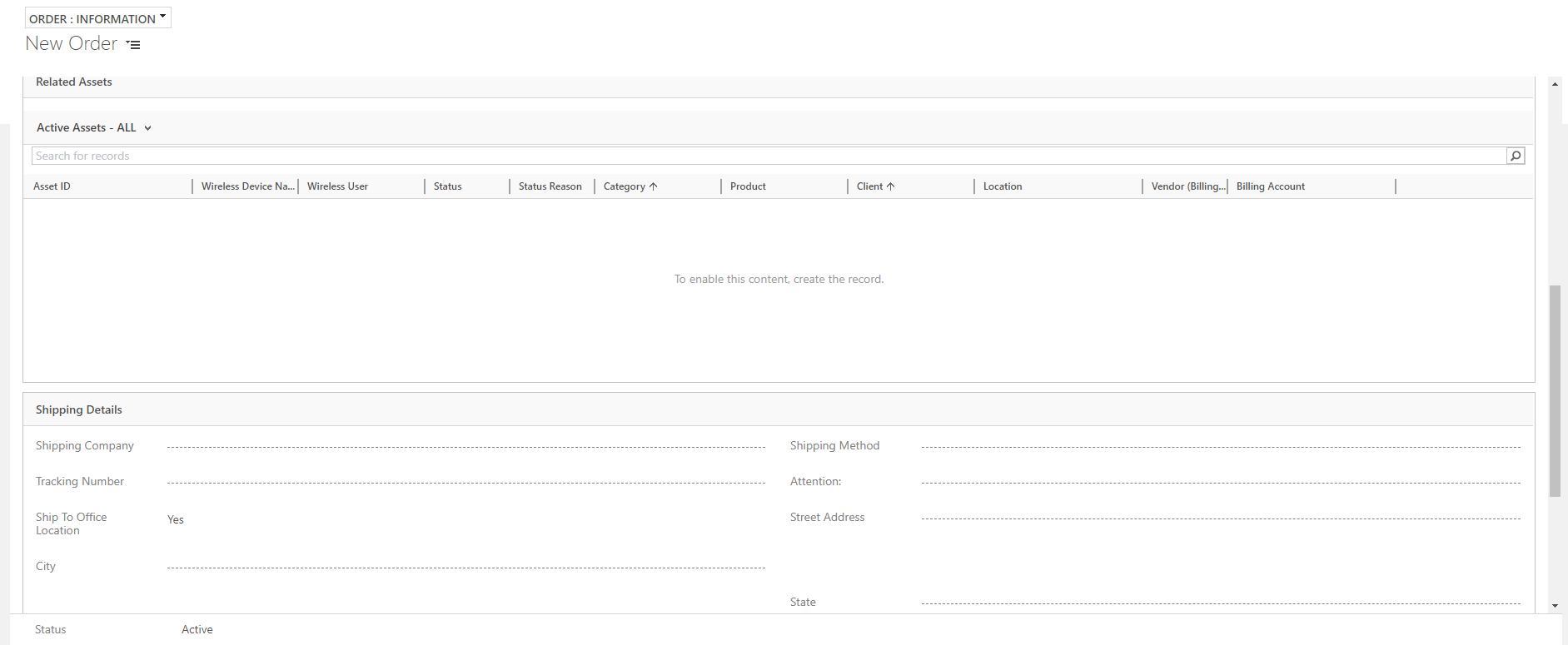
Production form from "Order" Entity:
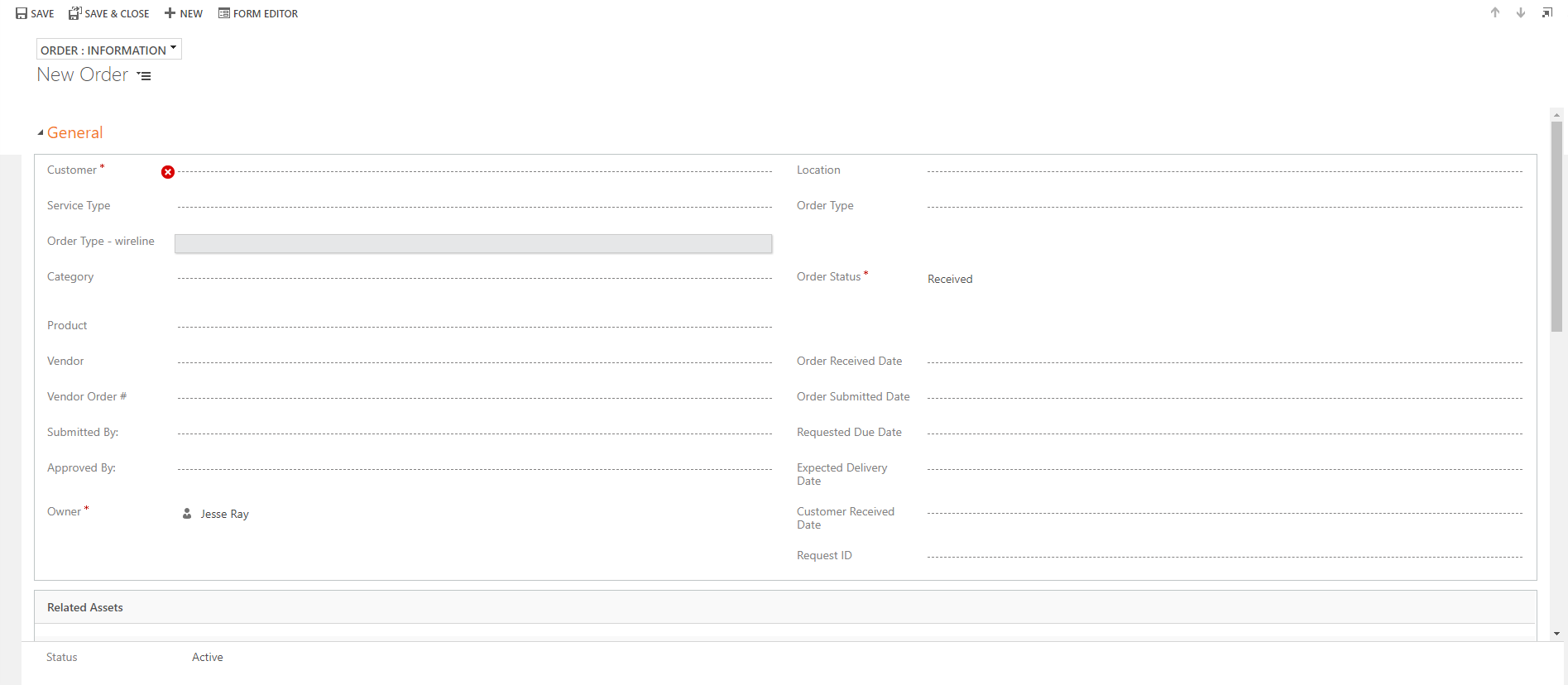
3034.pastedimage1582046396680v1.png

5460.pastedimage1582046426191v2.png

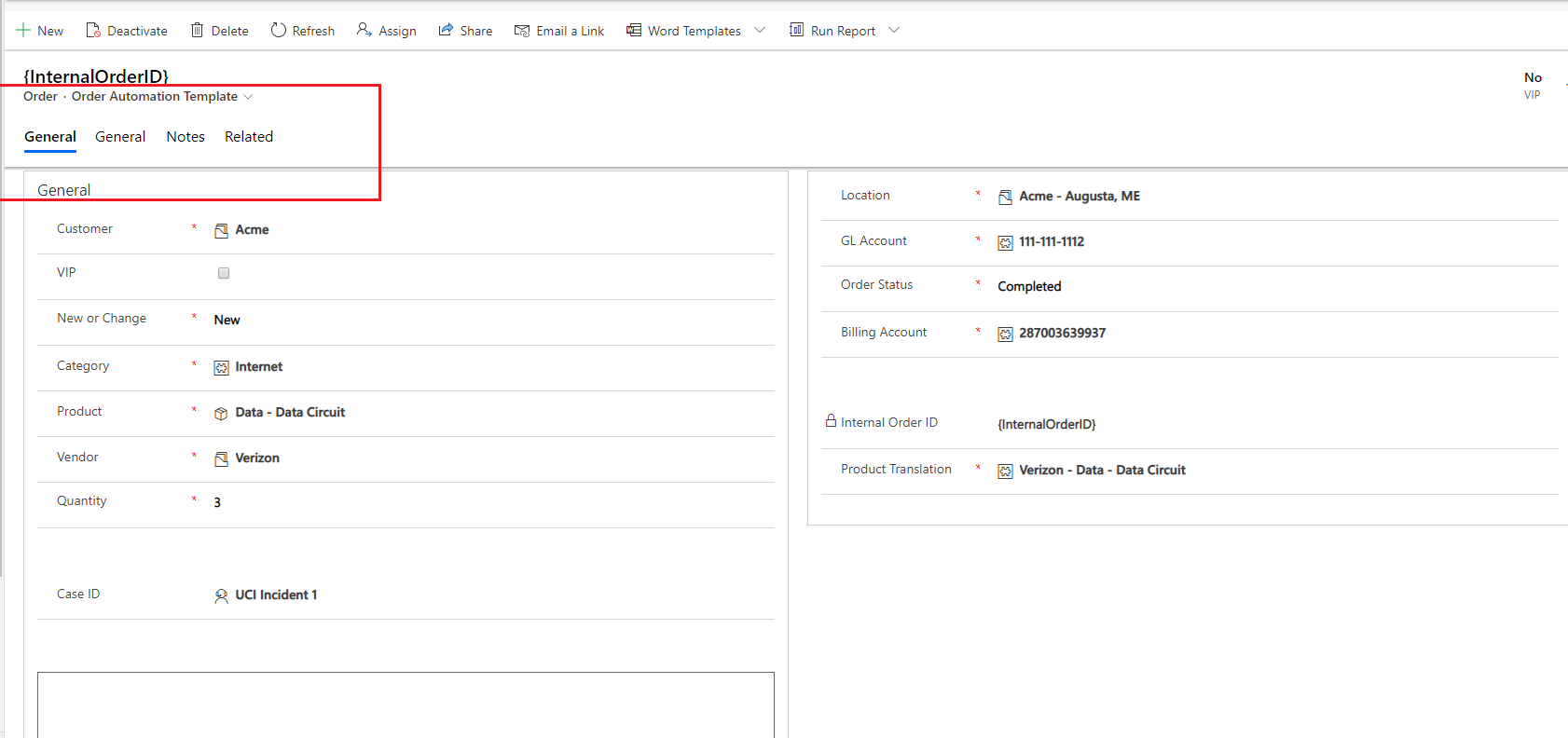
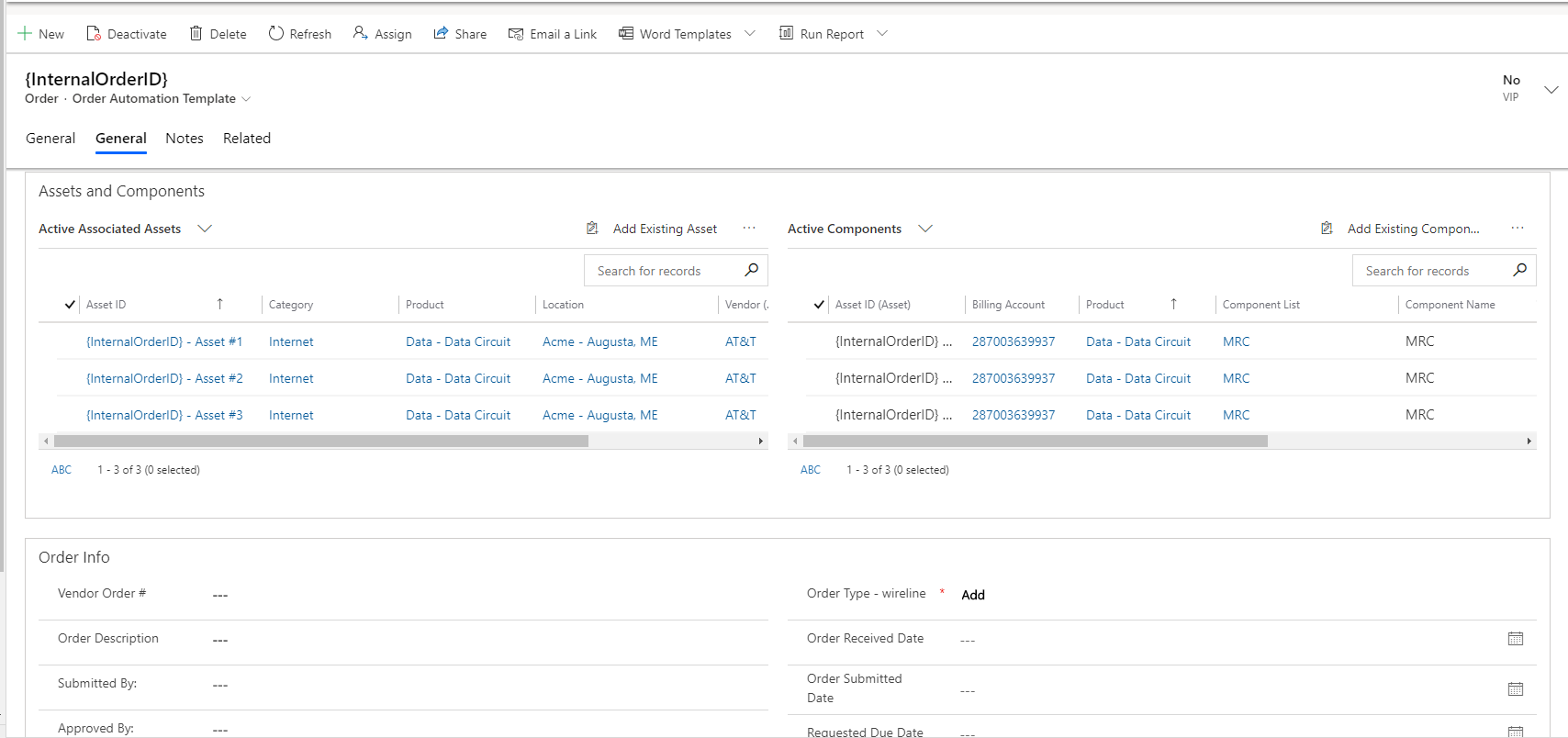
Same form in Dev, post-UCI:

8015.pastedimage1582046475851v3.png

1541.pastedimage1582046504109v4.png

When I look at the form in the classic editor, it's no different post-UCI than it was in the legacy app:
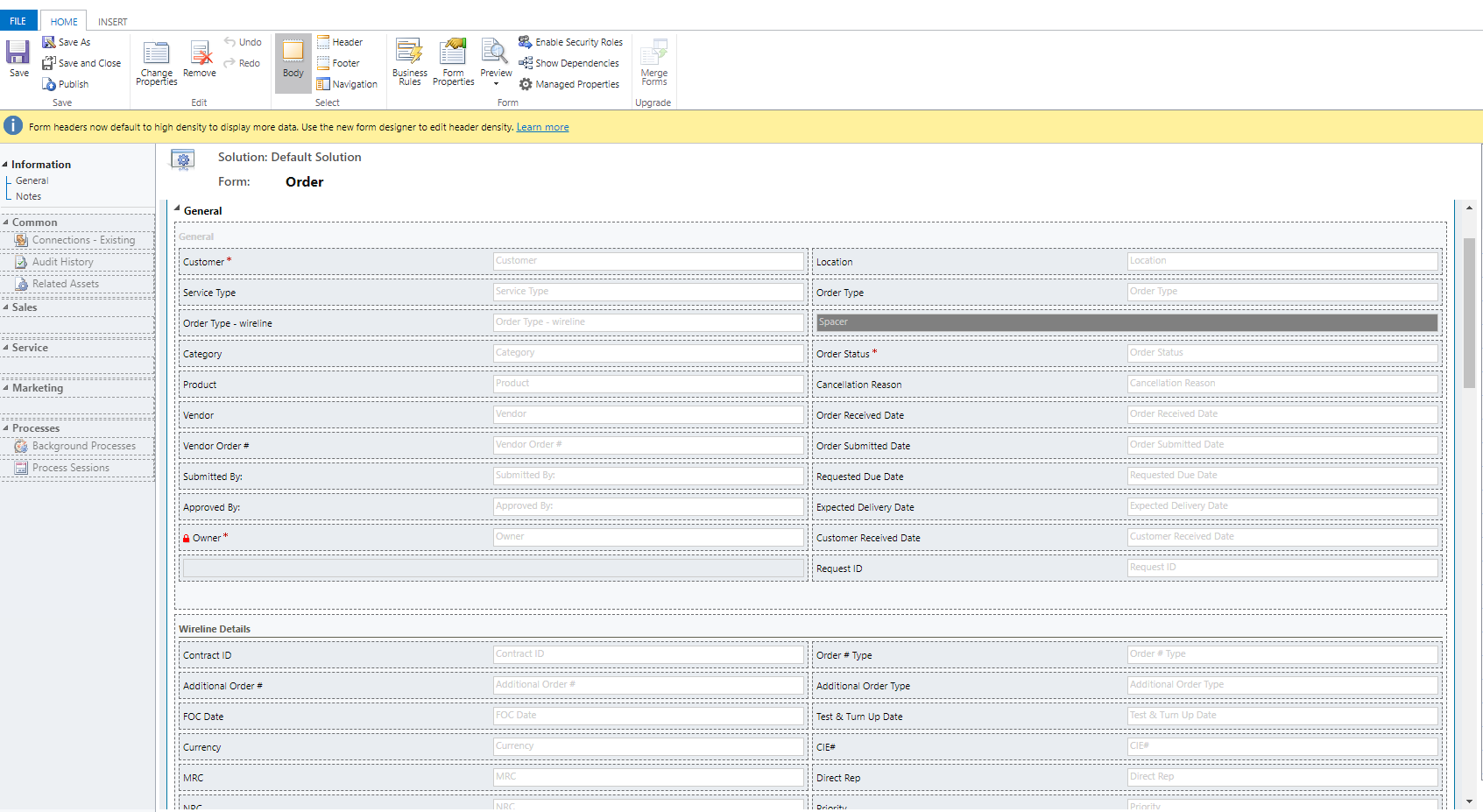
8358.pastedimage1582046631145v5.png

I have the same question (0)
  • Suggested answer
    Kokulan Profile Picture
    18,054 on at

    Unfortunately, UCI only renders tabs as shown in your screenshots. This is based on mobile-first,  responsive design principle. You cannot change this behaviour and while you could switch to classic for now but from 2nd Oct, UCI is the only option you have.

  • Suggested answer
    Paul_Owen Profile Picture
    2,027 on at

    They haven't been broken into Tabs, they were already in Tabs, the difference being they were all in a single view which is not how Tabs normally work as we all know them! The new design is better and saves scrolling. I get your point about required fields however you say they are mostly grids so no required fields there? You obviously can move the required fields to the first Tab to help but now (which wasn't the case when the UI was first released) it will give you a form notification at the top of the form showing the required fields and clicking them takes you straight to that field IIRC.

    Regards

    Paul

  • LuHao Profile Picture
    40,892 on at

    Hi Jesse,

    For UCI forms, I would recommend you edit it through the Power Apps form editor.

    Go to  https://make.powerapps.com/, click Data > Entities > Account > Forms, open a form.

    1323.pastedimage1582180298139v1.png    5047.pastedimage1582180305658v2.png

    Then you could edit this form, and its style is uniform interface, what you see is what you get.

    7127.pastedimage1582180328524v3.png

  • Community Member Profile Picture
    on at

    Not sure why, but the Case entity is not available to me in PowerApps.  I can only view the entity under Customize The System within Dynamics.

  • LuHao Profile Picture
    40,892 on at

    Hi Jesse,

    You need to switch the display range of the entity list.

    In the list of entities, click Default in the upper right corner and select All.

    8204.pastedimage1582249429237v1.png

    Then you will see the Case entity.

    7360.pastedimage1582249491447v2.png

Under review

Thank you for your reply! To ensure a great experience for everyone, your content is awaiting approval by our Community Managers. Please check back later.

Helpful resources

Quick Links

Responsible AI policies

As AI tools become more common, we’re introducing a Responsible AI Use…

Neeraj Kumar – Community Spotlight

We are honored to recognize Neeraj Kumar as our Community Spotlight honoree for…

Leaderboard > Microsoft Dynamics 365 | Integration, Dataverse, and general topics

#1
iampranjal Profile Picture

iampranjal 41

#2
Martin Dráb Profile Picture

Martin Dráb 38 Most Valuable Professional

#3
Satyam Prakash Profile Picture

Satyam Prakash 35

Last 30 days Overall leaderboard

Product updates

Dynamics 365 release plans