Hi Alessandro Parisi,
Let's take this as an example.
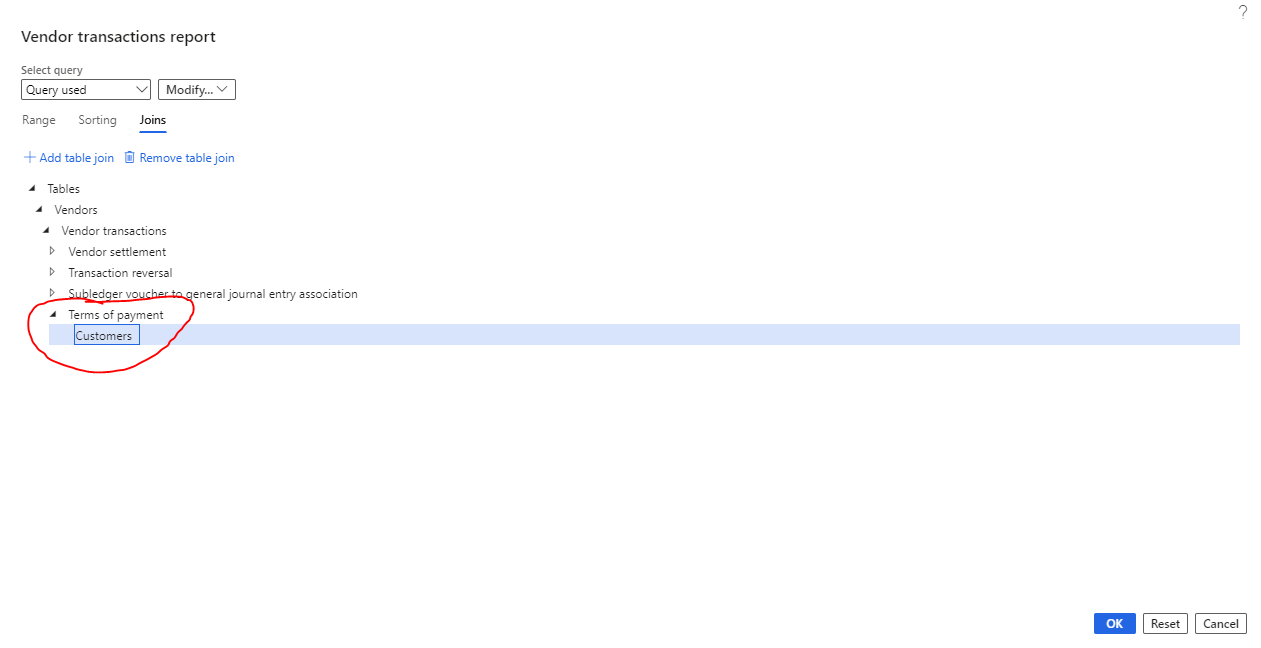
I have joined two tables "Terms of payment" and "Customers".
Now I can select "Customers" in the Table column in "Range" section and then related "Terms of payment" in the 'Field' column and select the "Criteria" from the drop down of this "Terms of payment".
It is appearing after joining the table and based on that I am able to generate this too.

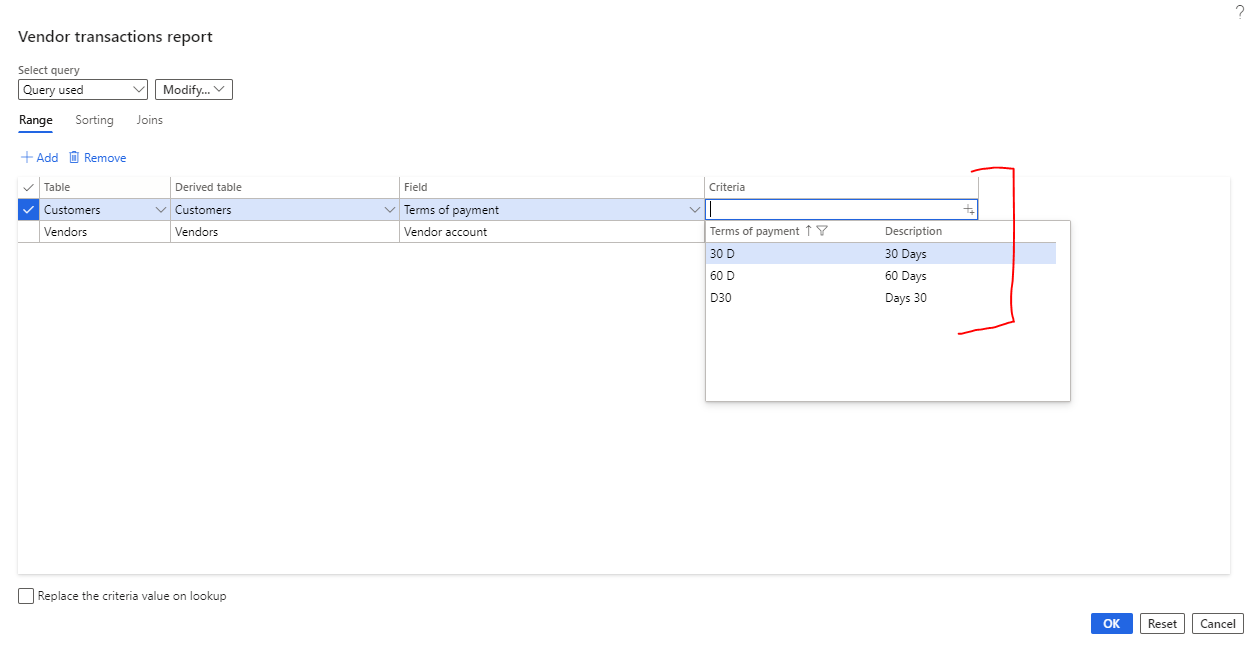
Please don't get confused why I selected "Customer" in the vendor transaction report. My only intention is to show you that you can join Tables and based on that, you can generate the query. And after joining Tables, it will appear in the Range section of the query form as well and that's it.
You can check this by setting in the customer transaction form.
Regards,
Sourav







