web
You’re offline. This is a read only version of the page.
close
Skip to main content

Announcements

No record found.

News and Announcements icon
Community site session details

Community site session details

Session Id :
Customer experience | Sales, Customer Insights,...
Suggested Answer

Email opt-in change through external forms

(0) ShareShare
ReportReport
Posted on by 20

Hello

We are building an external form and would like to pass the email opt-in or out value to Dynamics through a check box on the external form as Yes or No. How can we do that... The documentation says the value for the DoNotEmail field is boolean... We have passed both true or false and nothing changed https://docs.microsoft.com/en-us/previous-versions/dynamics-marketing/developers-guide/dn841893(v=mdm.8)

When we look at the field DoNotEmail as a field type is says it has Two Options, but the values seem to be opt-in true/false and opt-out true/false  does that mean we need to set two fields not one?

Appreciate any guidance here.. the form is built on an external marketing automation tool that passes the data to dynamics...

Thanks 

I have the same question (0)
  • Suggested answer
    cloflyMao Profile Picture
    25,210 on at

    Hi Partner,

    You should use "DoNotBulkEmail" field instead.

    Please refer to answer of the following thread to learn about difference between DoNotBulkEmail and DoNotEmail.

    https://community.dynamics.com/365/marketing/f/dynamics-365-for-marketing-forum/378814/allow-email-vs-allow-bulk-email

    We only need one "Two Options" type field, and just notice that "true" represents "Do not allow bulk email".

    Regards,

    Clofly

  • DSS Dynamics Profile Picture
    20 on at

    Thank you for replying.....   In the setup we have for D365 we do not see the donot bulkemail  field ... in all cases.. the issue is that we are unable to change the values ...  so we pass true or false and the donotemail field remains the same  ... should we pass a different value and what that would be ?    

    thanks again :)

  • Suggested answer
    cloflyMao Profile Picture
    25,210 on at

    Hi Partner,

    Form field will be added to marketing form and it is mapped to a specific field of Contact or Lead.

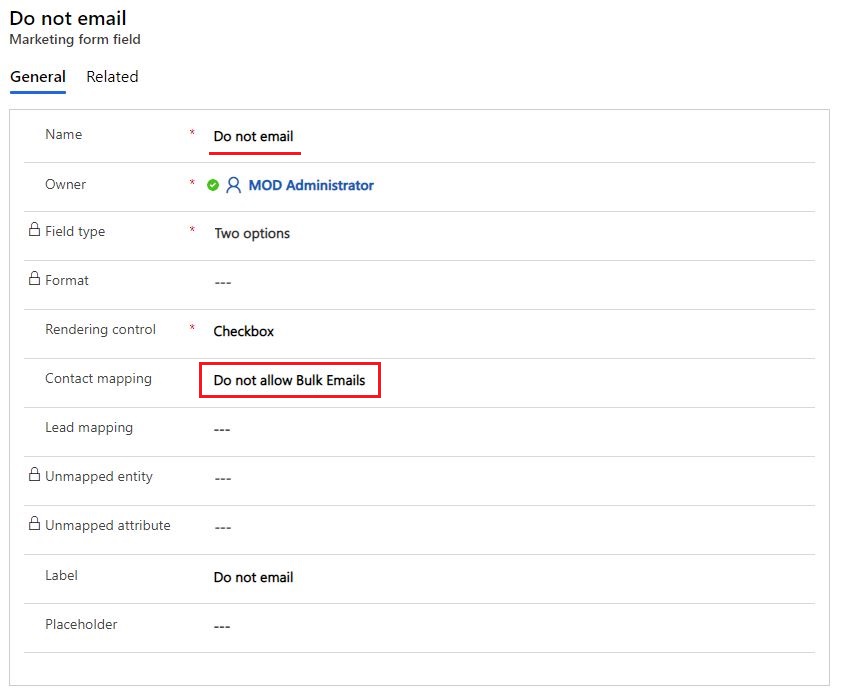
    In Dynamics 365 for Marketing, the form field record "Do not email" has been mapped to "Do not allow Bulk Emails" field of Contact.
    3782.JPG

    It will be rendered as a checkbox element, and the "Two option" field type indicates that the form field is mapped to a boolean type field.

    https://docs.microsoft.com/en-us/dynamics365/marketing/marketing-fields#field-type-and-format-options

    pastedimage1603961458905v1.png 

    In a word, form field is different from field of entity.

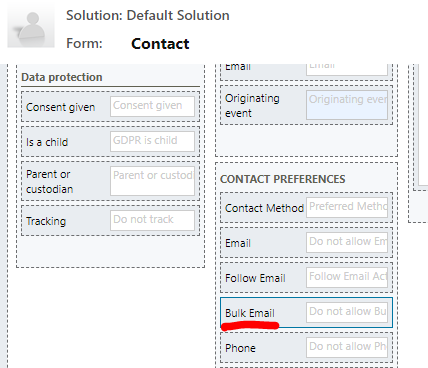
    In customization menu of Contact entity, we can see the actual mapped field.

    pastedimage1603961674620v3.png

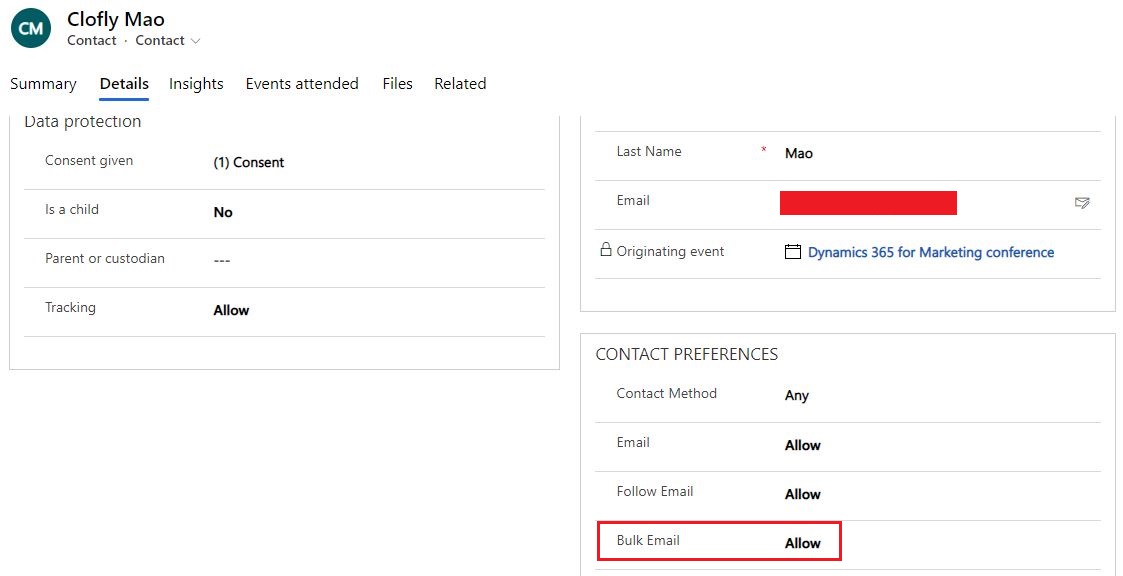
    The mapped field has been also added to Contact form > Details tab > CONTACT PREFERENCES section.
    pastedimage1603961830194v4.png

    8484.JPG

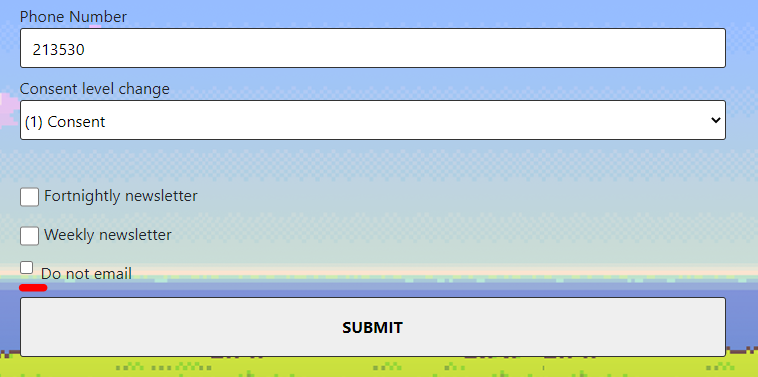
    We just need to drag the corresponding form field to custom subscription center form.

    pastedimage1603962054389v5.png 

    Result

    pastedimage1603962092731v6.png

    If we submit the form with "Do not email" checked, Bulk Email field of contact will be set to "Do Not Allow".
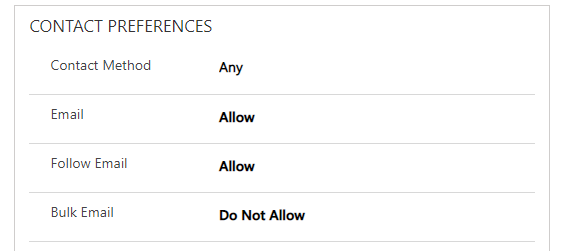
    pastedimage1603962220177v7.png

    Regards,

    Clofly

Under review

Thank you for your reply! To ensure a great experience for everyone, your content is awaiting approval by our Community Managers. Please check back later.

Helpful resources

Quick Links

Introducing the 2026 Season 1 community Super Users

Congratulations to our 2026 Super Stars!

Congratulations to our 2025 Community Spotlights

Thanks to all of our 2025 Community Spotlight stars!

Leaderboard > Customer experience | Sales, Customer Insights, CRM

#1
ManoVerse Profile Picture

ManoVerse 208 Super User 2026 Season 1

#2
CU11031447-0 Profile Picture

CU11031447-0 100

#3
NeerajPawar Profile Picture

NeerajPawar 80

Last 30 days Overall leaderboard

Product updates

Dynamics 365 release plans