Hello Macarena Presa Rinaldi,
Best option to get the result is to use open in excel option available in the "Workers" form.
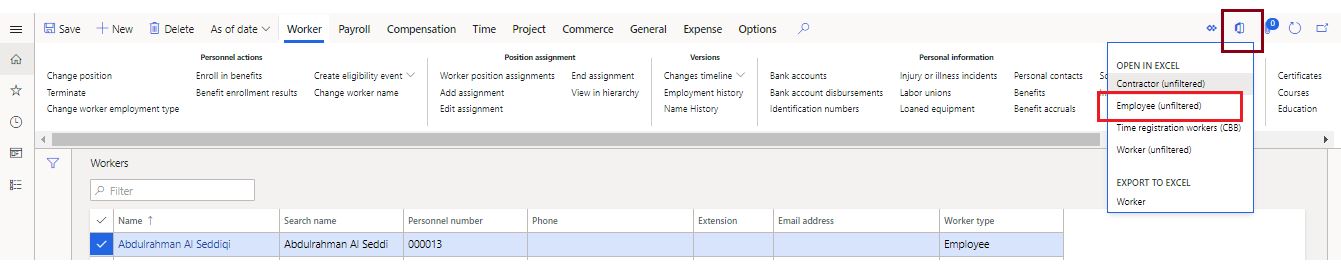
Once you download the excel using the highlighted entity; you can click on "Design".
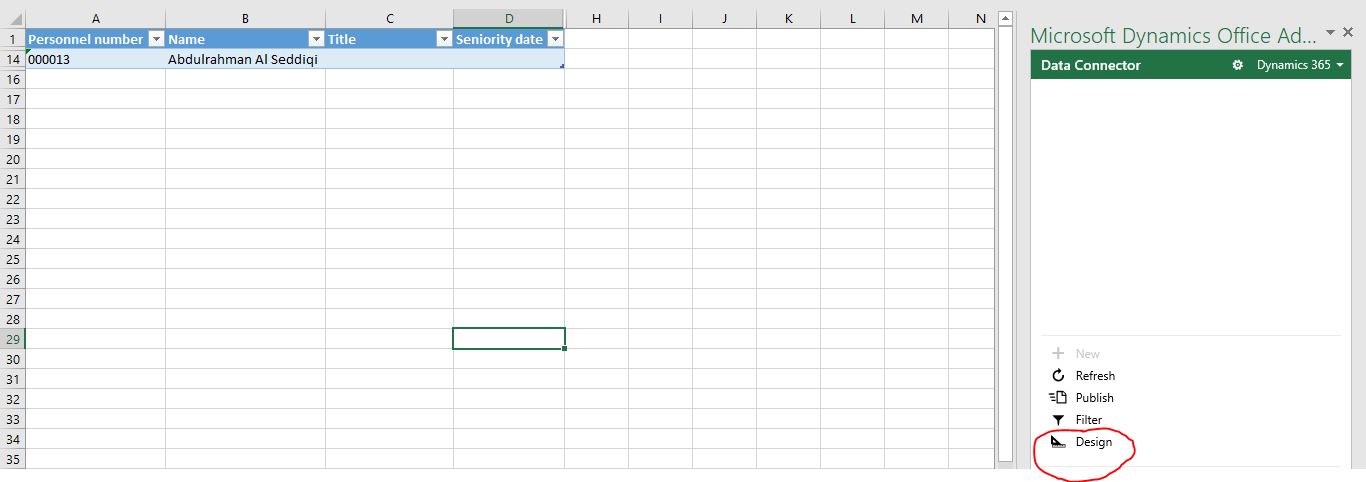
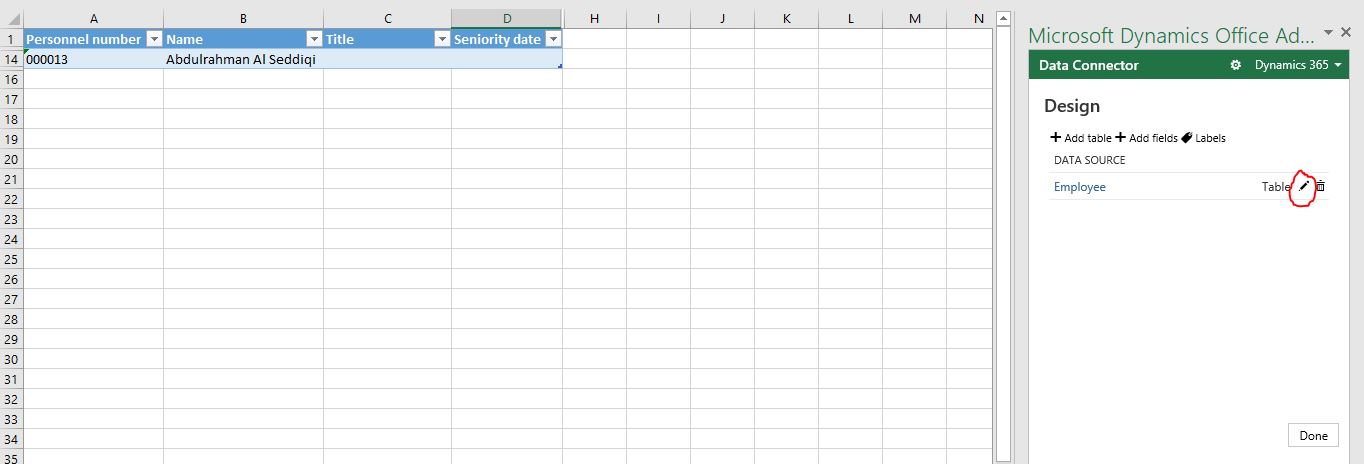
System will show the Employee table. Click on 'edit' as highlighted below.
Now double click on OfficeLocation and OfficeLocationId as per your requirement.
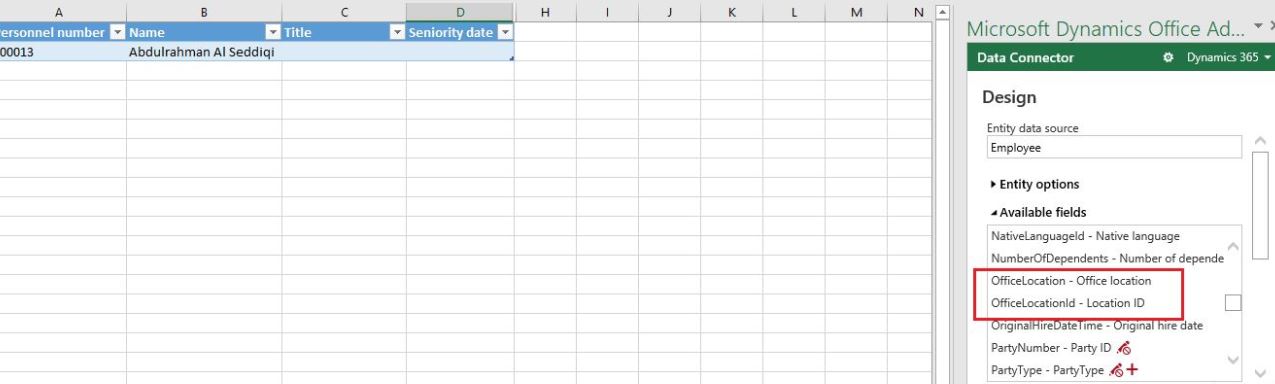
Once double clicked; both of these fields will be available in the "Selected fields" section.
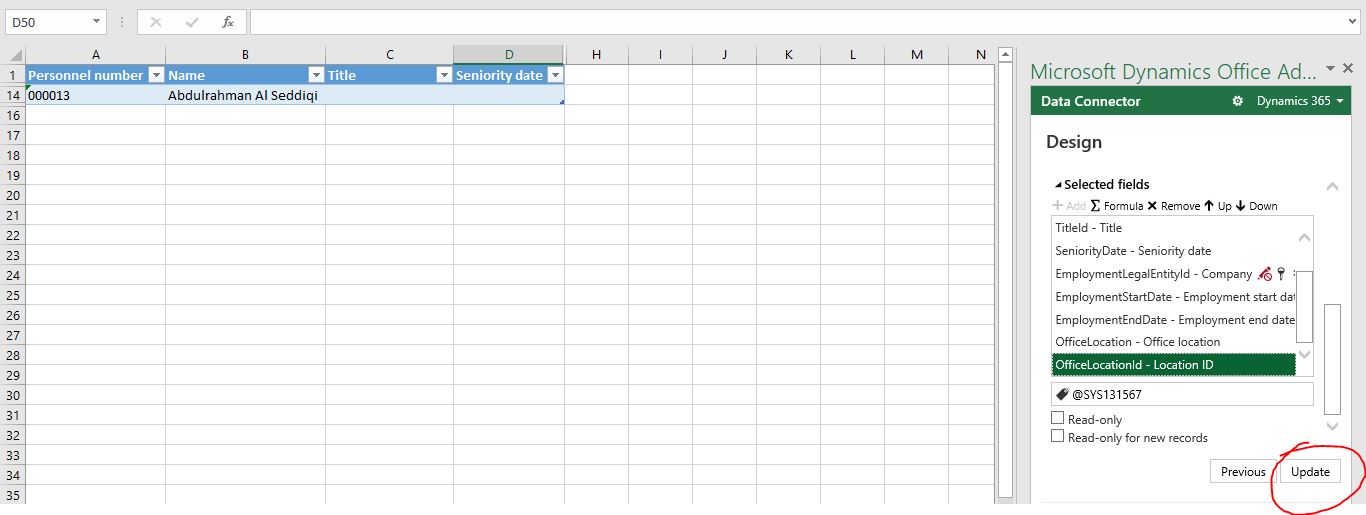
Now click on Update.
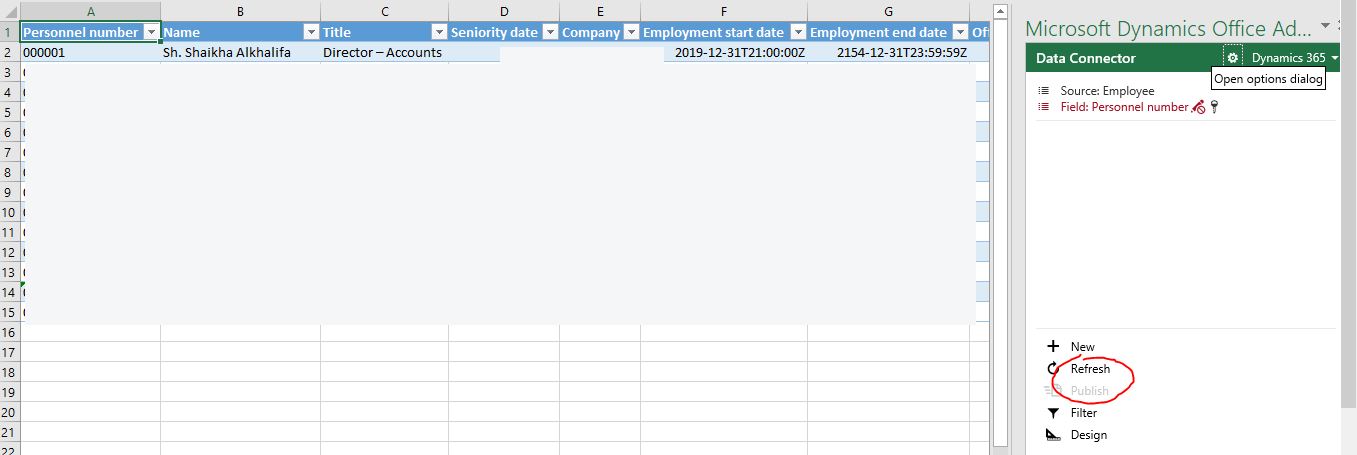
Follow the steps one by one as it comes. Once done; you have to click on Refresh to add the newly added fields in this excel sheet.
Once this is refreshed; you will see the location and location ID.
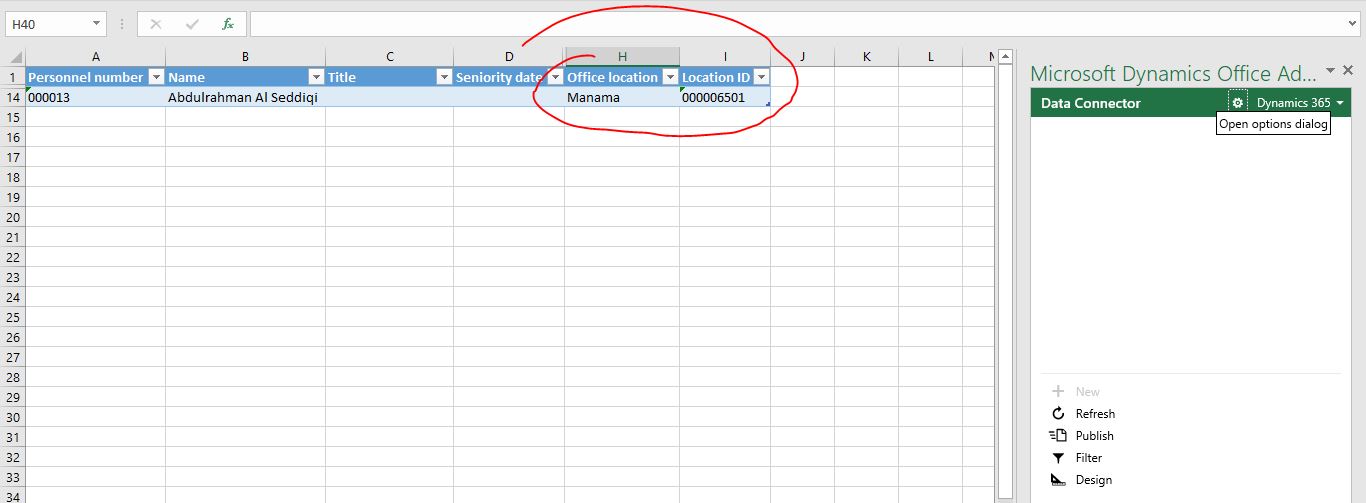
Kindly check and provide your feedback.
Best regards,
Sourav Dam
Kindly mark this thread 'Yes' if this is answered your query which may help other community members in this forum.


