web
You’re offline. This is a read only version of the page.
close
Skip to main content

Announcements

No record found.

News and Announcements icon
Community site session details

Community site session details

Session Id :
Customer experience | Sales, Customer Insights,...
Suggested Answer

How can I create a segment based on leads that I have just imported in the system? (to include that segment in a customer journey)

(0) ShareShare
ReportReport
Posted on by

I know that it is mandatory to consider the contact entity when you create a segment. In this case, it is possible to create a segment for cualified leads but. What if I want to send an email (customery journey) to the leads once they are created in the system (before we cualified them). Is it possible?

I have the same question (0)
  • FabiolaRT Profile Picture
    155 on at

    Hi Sebastian!

    You can only create segments to contacts, it really is something that Microsoft should consider in its next releases.
    I'm in something similar, the client plans to offer products to the leads, what I did was upload as many leads as contacts in the contact entity and type them through a field, only in this way was it possible to send prospects and contacts.

    Regards

  • Suggested answer
    cloflyMao Profile Picture
    25,210 on at

    Hi Sebastian,

    Currently the source entity for both Customer Journey and Segment could be only Contact entity, but it is possible to send marketing email to other mailbox of other entities.

    You could take workaround below as reference:

    1. Create a lookup field for Contact entity, the target record type is "Lead".
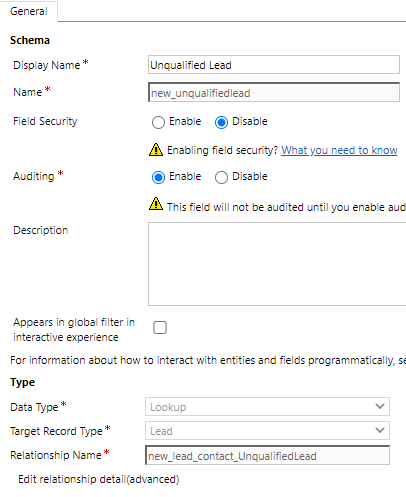
    pastedimage1592894466075v1.png

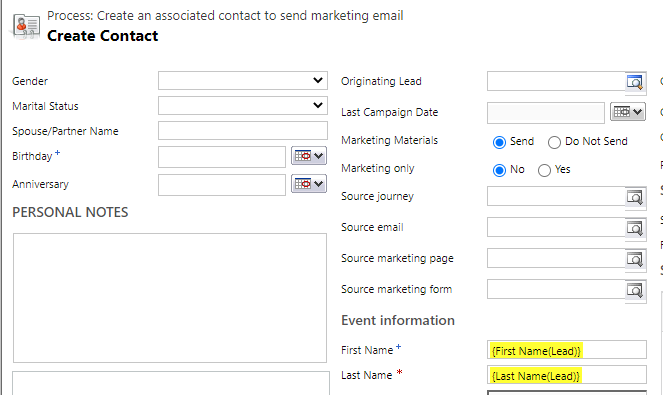
    2. Create an on-demand workflow to generate associated contact record for selected lead.(Just association, not qualification.)
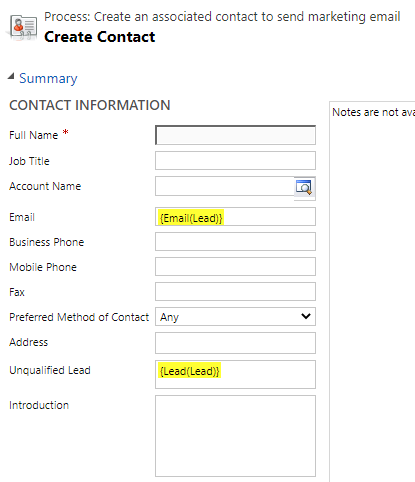
    pastedimage1592897225403v2.png

    pastedimage1592897246378v3.png

    3. Run the workflow on selected lead.

    pastedimage1592897771656v4.png

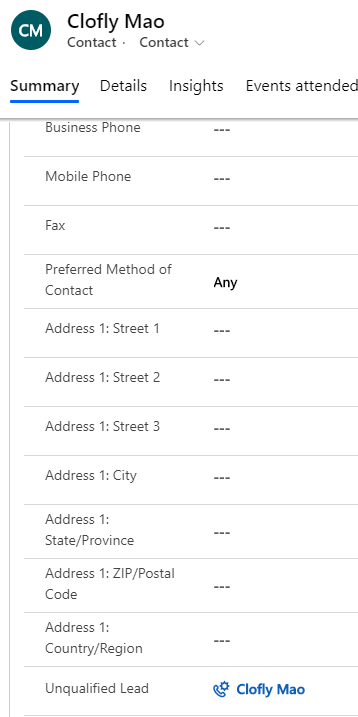
    4. Check associated contact of lead:

    pastedimage1592900472866v5.png

    5. Create a segment to collect these contacts.

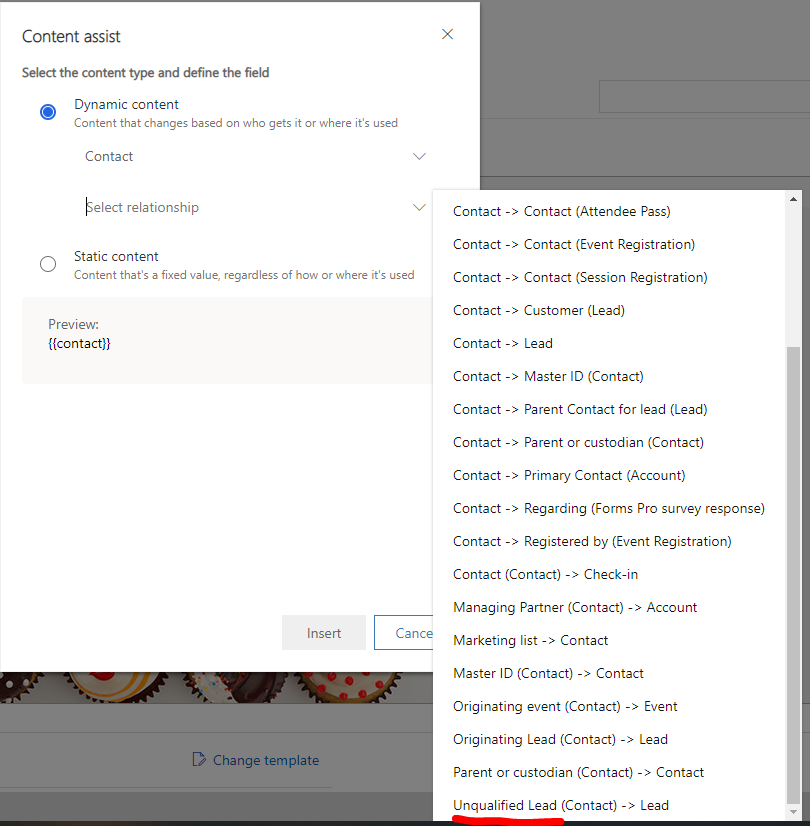
    6. In marketing email, change To field to:

    {{contact.contact_lead_new_unqualifiedlead.emailaddress1}} 

    with assist-edit tool
    pastedimage1592900641958v6.png

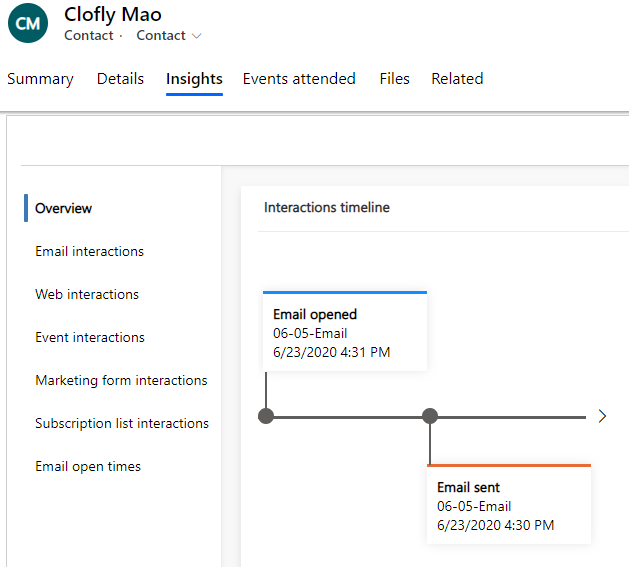
    7. Then marketing email will be delivered to lead mailbox, we need to check interaction data of lead in (associated)contact > Insights.
    pastedimage1592901235415v7.png

    Regards,

    Clofly

Under review

Thank you for your reply! To ensure a great experience for everyone, your content is awaiting approval by our Community Managers. Please check back later.

Helpful resources

Quick Links

Introducing the 2026 Season 1 community Super Users

Congratulations to our 2026 Super Stars!

Congratulations to our 2025 Community Spotlights

Thanks to all of our 2025 Community Spotlight stars!

Leaderboard > Customer experience | Sales, Customer Insights, CRM

#1
ManoVerse Profile Picture

ManoVerse 166 Super User 2026 Season 1

#2
Jimmy Passeti Profile Picture

Jimmy Passeti 51 Most Valuable Professional

#2
NeerajPawar Profile Picture

NeerajPawar 51

Last 30 days Overall leaderboard

Product updates

Dynamics 365 release plans