Hi,
Open Visual Studio
Go>Run>Start Debugging
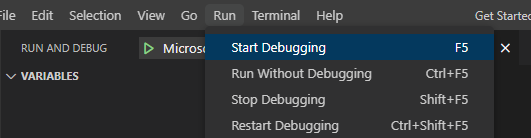
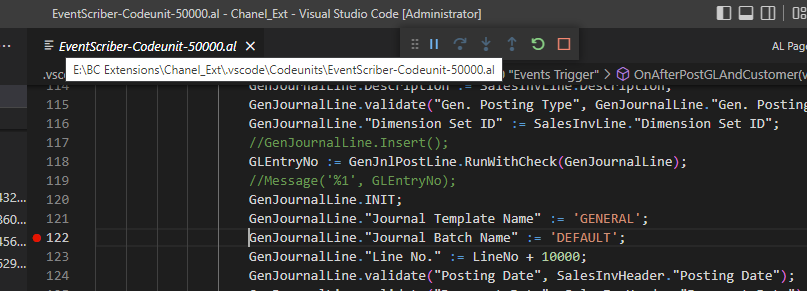
After that, mark the break point on the events where you want to debug the code and then open the BC D365 and do the process, system automatically go to the event where you marked the event. for more clarity refer the below image as example.
after that
F11 or down arrow --> debug the code line wise in detail
F10 or curve arrow--> debug the code only line wise
F5 or Up arrow--> debug the code where breakpoints enables. RED dot is called break point and shortcut key is F9.
Regards
Amit Sharma
www.erpconsultors.com
https://www.linkedin.com/in/amit-sharma-94542440/
Press Yes button, if solution is useful.







