web
You’re offline. This is a read only version of the page.
close
Skip to main content

Notifications

Announcements

No record found.

Community site session details

Community site session details

Session Id :
Small and medium business | Business Central, N...
Answered

How do you pull out from Planning Worksheet in Navision 2018?

(0) ShareShare
ReportReport
Posted on by 4,979

Hi Community,

As shown below, I have set up at the Production Forecast.

pastedimage1676280100863v1.png

I would like to ask how do I pull out in the Planning worksheet so that I can see the lines?

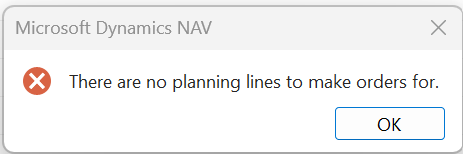
I tried to select the Carry out Message, but it shows an error message.

pastedimage1676280338669v2.png

pastedimage1676280436567v4.png

Is there anything I need to fil up here?

pastedimage1676280419315v3.png

I have the same question (0)
  • Verified answer
    DAnny3211 Profile Picture
    11,397 on at

    hi

    look  this

    www.youtube.com/watch

    DAniele

  • Verified answer
    YUN ZHU Profile Picture
    95,729 Super User 2025 Season 2 on at

Under review

Thank you for your reply! To ensure a great experience for everyone, your content is awaiting approval by our Community Managers. Please check back later.

Helpful resources

Quick Links

Responsible AI policies

As AI tools become more common, we’re introducing a Responsible AI Use…

Neeraj Kumar – Community Spotlight

We are honored to recognize Neeraj Kumar as our Community Spotlight honoree for…

Leaderboard > Small and medium business | Business Central, NAV, RMS

#1
OussamaSabbouh Profile Picture

OussamaSabbouh 2,362

#2
YUN ZHU Profile Picture

YUN ZHU 867 Super User 2025 Season 2

#3
Sumit Singh Profile Picture

Sumit Singh 607

Last 30 days Overall leaderboard

Featured topics

Product updates

Dynamics 365 release plans