web
You’re offline. This is a read only version of the page.
close
Skip to main content

Notifications

Announcements

No record found.

Community site session details

Community site session details

Session Id :
Finance | Project Operations, Human Resources, ...
Suggested Answer

FinOps Tools for Development

(0) ShareShare
ReportReport
Posted on by 309

Hello,

I am new to this FinOps Development. May I know when install Visual Studio, what do we need to install so that we can develop FinOps ?

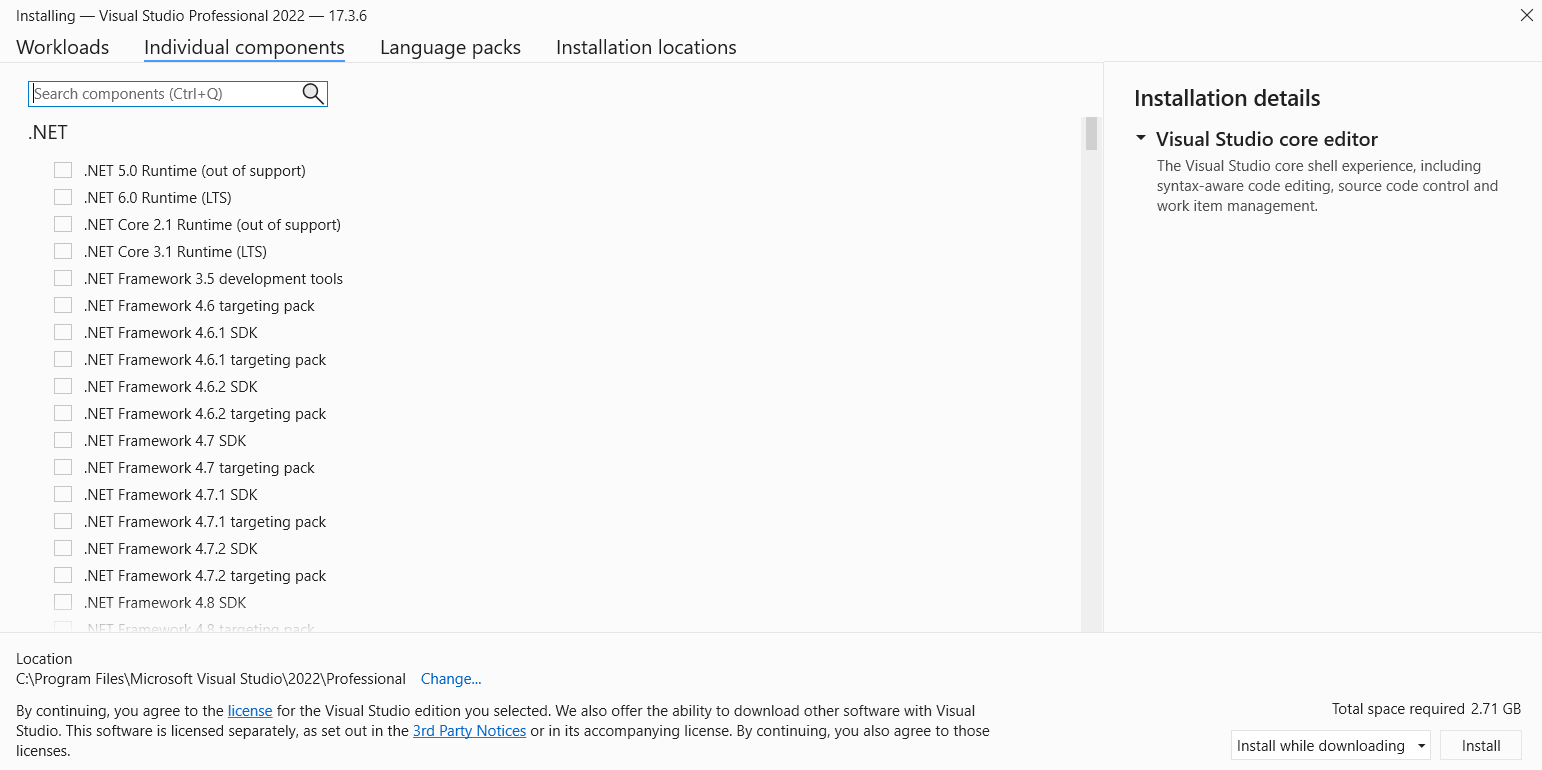
As this screen when install Visual Studio Professional Edition 2022, I seems cannot find FinOps ->
pastedimage1666706393495v1.png

The search box in this screen capture is obviously empty, but actually I tried to look by manual scroll as well but could not find anything relates to FinOps.

Please advice.

Thanks,

Axel

I have the same question (0)
  • Suggested answer
    Arunraj Rajasekar Profile Picture
    1,743 on at

    Hi Axel,

    You must set up a cloud-hosted environment or download and install VHD from the LCS. This will give you visual studio with dynamics extension as well as application foundation packages. Without the Application packages you wont be able to build solution

    learn.microsoft.com/.../access-instances

  • Suggested answer
    Komi Siabi Profile Picture
    13,107 Most Valuable Professional on at

    Visual studio for D365FO development come by default with a D365FO extension which is available when you deploy a D365FO specific environment.

    Just like Arunraj said, you can get this environment by deploying as cloud hosted environment or download VHD files from LCS.

  • Axel Cage Profile Picture
    309 on at

    Hi,

    You mean there is no way we can add the tools without LCS ? so what will happened when the license of the Visual Studio is expired ? I happened to download it once, then my license is expired, and it is Visual Studio Professional edition 2019 which I don't know where or how to extend the license.

    Thanks,

  • nunomaia Profile Picture
    25 Moderator on at

    If your user is associated with a valid Visual Studio license, you can activate Visual Studio after its expired.

    It's mandatory to have a Visual Studio subscription  

  • Arunraj Rajasekar Profile Picture
    1,743 on at

    When it comes to FinOps development, you can only build solutions on top of existing dynamics packages. These packages, as well as visual studio dev tools and SQL management, are included in the cloud hosted environment and VHD.

    Please see the links below for visual studio subscription information, as well as the FAQ section in the link.

    visualstudio.microsoft.com/.../

  • Axel Cage Profile Picture
    309 on at

    Hi Nuno,

    I'm sorry, but I'm still confuse. So I have downloaded VHD before, and use it for a couple of months using my existing account. During first used, I can't remember the exact step but I think the account given Trial subscription and it is Visual Studio 2019 version.

    Now I've been alerted that the license is about to expired. I have look around but no clue what to do. Even bought subscription / license for Visual Studio Professional 2022 since that is the only thing I found in www.microsoft.com/.../visualstudio also the cheapest I can afford, since this is only for my learn and test (individual). Turn out the key provided cannot use. The last attempt is install Visual Studio 2022 it self, but as in the topic, I could not find FinOps tools, but by looking at the answers, that is not the way to install it.

    Refer to your saying, does it mean when it is expired, it will automatically renew ? Since the license is given by Microsoft it self.

    Thanks so much for your reply.

  • nunomaia Profile Picture
    25 Moderator on at

    I am not a licensing export, so I will try to explain what I know.

    In LCS you can download VM's for development purposes, these VM's don't have a activated VS subscription ( trial version ).
    LCS Admin can download VM's and distribute to internal team. 
    To activate Visual Studio, you need a valid Visual Studio Subscription not a key. From time to time, VS will request again to enter your credentials to validate subscription.
    In my case, this is the VS subscription that I have.
    I'm not sure, what is the minimum VS subscription that you need.    
    pastedimage1666769693313v1.png

Under review

Thank you for your reply! To ensure a great experience for everyone, your content is awaiting approval by our Community Managers. Please check back later.

Helpful resources

Quick Links

Responsible AI policies

As AI tools become more common, we’re introducing a Responsible AI Use…

Neeraj Kumar – Community Spotlight

We are honored to recognize Neeraj Kumar as our Community Spotlight honoree for…

Leaderboard > Finance | Project Operations, Human Resources, AX, GP, SL

#1
Martin Dráb Profile Picture

Martin Dráb 584 Most Valuable Professional

#2
André Arnaud de Calavon Profile Picture

André Arnaud de Cal... 499 Super User 2025 Season 2

#3
Sohaib Cheema Profile Picture

Sohaib Cheema 254 User Group Leader

Last 30 days Overall leaderboard

Product updates

Dynamics 365 release plans
