web
You’re offline. This is a read only version of the page.
close
Skip to main content

Notifications

Announcements

No record found.

Community site session details

Community site session details

Session Id :
Microsoft Dynamics AX (Archived)

how to build form which has multiple datasources?

(0) ShareShare
ReportReport
Posted on by 932

Hi,

I want to create form which has multiple datasources : "securityUserRole","userInfo" and "securityRole" .

I want to display in form 2 fields : one from securityRole  the other from userInfo:
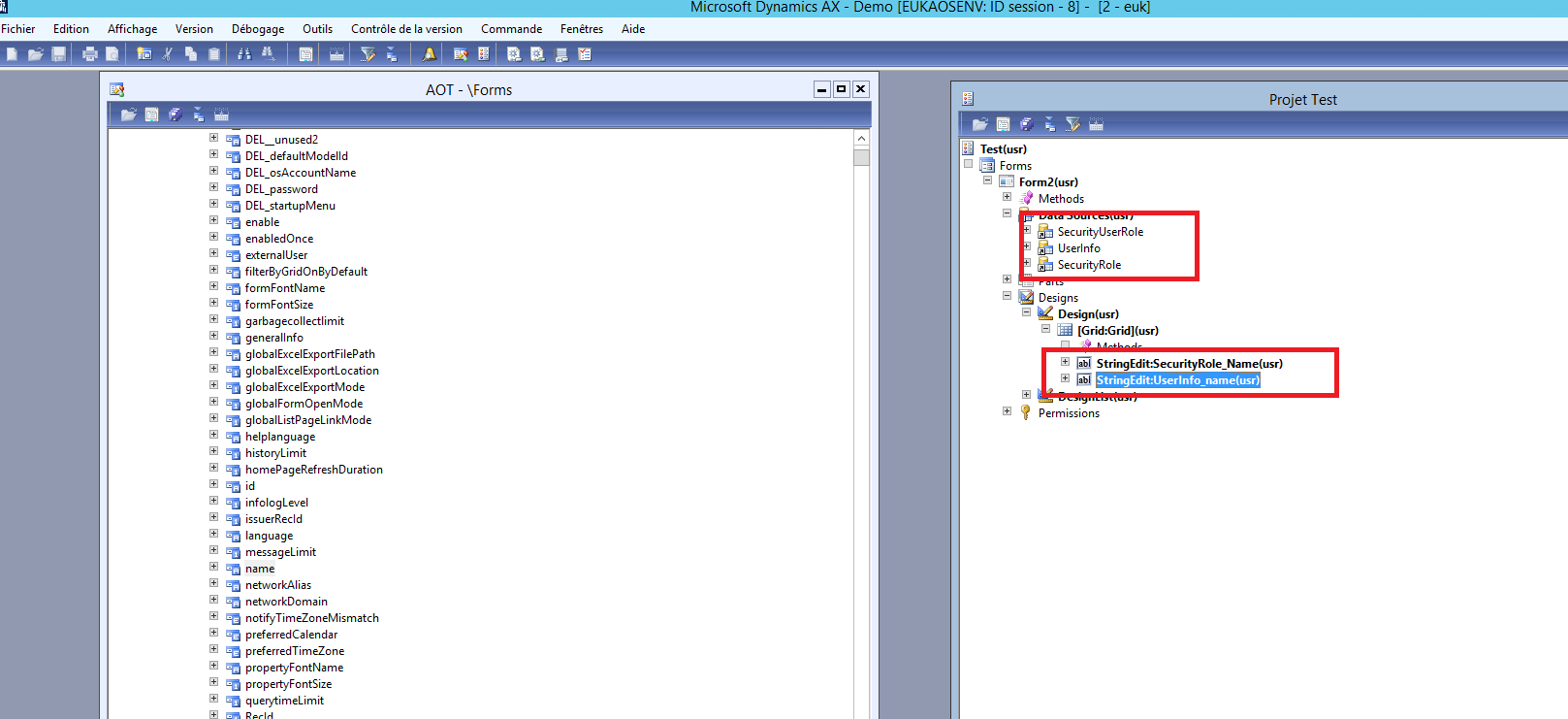
6378.form.png

but I don't how to add relation between it in datasources to get the exact values.

*This post is locked for comments

I have the same question (0)
  • nmaenpaa Profile Picture
    101,160 Moderator on at

    One role can be associated with many users. And vice versa.

    How are you planning to represent this information in your two fields? This determines what kind of relations you need.

    Do you want to have one row for each role - user combination? For example role A is associated with users 1, 2 and 3 you would have following rows in the grid:

    A 1

    A 2

    A 3

    Is this what you want?

  • BASMA Profile Picture
    932 on at

    I want like this :

    4428.form.png

    I want to represent it like your suggestion

  • Suggested answer
    nmaenpaa Profile Picture
    101,160 Moderator on at

    Put following properties on the UserInfo and SecurityRole data sources:

    JoinSource: SecurityUserRole

    LinkType: InnerJoin

  • BASMA Profile Picture
    932 on at

    I add your suggestion but I don't show values in form.

  • Suggested answer
    nmaenpaa Profile Picture
    101,160 Moderator on at

    For me it works.

    What exactly you see now? Do you have any data on the form?

    It should show one record for each record in SecurityUserRole table. And show corresponding role name and user name from the other tables.

    Could you share screenshots of your data sources' properties?

    And obviously your Grid's data source must be set to SecurityUserRole. Otherwise the grid has nothing to show.

  • BASMA Profile Picture
    932 on at

    2318.form.png

    3157.role.png

    userrole.png

    2318.form.png

  • nmaenpaa Profile Picture
    101,160 Moderator on at

    And what is the data source for your grid?

  • BASMA Profile Picture
    932 on at

    I dont set  datasource in grid :

    3718.securityRole.png

    3718.securityRole.png

    userinfo.png

  • Suggested answer
    nmaenpaa Profile Picture
    101,160 Moderator on at

    Please do. Then it will work.

    You have to link your main data source to the grid. Then the grid will show data from your main data source. And also from the linked data sources. Without data source the grid will show nothing.

  • BASMA Profile Picture
    932 on at

    which datasource I set in the grid?

Under review

Thank you for your reply! To ensure a great experience for everyone, your content is awaiting approval by our Community Managers. Please check back later.

Helpful resources

Quick Links

Responsible AI policies

As AI tools become more common, we’re introducing a Responsible AI Use…

Neeraj Kumar – Community Spotlight

We are honored to recognize Neeraj Kumar as our Community Spotlight honoree for…

Leaderboard > 🔒一 Microsoft Dynamics AX (Archived)

#1
Priya_K Profile Picture

Priya_K 4

#1
Martin Dráb Profile Picture

Martin Dráb 4 Most Valuable Professional

#3
Scott_itD Profile Picture

Scott_itD 2 Community Manager

Last 30 days Overall leaderboard

Featured topics

Product updates

Dynamics 365 release plans
