web
You’re offline. This is a read only version of the page.
close
Skip to main content

Notifications

Announcements

No record found.

Community site session details

Community site session details

Session Id :
Finance | Project Operations, Human Resources, ...
Answered

D365FO on-premise Data mangement framework not working

(0) ShareShare
ReportReport
Posted on by 107

Hello,

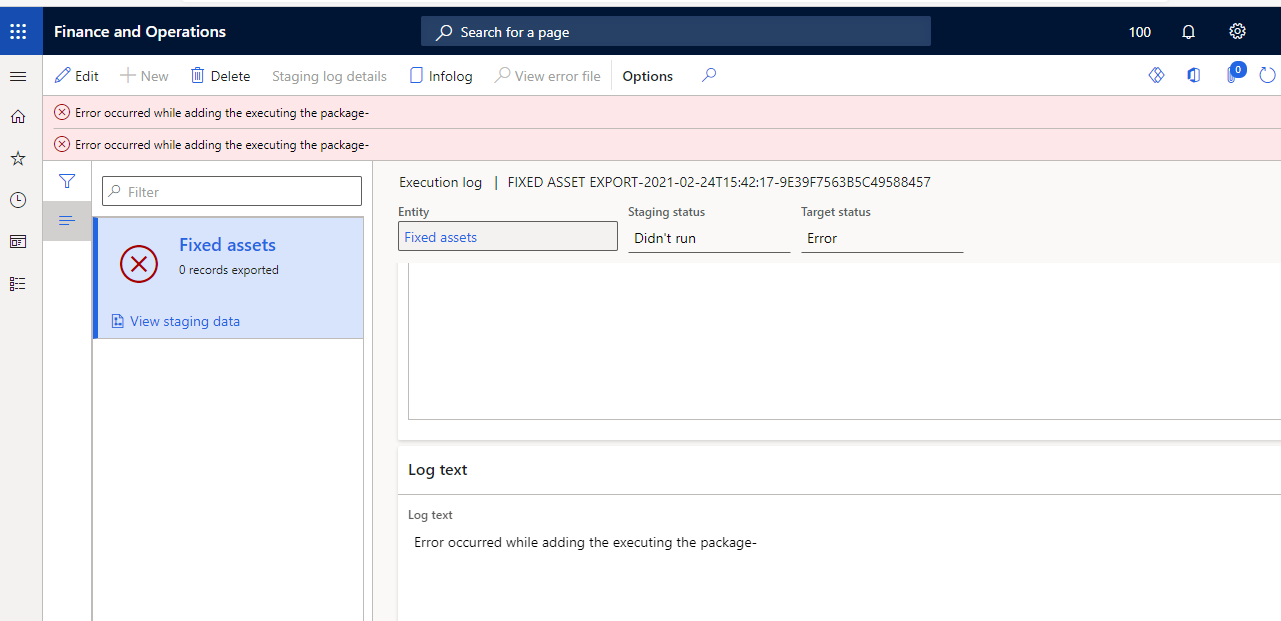
Data management framework of D365FO on-premise installation stopped working with the following error:
pastedimage1615372113763v1.png

The reason was that the license of SSIS was expired

pastedimage1615372169905v2.png

Now license is ok, SSIS is runnig but D365FO continue to throw the same error: "Error accured while adding the executing the package-"

I have restarted all 3 AOS instances but it did not changed anything.

Please share if you have any idea how to fix this

I have the same question (0)
  • André Arnaud de Calavon Profile Picture
    300,970 Super User 2025 Season 2 on at

    Hi Teodor,

    Have you checked if the Microsoft Dynamics 365 Data management service is running? Have you also verified on the parameters if your settings are correct and tested the connection settings?

  • Luke Sha Profile Picture
    on at

    How did you applied the license? SQL evaluation edition is not supported. Try to reinstall standard/Enterprise version.  Then reboot AOS servers.

  • tdgscorpion Profile Picture
    107 on at

    Hello Andre,

    SSIS is running on SQL and the 3 AOS services. I have restarted SQL, SSIS and 3 AOS. Shared working directory is validating.

    What connection string do you mean to test.

    4426.Untitled.png

  • Verified answer
    André Arnaud de Calavon Profile Picture
    300,970 Super User 2025 Season 2 on at

    Hi Teodor,

    I was referring to the shared working directory and the Service connection URL.

    Besides, on the AOS machines there is a service for Data Import Export Framework which should be in a running state.

  • tdgscorpion Profile Picture
    107 on at

    Yes Andre,

    One of the SSIS on AOS instance was with expired license. After refreshing it it started working.

    Thank you.

Under review

Thank you for your reply! To ensure a great experience for everyone, your content is awaiting approval by our Community Managers. Please check back later.

Helpful resources

Quick Links

Responsible AI policies

As AI tools become more common, we’re introducing a Responsible AI Use…

Neeraj Kumar – Community Spotlight

We are honored to recognize Neeraj Kumar as our Community Spotlight honoree for…

Leaderboard > Finance | Project Operations, Human Resources, AX, GP, SL

#1
Martin Dráb Profile Picture

Martin Dráb 672 Most Valuable Professional

#2
André Arnaud de Calavon Profile Picture

André Arnaud de Cal... 534 Super User 2025 Season 2

#3
Sohaib Cheema Profile Picture

Sohaib Cheema 289 User Group Leader

Last 30 days Overall leaderboard

Product updates

Dynamics 365 release plans
