Hi Johnson,
We can do it with workflow and a 3rd party solution: Dynamics-365-Workflow-Tools, it included a step "Add To Marketing List" for us to add a contact to a specific marketing list easily.
https://github.com/demianrasko/Dynamics-365-Workflow-Tools/blob/master/docs/Add%20To%20Marketing%20List.md
From beginning we open setting center: Top right gear icon > Advanced settings.
1. Import the solution
Settings > Customization > Solutions.
2. Create a contact based workflow
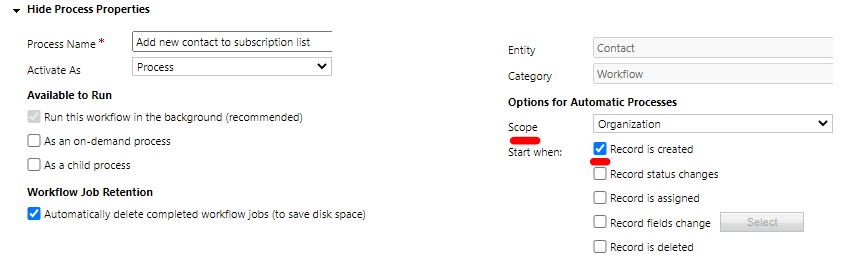
Settings > Processes, the workflow will start when a new record is created, and run at organization scope.
add the step:
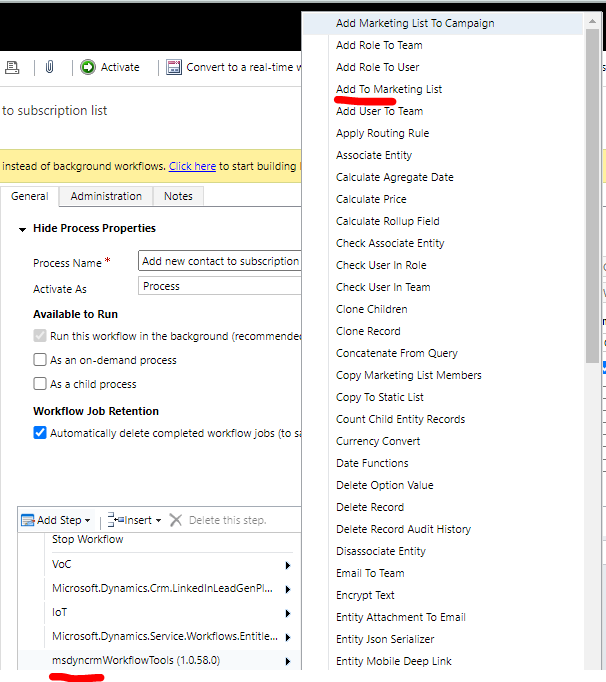
set properties, contact is from record context.

Now we create a new contact, after several seconds, check whether the workflow has run successfully.

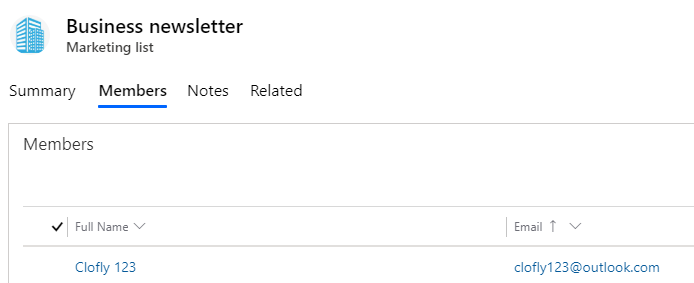
Result: the Clofly 123 has been added to Business newsletter list successfully.
You can add some conditions in workflow to determine whether new contact should be added to list.
Regards,
Clofly


