web
You’re offline. This is a read only version of the page.
close
Skip to main content

Announcements

No record found.

News and Announcements icon
Community site session details

Community site session details

Session Id :
Finance | Project Operations, Human Resources, ...
Suggested Answer

Can I reference a field in table to show in my form

(0) ShareShare
ReportReport
Posted on by 282

Refer to our point I research in my Database and write SQL to see relation in Database 

---------------------

select document,PAYMADVICEID,voucher,LASTSETTLEVOUCHER,* from  HSTHPaymAdviceLine

left join VENDTRANS on HSTHPaymAdviceLine.document = VENDTRANS.LASTSETTLEVOUCHER

where LASTSETTLEVOUCHER='EIN22000616'

--------------------

After that I saw the output that I want
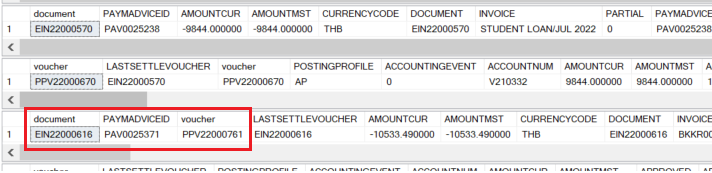
 pastedimage1678439056396v2.png

--------------------

Next I develop my form on D365 by include table in AOT to my project
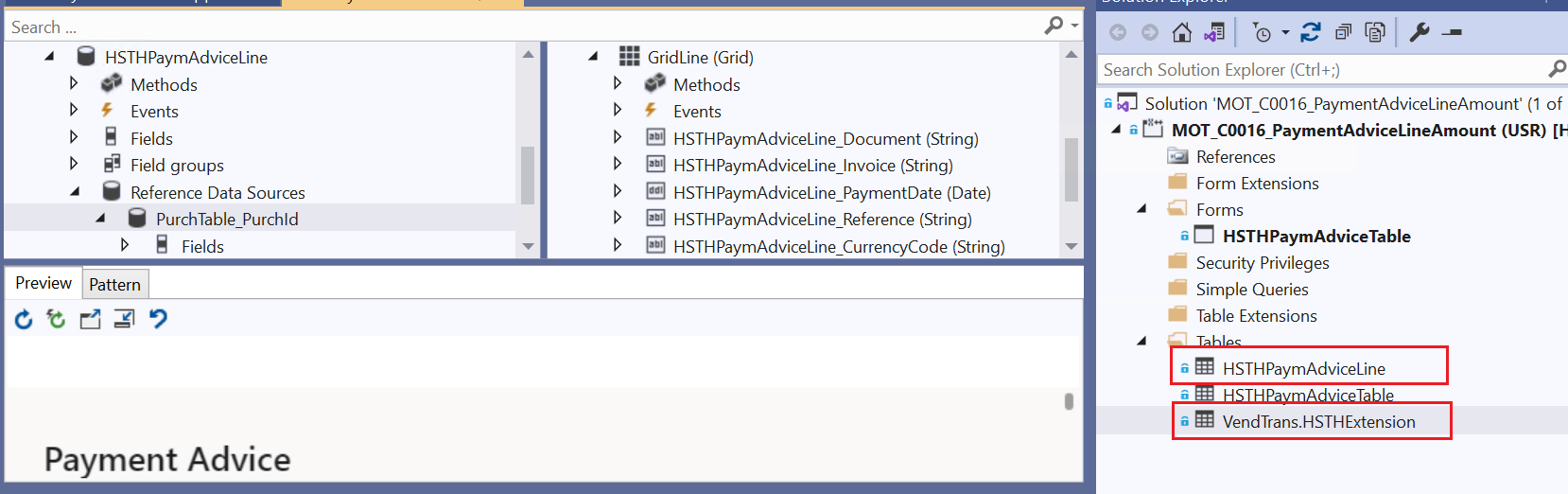
pastedimage1678439203067v3.png

Then I try to do a grid to represent information that I want but I know in the beginning I need to join a relation to table that I want.

But on this step I got a limitation that I can't do.
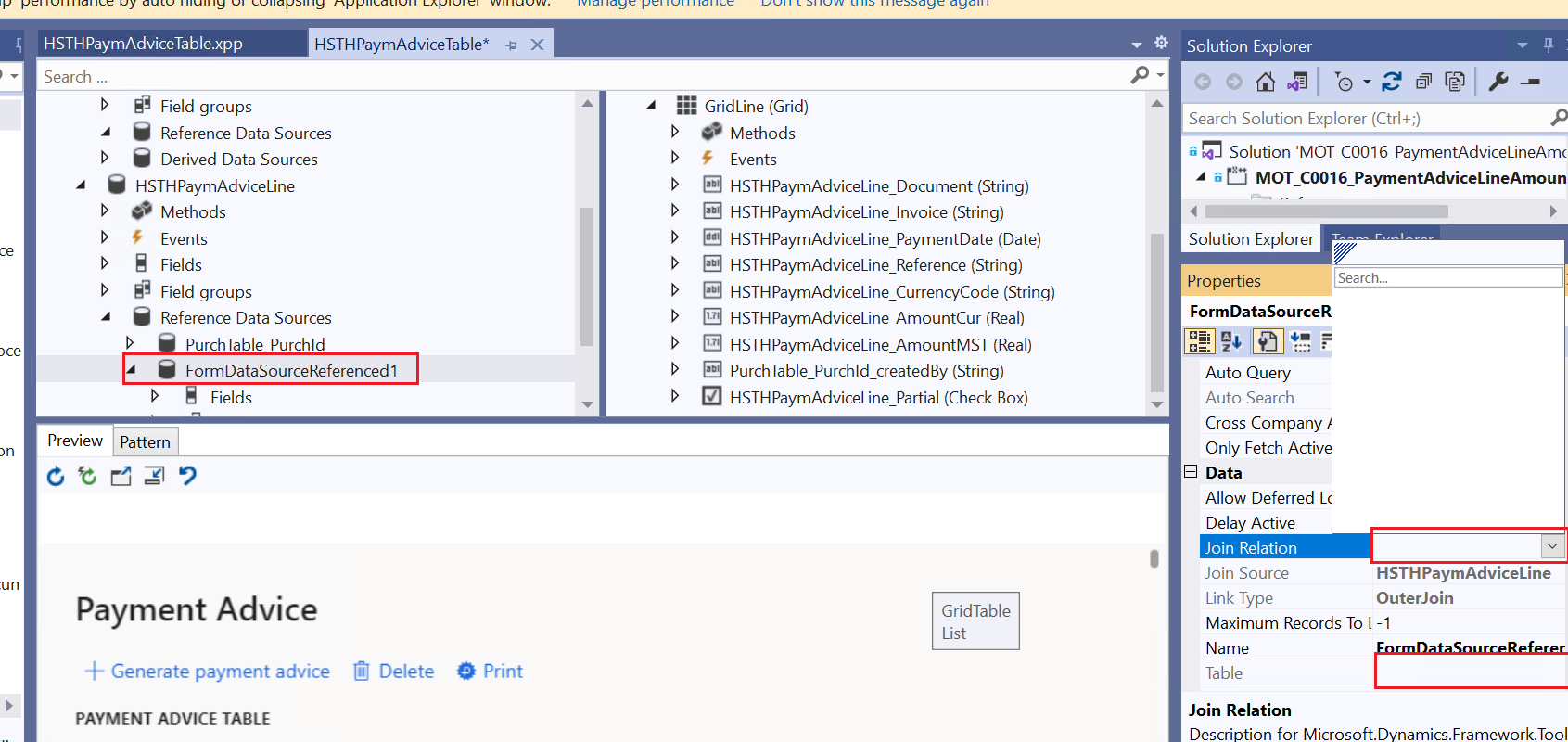
pastedimage1678440158299v4.png


And at the end I wish to have an output like this PPVNO show in this area.
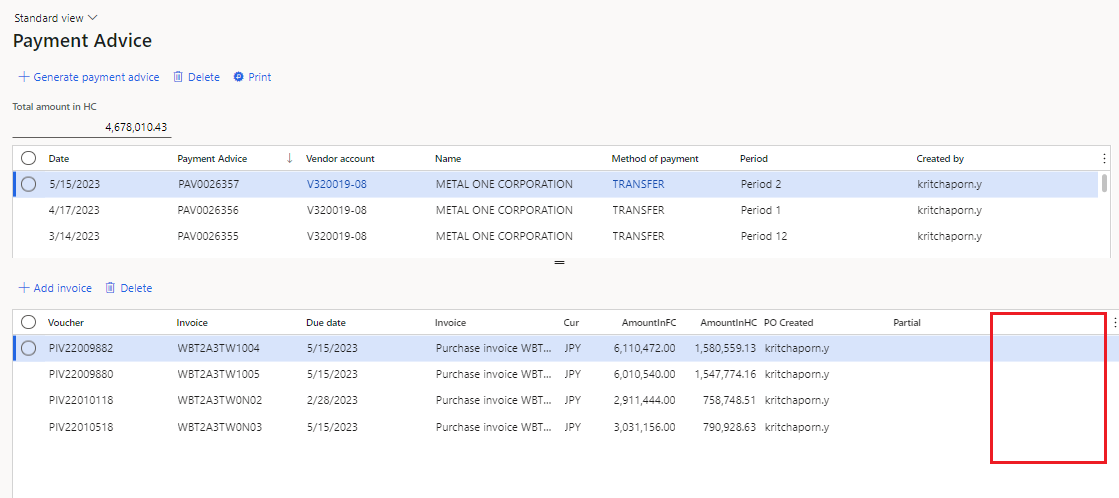
pastedimage1678440289691v5.png

Can someone guide me what's wrong is it?

Thanakorn

I have the same question (0)
  • Suggested answer
    GirishS Profile Picture
    27,833 Moderator on at

    Hi Thanakorn Kanjiropas,

    Reference DataSource will be added only if foreign key relation between HSTHPaymAdviceLine table and VendTrans table. I don't think there is no relation as such.

    So, to resolve this issue you can go for display method for particular field.

    Thanks,

    Girish S.

  • Chomchanok Profile Picture
    282 on at

    Dear Girish

    Can you guide me more details or reference a forum that similar this case pls?

    Thanks in advance.

    Thanakorn

  • Suggested answer
    GirishS Profile Picture
    27,833 Moderator on at

    Unfortunately, I cannot find the reference for your issue. My suggestion will be adding a display method for the particular field if the form is only for viewing purpose.

    Thanks,

    Girish S.

  • Chomchanok Profile Picture
    282 on at

    Dear Girish and all,

    Now I change some method to retrived data in to in my grid and I think I go to the right direction but output are not correct. May this is a way that you guide me, can you guide me more details.

    1. I create methods in my table.

    pastedimage1678694298776v1.png

    2. In a method I write a basic thing to refer datat that I want to show.

    pastedimage1678694325561v2.png

    3.After that I Mapping in my grid.

    pastedimage1678694516192v1.png

    4. I  Build and run, No error happen but data are not show in table.

    pastedimage1678694567159v2.png

    Anyone can help me?

    Thanks in advance,


    Thanakorn

  • GirishS Profile Picture
    27,833 Moderator on at

    Have you debugged the code?

    Try debug the code and check whether you are getting buffer for select statement display method.

    Also check whether Document field has a value present in the table and also in VendTrans table.

    Thanks,

    Girish S.

Under review

Thank you for your reply! To ensure a great experience for everyone, your content is awaiting approval by our Community Managers. Please check back later.

Helpful resources

Quick Links

Introducing the 2026 Season 1 community Super Users

Congratulations to our 2026 Super Stars!

Congratulations to our 2025 Community Spotlights

Thanks to all of our 2025 Community Spotlight stars!

Leaderboard > Finance | Project Operations, Human Resources, AX, GP, SL

#1
André Arnaud de Calavon Profile Picture

André Arnaud de Cal... 577 Super User 2026 Season 1

#2
Giorgio Bonacorsi Profile Picture

Giorgio Bonacorsi 309

#3
Diego Mancassola Profile Picture

Diego Mancassola 259

Last 30 days Overall leaderboard

Product updates

Dynamics 365 release plans
