web
You’re offline. This is a read only version of the page.
close
Skip to main content

Notifications

Announcements

No record found.

Community site session details

Community site session details

Session Id :
Microsoft Dynamics 365 | Integration, Dataverse...
Suggested Answer

Error: Cannot read properties of undefined (reading 'guid') in /uclient/scripts/app.js

(0) ShareShare
ReportReport
Posted on by 25
Several of our clients are experiencing this error when accessing Dynamics 365 over the past week. These are systems that have been working for a long time. The error appears on any page of the system. These are D365 Customer Service GCC environments, and we are seeing this in our Dev environments (where 2023 Release Wave 2 is applied), as well as our Prod environments (where the release wave is not yet applied).
 
Here is the full error:
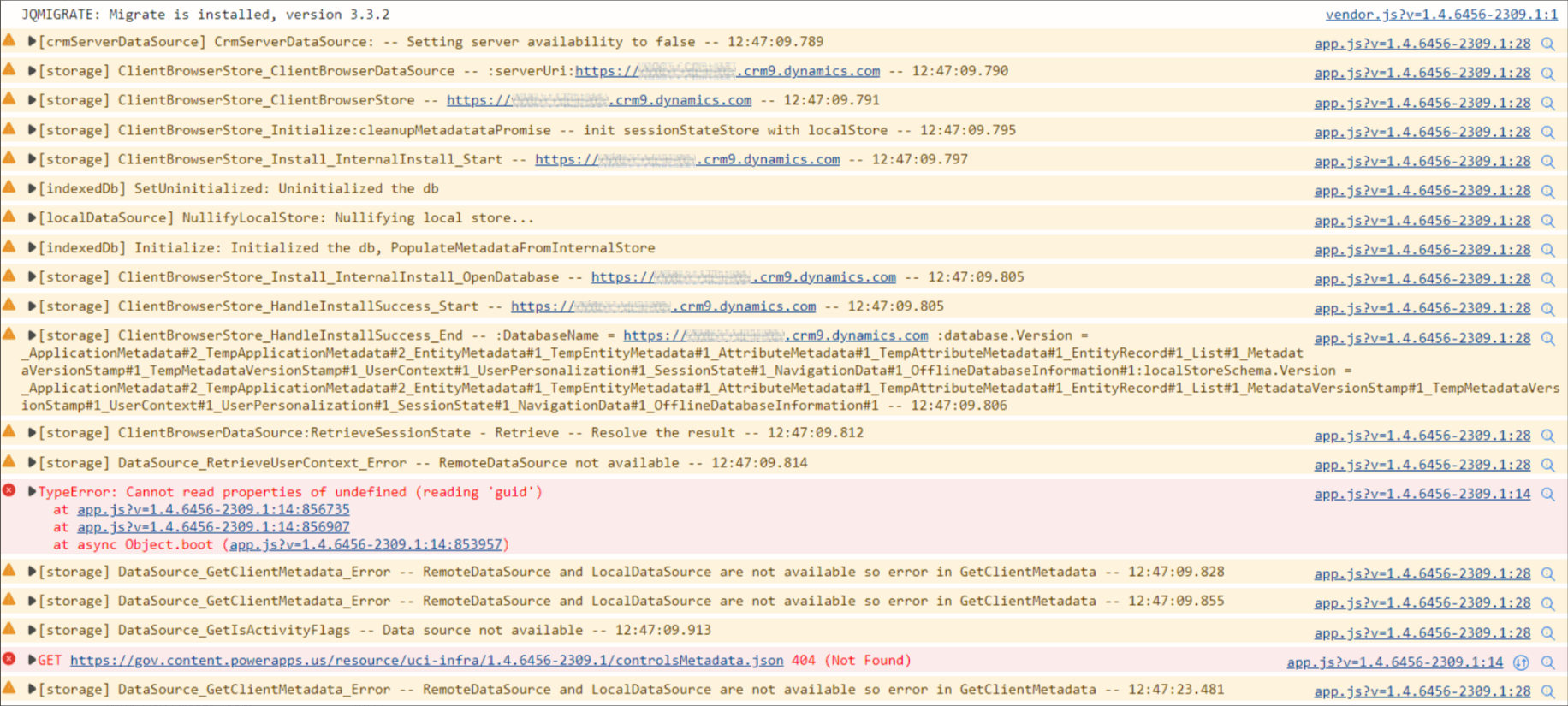
RetrieveUserContext: Cannot read properties of undefined (reading 'guid')
TypeError: Cannot read properties of undefined (reading 'guid') at https://nnnnnn.crm9.dynamics.com/uclient/scripts/app.js?v=1.4.6456-2309.1:14:856735 at https://nnnnnn.crm9.dynamics.com/uclient/scripts/app.js?v=1.4.6456-2309.1:14:856907 at async Object.boot (https://nnnnnn.crm9.dynamics.com/uclient/scripts/app.js?v=1.4.6456-2309.1:14:853957)
 
We are finding that some combination of clearing cache, logging out/in, restarting browser, hard-refresh tends to make it work again, but then it may appear again intermittently for the same users and other users.
 
Anyone else experiencing this and have any insights?
 
Here is the browser debugging when this error occurs:
////
I have the same question (0)
  • Suggested answer
    Haig Liu Profile Picture
    Microsoft Employee on at
    Hi,
     
    Have you added some custom JS?
    If so, please refer to the thread below:
     
    If not, there is a possibility that the new feature is causing an error, it is recommended that you raise a support ticket with Microsoft to resolve the issue.
  • anthony56 Profile Picture
    25 on at
    Thanks for the reply Haig Liu. Since the error is happening in /uclient/scripts/app.js (which is a platform JS file), it seems to be a platform issue, not a custom code issue. Also, there were no recent changes when this issue started happening.
     
    We also found that another D365 app environment within the same GCC tenant is having the same issue. Also, the issue seems to behave differently between the user being on VPN versus not, so it could be that the VPN is blocking certain network traffic to Dynamics. So, we're tracking down whether there were any recent policy or security changes applied.

Under review

Thank you for your reply! To ensure a great experience for everyone, your content is awaiting approval by our Community Managers. Please check back later.

Helpful resources

Quick Links

Responsible AI policies

As AI tools become more common, we’re introducing a Responsible AI Use…

Neeraj Kumar – Community Spotlight

We are honored to recognize Neeraj Kumar as our Community Spotlight honoree for…

Leaderboard > Microsoft Dynamics 365 | Integration, Dataverse, and general topics

#1
Martin Dráb Profile Picture

Martin Dráb 49 Most Valuable Professional

#2
André Arnaud de Calavon Profile Picture

André Arnaud de Cal... 38 Super User 2025 Season 2

#3
#ManoVerse Profile Picture

#ManoVerse 31

Last 30 days Overall leaderboard

Product updates

Dynamics 365 release plans



