web
You’re offline. This is a read only version of the page.
close
Skip to main content

Announcements

No record found.

News and Announcements icon
Community site session details

Community site session details

Session Id :
Customer experience | Sales, Customer Insights,...
Suggested Answer

Schedule settings in Wait For tile

(0) ShareShare
ReportReport
Posted on by 84

Hello

In my example below, do the schedule settings affect which day contacts move through this tile?
Or will this tile always wait one week, irrespective of the settings in Schedule

Thanks
Pete

pastedimage1666774231021v1.png

I have the same question (0)
  • Suggested answer
    Leah Ju Profile Picture
    Microsoft Employee on at

    Hi petemurray,

    If you set schedule in the 'wait for' tile, you must met scheduled day firstly, then 'wait for' duration will begin.

    What does it mean?

    Depending on your screenshot, if the start date is "Wednesday" or "Thursday", it will first wait until "Wednesday" or "Thursday" and then wait another week before moving to the next action.

    For testing, i have created two customer journey(Today is thursday):

    (1)If you set Thursday:

    Moved to the next stage after one hour
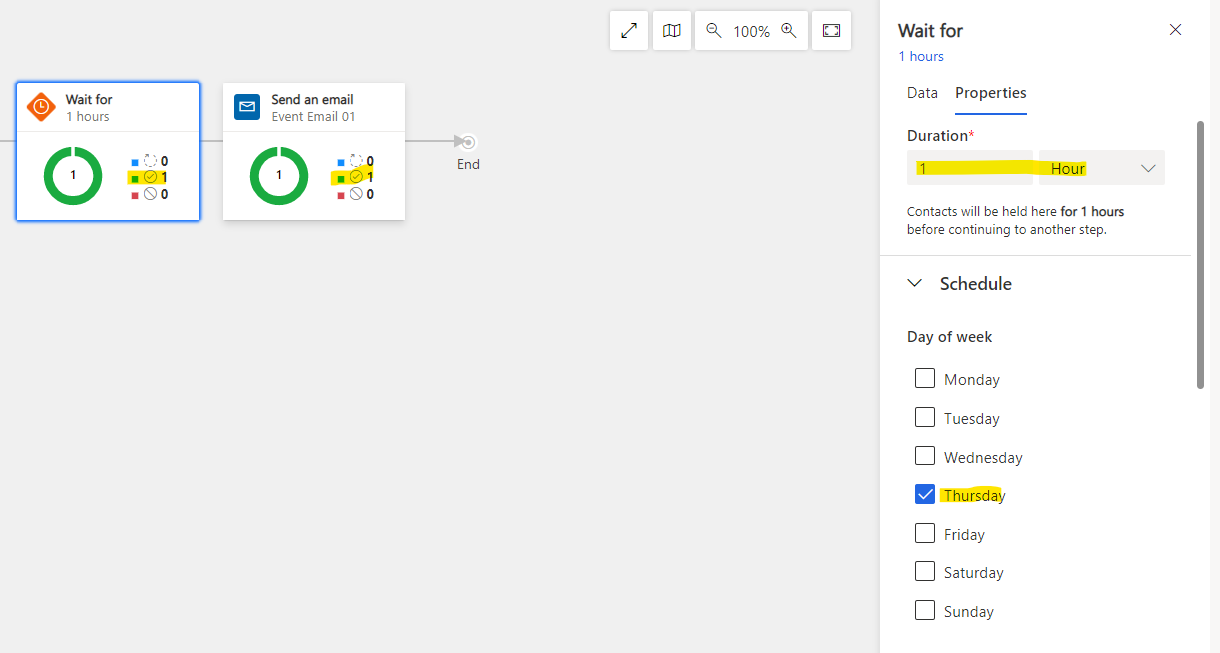
    pastedimage1666860416760v3.png

    (2)If you set Wednesday:

    Despite the fact that an hour has passed, there will still be no change
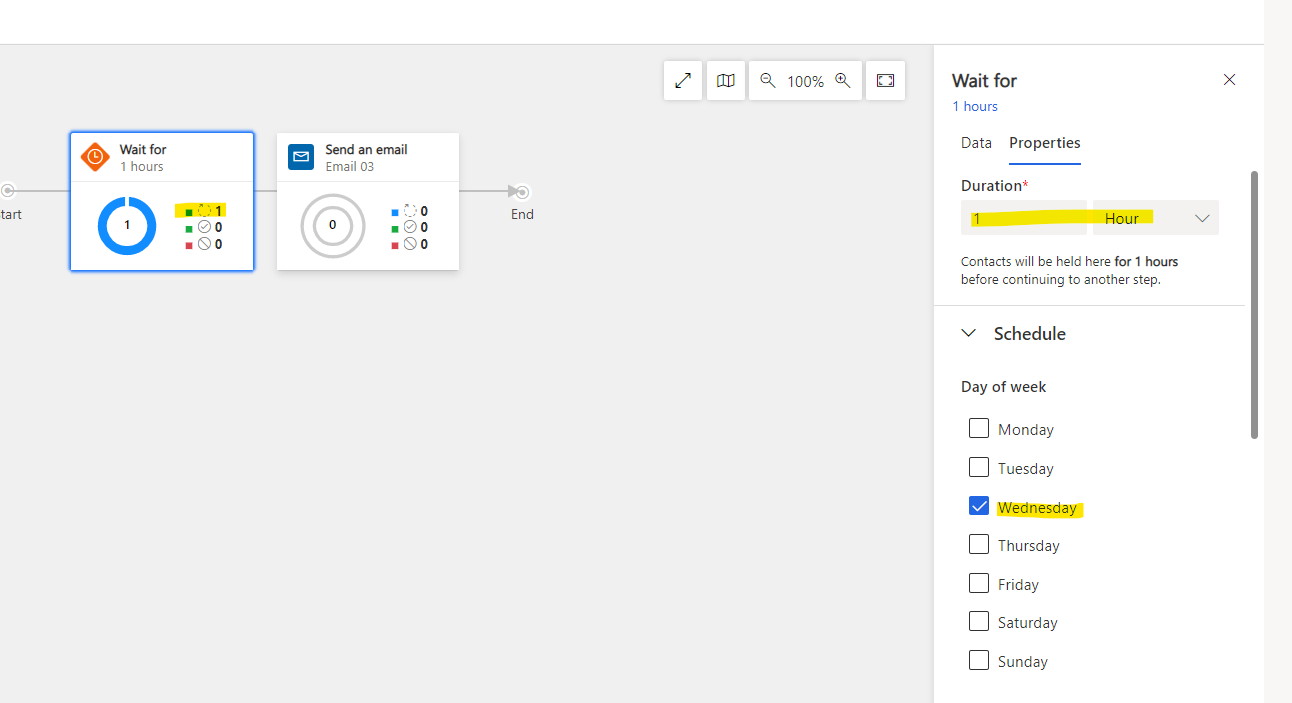
    pastedimage1666860212128v2.png

  • All My Systems Profile Picture
    84 on at

    Hi Leah

    Thanks for your reply. It's really helpful.

    When I did a test I got a different answer. 

    Here's what I found...

    • I started a journey at 10am on Wednesday

    pastedimage1666861479192v1.png

    • This was the criteria

    pastedimage1666861682694v3.png

    I received the email at 00:05 on Thursday morning.

    This makes me think that the logic order is

    • Wait for one hour
    • Proceed when schedule allows

    If the logic is as you mentioned, I'd have received the email at 01:00?

    Do you think my assumption is correct?

    Pete

  • Suggested answer
    Leah Ju Profile Picture
    Microsoft Employee on at

    Hi petemurray,

    Oh!!!

    Maybe you are right. 

    I missed this scenario route because I tested it on the same day.

    • Wait for one hour
    • Proceed when schedule allows

    Based on your testing, the logic order should be you said.

    Thank you for sharing this with me and helping me to learn more.:)

  • All My Systems Profile Picture
    84 on at

    Thanks - I'm glad we worked it out together!

    I would be interested to have this confirmed by a Microsoft employee.

    Pete

  • Leah Ju Profile Picture
    Microsoft Employee on at

    Hi petemurray,

    If you want Microsoft employees to confirm this,I suggest you create a support ticket for professional assistance following the below procedure.

    Get Help + Support - Dynamics | Microsoft Docs

Under review

Thank you for your reply! To ensure a great experience for everyone, your content is awaiting approval by our Community Managers. Please check back later.

Helpful resources

Quick Links

Introducing the 2026 Season 1 community Super Users

Congratulations to our 2026 Super Stars!

Congratulations to our 2025 Community Spotlights

Thanks to all of our 2025 Community Spotlight stars!

Leaderboard > Customer experience | Sales, Customer Insights, CRM

#1
ManoVerse Profile Picture

ManoVerse 118 Super User 2026 Season 1

#2
Jimmy Passeti Profile Picture

Jimmy Passeti 46 Most Valuable Professional

#3
NeerajPawar Profile Picture

NeerajPawar 41

Last 30 days Overall leaderboard

Product updates

Dynamics 365 release plans
