It seems i cannot setup the anking payment terms
You can put a sales order on hold if the payment terms on the order don't match the default payment terms for the customer. However, sometimes the payment terms differ but are similar enough that you don't want to put the order on hold. You can rank payment terms so that some of them have the same rank, whereas others have a higher or lower rank.
If the rankings for payment terms are active, and if the payment terms on the order have a higher rank than the default payment terms for the customer, the sales order will be put on hold.
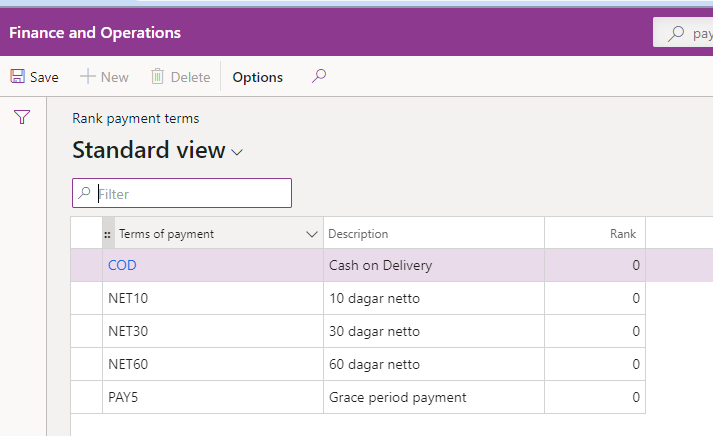
To set up the payment terms ranking go to Credit and collections > Setup > Credit management setup >Rank payment terms
When trying to do so in the picture below the only button that is available is the edit button
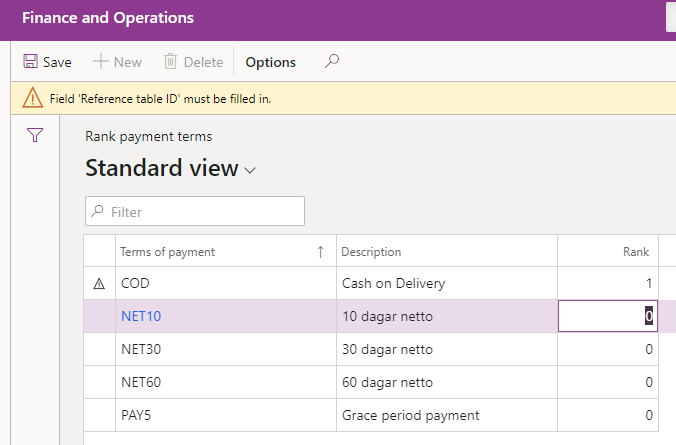
When trying to edit I get this error message
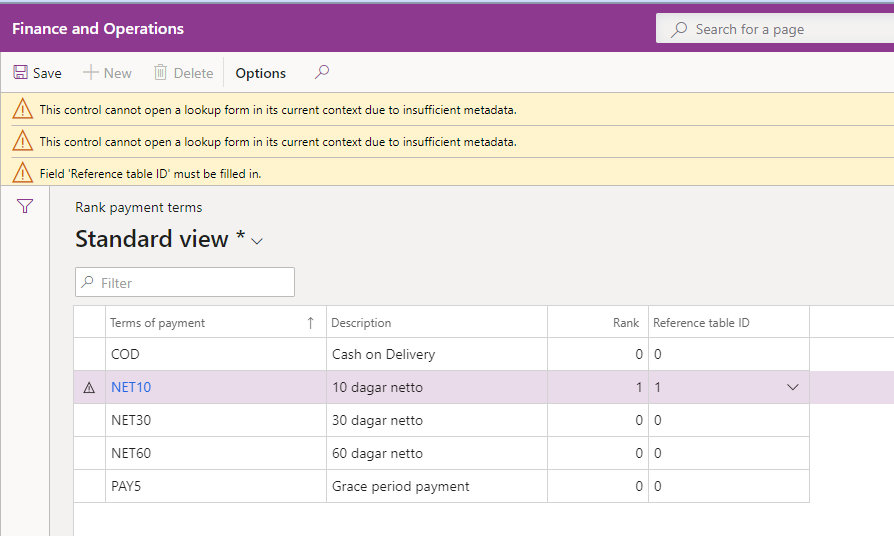
When adding a kind of reference table I get his error
Is this perhaps a bug or where to start to look for solving this?
Could it be some kind of setup I am missing?
Thank you in advance for your help here.


