web
You’re offline. This is a read only version of the page.
close
Skip to main content

Announcements

News and Announcements icon
Community site session details

Community site session details

Session Id :
Dynamics 365 Community / Forums / Human Resources forum / Email Server Profile i...
Human Resources forum

Email Server Profile in Dynamics 365 for Talent

(0) ShareShare
ReportReport
Posted on by 102

Hi,

We are currently switched to Talent and I want to configure our onpremise Exchange server. I did the same already for Dynamics 365 CRM, but in Talent it won't run. Whenever I try to add an Email Server Profile, I will get a popup without "save", "save & close", "test & enable mailboxes" and the half of the input fields are greyed out.

How did you configured this?
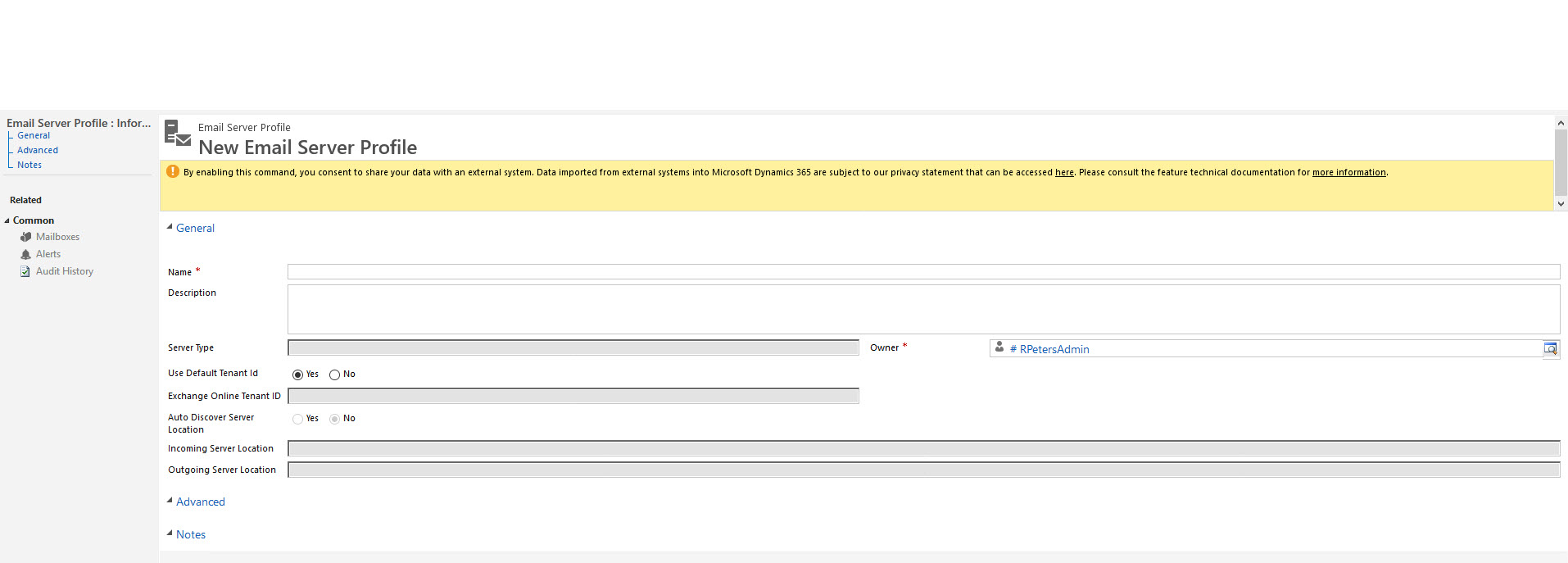
2019_2D00_02_2D00_11_5F00_14_2D00_27_2D00_36.jpg

Best,

Robin

I have the same question (0)
  • Suggested answer
    Malinm85 Profile Picture
    User Group Leader on at

    Hi Robin,

    Talent is a quite a bit different then CRM (I work with both) so I feel your frustration!

    You can read about the email configuration in Talent here (even if it says Finance and Operation); docs.microsoft.com/.../configure-email

    The important thing is that you need to know that The Exchange provider will use the account associated with the batch process. If you want to schedule emails to be sendt out you need to create some batch processes as well.

    Hope this helps!

  • Robin Pi Profile Picture
    102 on at

    Hi Malin,

    I searched the "email parameters page" in Talent and in its Dynamics 365 administrator page, but I was not able to find it.

    Can you give me a hint where it is.

    Best,

    Robin

  • Malinm85 Profile Picture
    User Group Leader on at

    Hi Robin,

    You find it under System administration and links, there you'll find email parameters.

    Let me know if you are wondering about anything else!

  • Robin Pi Profile Picture
    102 on at

    Hi, thank you for your help and sorry for the late response.

    We had to configure an external SMTP first.

    After we did it, I tried to use it in own plugins, but there the emails will stay in "Pending send". My email from attract with the templates behind the stages are still coming from "Dynamics 365 for Talent" and not from any configurable sender.

    Maybe my question was to general:
    I want to send emails in the stages workflow in attract. And I want to send emails from plugins (with entitiy 'SendEmailRequest' ).

    Is there any way to do this?

Under review

Thank you for your reply! To ensure a great experience for everyone, your content is awaiting approval by our Community Managers. Please check back later.

Helpful resources

Quick Links

November Spotlight Star - Khushbu Rajvi

Congratulations to a top community star!

Forum Structure Changes Coming on 11/8!

In our never-ending quest to help the Dynamics 365 Community members get answers faster …

Dynamics 365 Community Platform update – Oct 28

Welcome to the next edition of the Community Platform Update. This is a status …

Leaderboard > Human Resources

Last 30 days Overall leaderboard

Featured topics

Product updates

Dynamics 365 release plans
