Hy LKE,
this is a standard embedded PowerBI report. The data source is the entity store which will be refeshed refreshed inside the setup inside system administration/setup/entity store/Sales Cube.
The data source is defined by code.
1) you can change the report (not he data source and model) if you are member th security role "system report editor" on the fly. If so you can use "Edit Analystics"
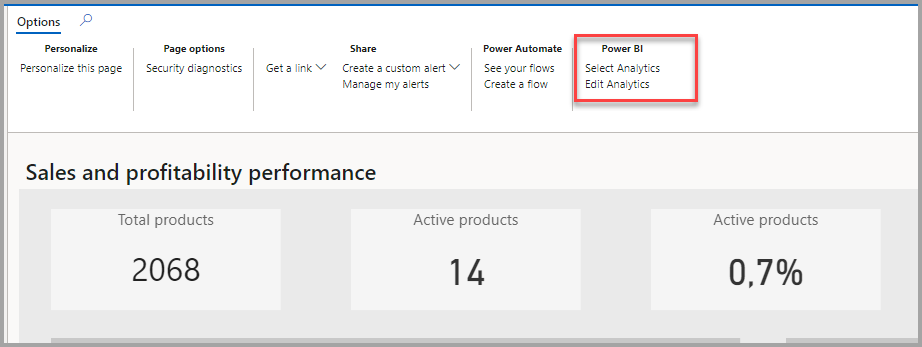
This changes you do on this way effects the report for the whole organization ! The invoice date is inside the model, so you could use it this way.
If you want to go back to the original provided report select "Restore report" which will be dsplayed when the original reported was modified.
2) If you need to do changes on the data model, you can do this with PowerBI desktop editing the provided PBIX file. The original PBIX file can be found inside the resources of the development environment. Then you can deploy the modfied report within the development environment substituting the original resource file.
Or you deploy the modified PBIX file from PBI Desktop to PowerPI Service and integrate the deployed report in D365FO using "Select analytics". I think this way needs to be licensed from PowerBI..
This procedure applies also to the other embedded PowerBI reports.


