web
You’re offline. This is a read only version of the page.
close
Skip to main content

Notifications

Announcements

No record found.

Community site session details

Community site session details

Session Id :
Finance | Project Operations, Human Resources, ...
Answered

Question regarding Single/Multi level displayed on "Cost rollup by cost group"

(0) ShareShare
ReportReport
Posted on by

Hi all,

I'm referring to this paragraph from the official document https://docs.microsoft.com/en-us/dynamics365/supply-chain/cost-management/cost-groups#:~:text=The%20ability%20to%20retain%20cost,as%20a%20material%20cost%20contribution. 

The ability to retain cost group segmentation across multiple levels in a product structure is known as splitting. Splitting applies only to manufactured items that use a standard cost inventory model. If splitting isn't used, the cost of a manufactured component is treated as a material cost contribution. The inventory parameter for cost breakdown by subledger indicates that cost group segmentation will be retained across multiple levels in standard cost calculations. By contrast, if a policy has no levels, cost group segmentation applies only to a single-level calculation. For example, the Cost rollup by cost group page displays the cost group segmentation across multiple levels for standard cost items.

And my understanding is: if the item group model of an item is STD (standard cost), then the single/multi level display in its Cost rollup by cost group page is expected to be the same (just like attached in the screenshot), unless customization or COC fix is used to enforce the cost to be broken down. Am I understanding correctly?
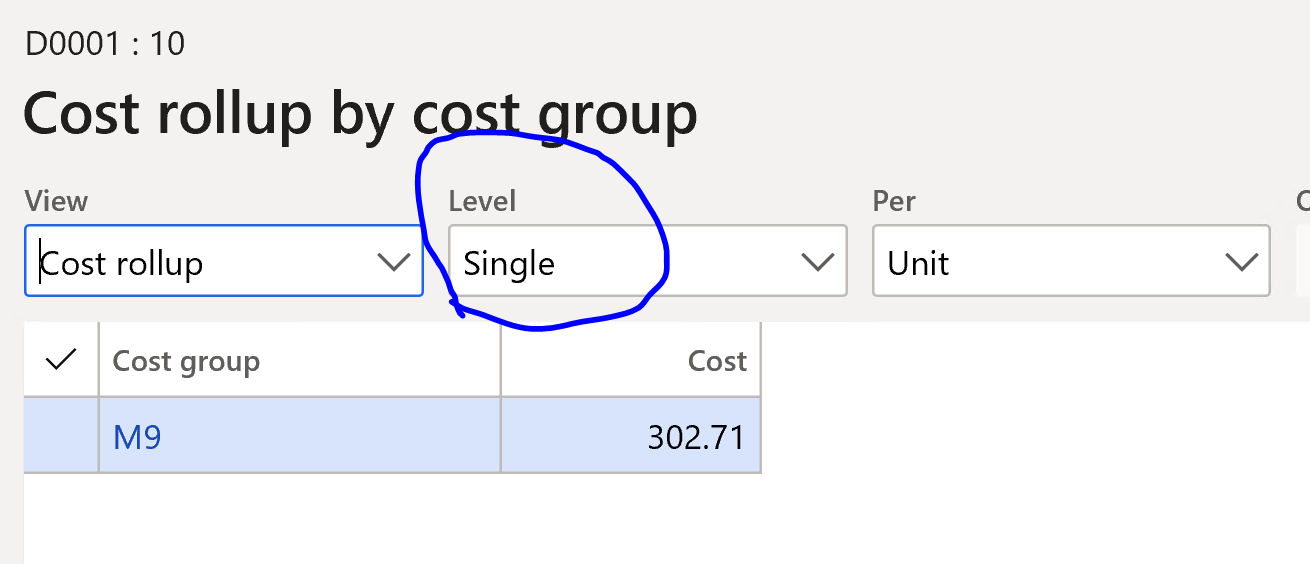
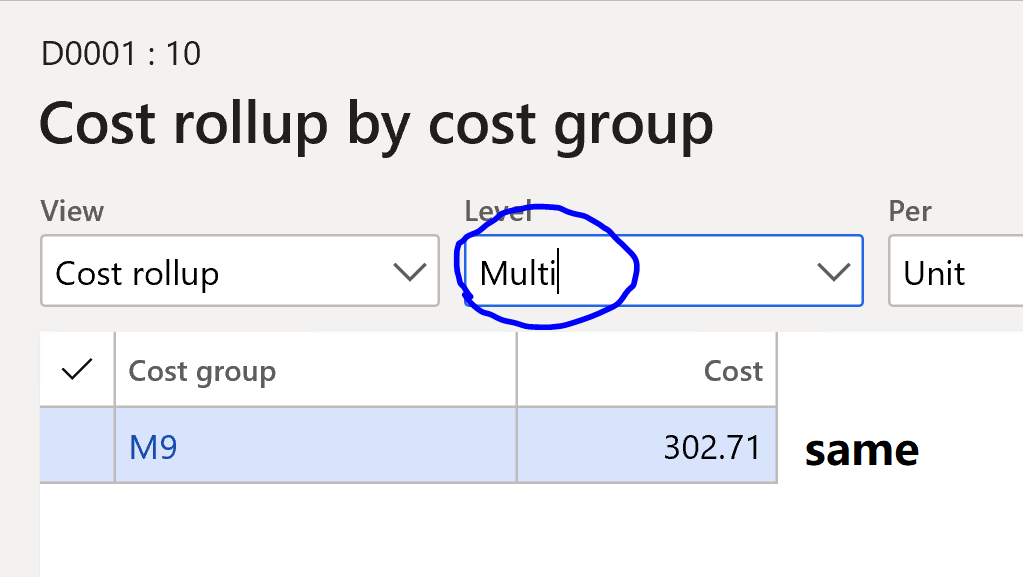
pastedimage1595057443237v3.png

pastedimage1595057481519v4.png

I have the same question (0)
  • Verified answer
    Rahul Mohta Profile Picture
    21,032 on at

    it's probably by design

    with std cost you don't need to o every level

    if needed could use costing version and calculate to see the rollup

  • Suggested answer
    Ludwig Reinhard Profile Picture
    Microsoft Employee on at

    Hello lilturle,

    Can you please do the following:

    Open the all productions order form.

    Search for item d0001 and an ended production order

    Select the manage cost tab.

    Select the view calculation details.

    Select costing sheet

    Switch between the level single and multi to see what difference this selection makes ;-)

    Best regards,

    Ludwig

  • Suggested answer
    Rahul Mohta Profile Picture
    21,032 on at

    pls suggest if our responses helped

  • lilturtle Profile Picture
    on at

    Hi Rahul,

    That makes sense. But I having a case when single and multi has the same result even if costing version is used during calculation. What could cause this situation?

  • Suggested answer
    Paul Thompson 123 Profile Picture
    11 on at

    Came across same and found it is dictated by the settings shown (the two highlighted to the right) in case anyone else gets this. These have moved between AX and D365 in the form so easily missed replicating.  In my case upgraded and they were not set but I haven't looked into why as easily resolved once found.

    pastedimage1671473361156v1.png

Under review

Thank you for your reply! To ensure a great experience for everyone, your content is awaiting approval by our Community Managers. Please check back later.

Helpful resources

Quick Links

Responsible AI policies

As AI tools become more common, we’re introducing a Responsible AI Use…

Neeraj Kumar – Community Spotlight

We are honored to recognize Neeraj Kumar as our Community Spotlight honoree for…

Leaderboard > Finance | Project Operations, Human Resources, AX, GP, SL

#1
André Arnaud de Calavon Profile Picture

André Arnaud de Cal... 456 Super User 2025 Season 2

#2
Martin Dráb Profile Picture

Martin Dráb 429 Most Valuable Professional

#3
BillurSamdancioglu Profile Picture

BillurSamdancioglu 239 Most Valuable Professional

Last 30 days Overall leaderboard

Product updates

Dynamics 365 release plans
