web
You’re offline. This is a read only version of the page.
close
Skip to main content

Notifications

Announcements

No record found.

Community site session details

Community site session details

Session Id :
Finance | Project Operations, Human Resources, ...
Unanswered

Data entity fails with ""Cannot select a record in Sub Query (Subquery). InThe SQL database has issued an error."

(0) ShareShare
ReportReport
Posted on by 5

I have created a custom table in D365 Finance & Operations which is used to save some user selected information about financial dimensions setup, invoice journals and payment methods. This information needs to be exposed to an oData endpoint as it is used in an integration with a third-party system which pushes information to D365 and needs to know which journal to use, which dimensions to push etc.

The custom table that we have contains references to several other tables. Below is a screenshot of the table with relations expanded:

1220.pastedimage1671606136578v1.png

The way I created the Data entity is by right clicking on the table and selecting automatic creation of the data entity through the provided wizard. The entity is marked as public and we try to make a request against that endpoint. The result is:
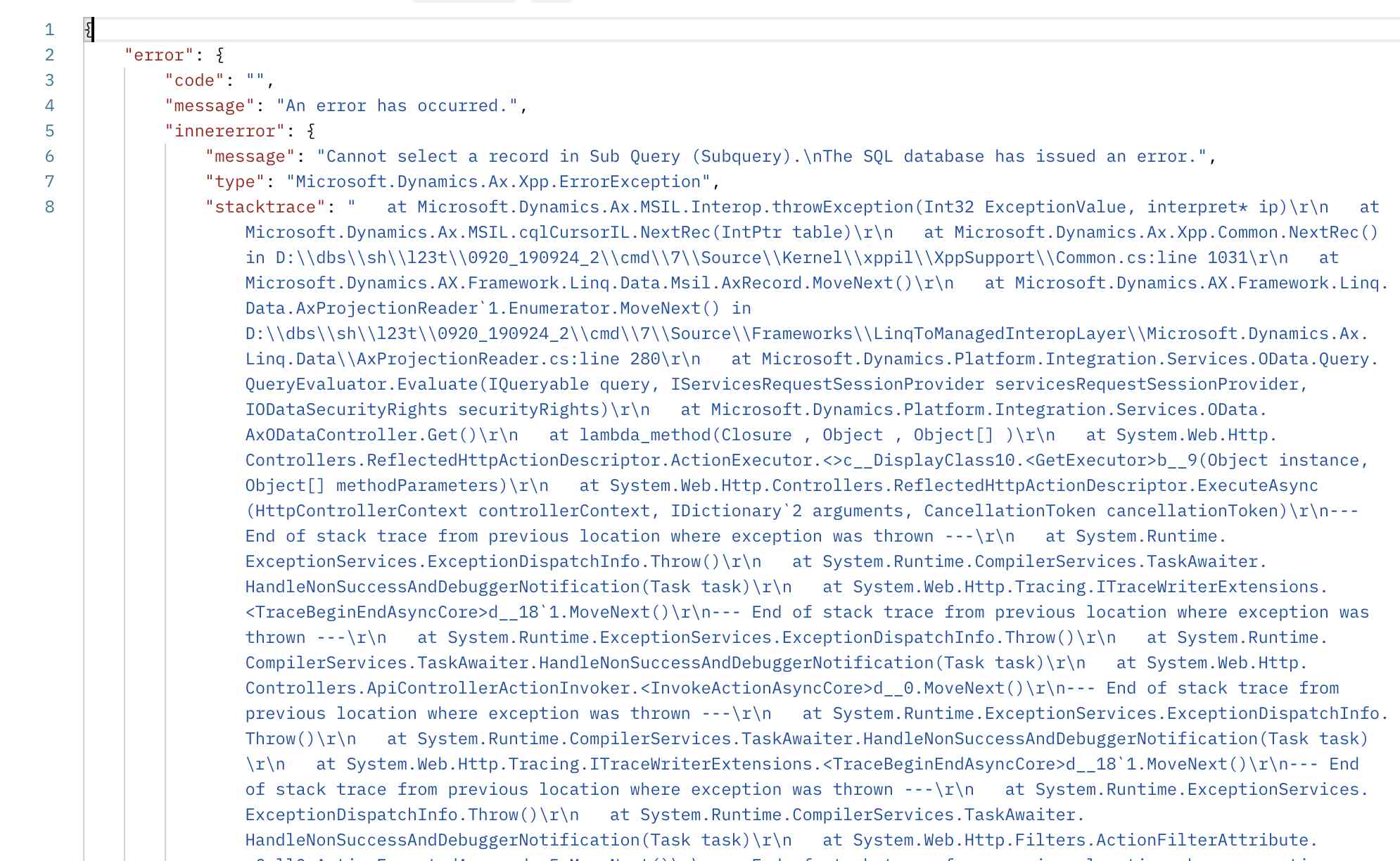
7024.image003.png

Since the generated entity did not copy the relations to the other tables, I presume it required manually adding them, so I did:

4274.image004.png

The cardinality is set to ZeroOne on all with Association relationship type. It did not change the resulting error. 

 I am not sure which subquery the engine is referring to and whether an additional configuration is necessary so we can see in an oData endpoint the data saved in that table.

Any ideas what I am missing in this entity to do this seemingly easy operation of exposing the data of the table through an oData endpoint?

I have the same question (0)
  • Gabriela Fernandez Profile Picture
    5 on at

    I had the same error recently, i was able to fix it by following the advice below:

    "Verify the table or view has been built and synchronized. If it has been built and synchronized, reset the IIS and try again".

  • Svetlin Staev Profile Picture
    5 on at

    I tried that but unfortunately it would not work. The error stoped showing but the fields which are exposed to the oData endpoint are not populated with any values even though they match the field names of the underlying table.

Under review

Thank you for your reply! To ensure a great experience for everyone, your content is awaiting approval by our Community Managers. Please check back later.

Helpful resources

Quick Links

Responsible AI policies

As AI tools become more common, we’re introducing a Responsible AI Use…

Neeraj Kumar – Community Spotlight

We are honored to recognize Neeraj Kumar as our Community Spotlight honoree for…

Leaderboard > Finance | Project Operations, Human Resources, AX, GP, SL

#1
Martin Dráb Profile Picture

Martin Dráb 551 Most Valuable Professional

#2
André Arnaud de Calavon Profile Picture

André Arnaud de Cal... 450 Super User 2025 Season 2

#3
BillurSamdancioglu Profile Picture

BillurSamdancioglu 278 Most Valuable Professional

Last 30 days Overall leaderboard

Product updates

Dynamics 365 release plans
