web
You’re offline. This is a read only version of the page.
close
Skip to main content

Notifications

Announcements

No record found.

Community site session details

Community site session details

Session Id :
Customer experience | Sales, Customer Insights,...
Answered

Where can I find the URL of my Dynamics online CRM trial and access it?

(0) ShareShare
ReportReport
Posted on by 5

Hi,

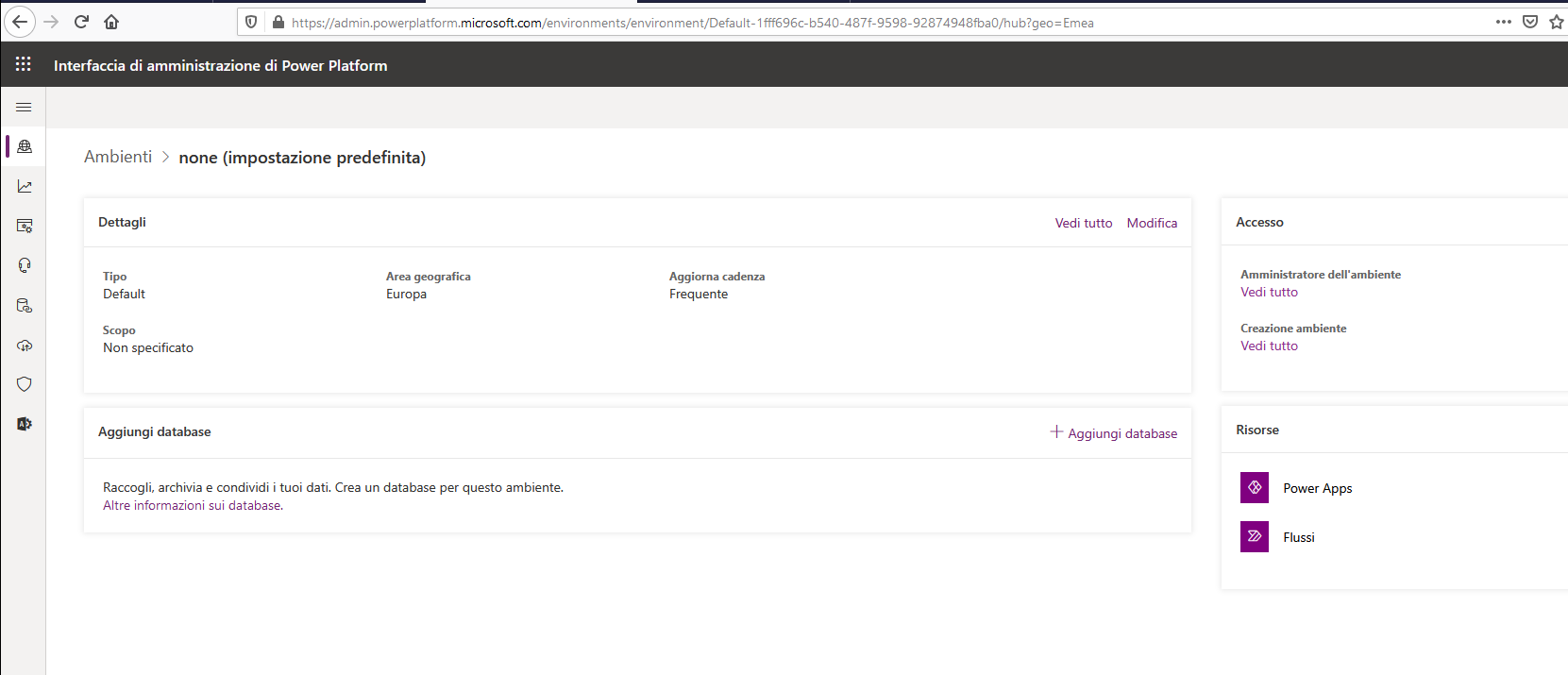
I created a new Crm trial from here : I selected the Customer Service app and then subscribed. By following the link received via email I get to this page:

subscriptions.png

And this is the environment that I can see from the powerplatform portal:
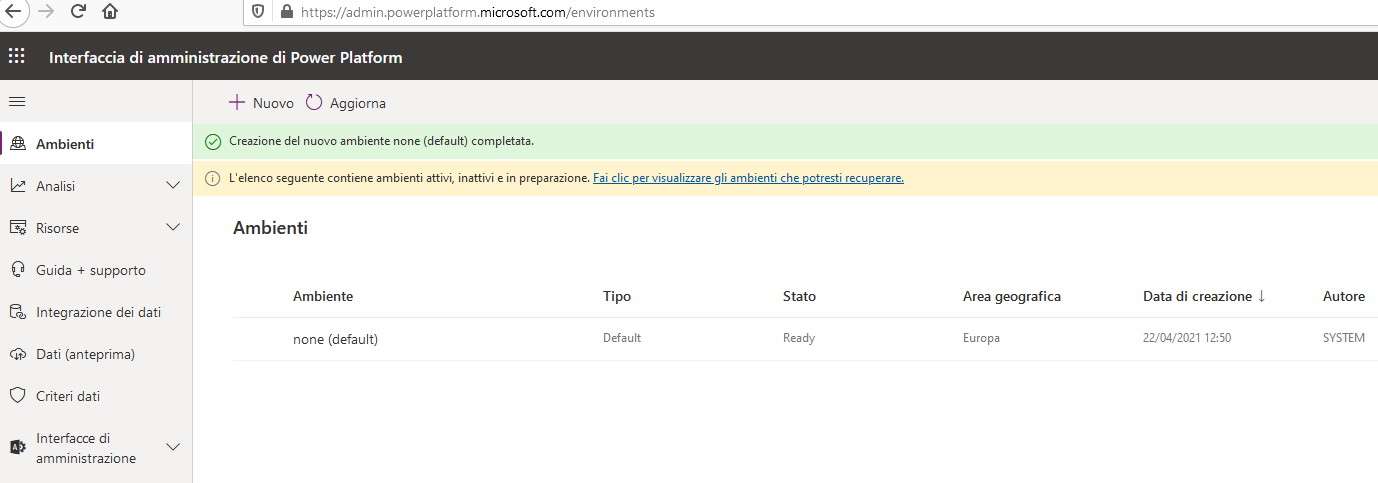
powerPlatfrom.png

environments_5F00_1.png


Now, where should I go to use my Dynamics online CRM and where I can see which is its URL?

What I want to achieve is getting to this page:
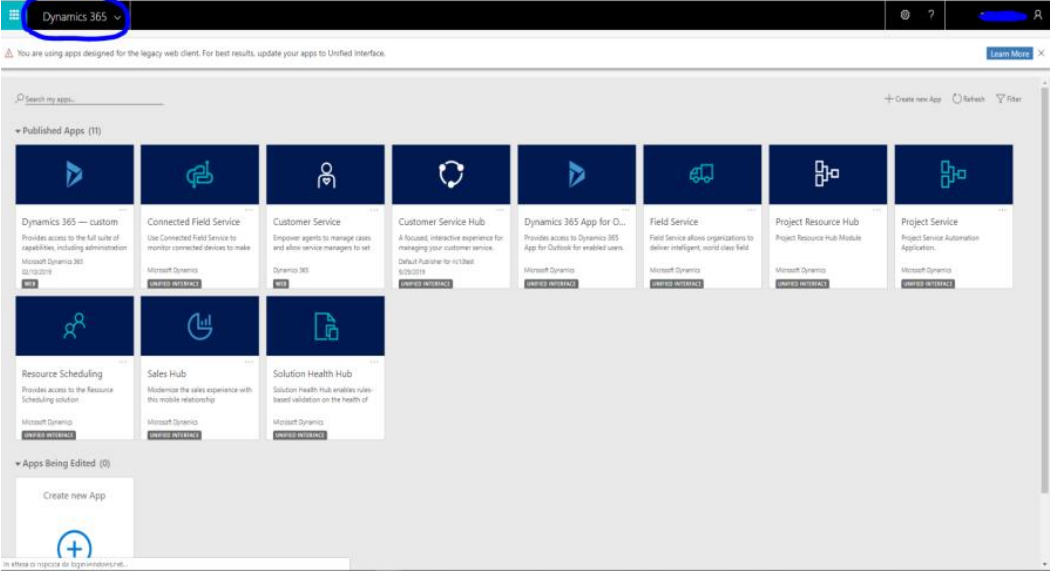
2437.sample.png

I have the same question (0)
  • Suggested answer
    PerezAguiar Profile Picture
    Microsoft Employee on at

    hey Bob.

    A default instance is usually used by connections, powerapps and flows.  Up until that moment, there's no Dynamics Instance created.  If you're on PowerPlatform admin center (the second screenshot), you have a "New"(nuovo).  This will allow you to provision an instance.  At this point is where you'll be able to choose a URL, a Database and the different Dynamics apps you want to test, as indicated on docs.microsoft.com/.../create-environment

  • Bob2 Profile Picture
    5 on at

    Thank you Daniel.

    Now I have a different issue, as it seems that I'm missing some apps:

    8228.crm1.png

    7824.crm.png


    This is not really useful because the only two apps that I can find there are almost "empty".

    Can I edit my settings (and where) in order to get this "complete package" instead? -->

    5657.sample.png

  • Suggested answer
    PerezAguiar Profile Picture
    Microsoft Employee on at

    Hey Bob!

    When you're provisioning instances, pay special attention to the menu to select an app:

    pastedimage1619103991231v1.png

    If you don't select anything, you select none or don't select anything (because the "Enable Dynamics apps" is not toggled to yes), the the instance is provisioned as "Dataverse" (with a database) but is not a Dynamics environment.

    Please try to provision with these 2 conditions: "Enable dynamics apps" set to yes, and select Sales/Customer Service or whatever application you need.

    Regards,

Under review

Thank you for your reply! To ensure a great experience for everyone, your content is awaiting approval by our Community Managers. Please check back later.

Helpful resources

Quick Links

Responsible AI policies

As AI tools become more common, we’re introducing a Responsible AI Use…

Neeraj Kumar – Community Spotlight

We are honored to recognize Neeraj Kumar as our Community Spotlight honoree for…

Leaderboard > Customer experience | Sales, Customer Insights, CRM

#1
Tom_Gioielli Profile Picture

Tom_Gioielli 170 Super User 2025 Season 2

#2
#ManoVerse Profile Picture

#ManoVerse 61

#3
Gerardo Rentería García Profile Picture

Gerardo Rentería Ga... 52 Most Valuable Professional

Last 30 days Overall leaderboard

Product updates

Dynamics 365 release plans