web
You’re offline. This is a read only version of the page.
close
Skip to main content

Announcements

No record found.

News and Announcements icon
Community site session details

Community site session details

Session Id :
Finance | Project Operations, Human Resources, ...
Active Discussion

Not able to set RecId as Entity Key during creation of CustTrans Data entity.

(0) ShareShare
ReportReport
Posted on by 87

Hi Team,

Need your help to create CustTrans data entity in D365. Below are the steps i followed:

1. Created copy of simple Data Entity in my project and renamed it as CustTransData Entity.

2. Changed the DataSoucre to CustTrans.

3. Created Copy of staging table and rename it to CustTransStaging.

4. Created Privileges.

5. Right click on the data entity and generated Staging.

Issue that i am facing:

1. Not able to set RecId as Entity Key because i am getting only these field in the drop down.(Please refer the image attached). If i am adding RecId in the field it comes as RecId1.

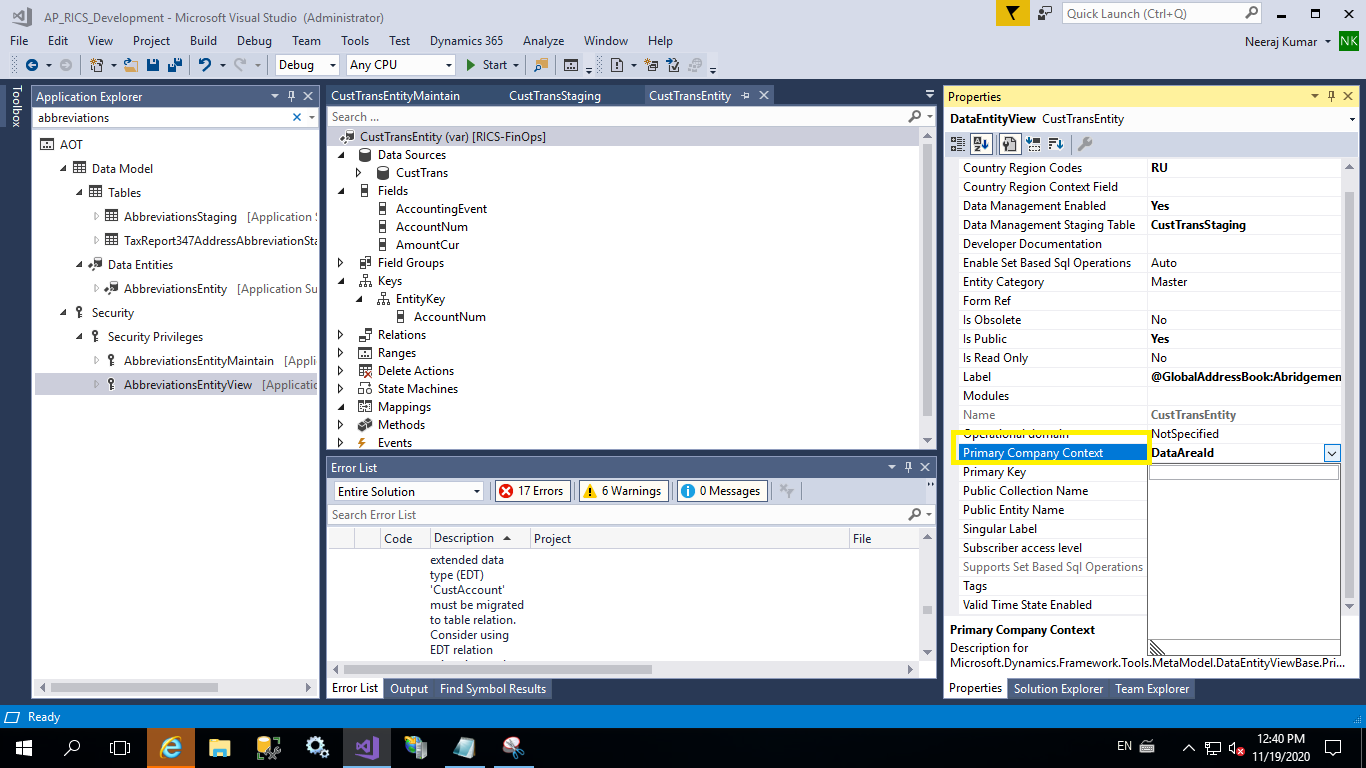
2. Not able to change Primary Company Context. Drop down is coming blank.

3. When i am doing build, i am getting this error "Error at Dynamics.AX.Application.DmfDataPopulation.syncEntityCreate(DictDataEntity dictDataEntity, Boolean useTargetEntityName) 0"

# Please suggest if i am missing any steps.

Regards

Neeraj3122.Capture1.png
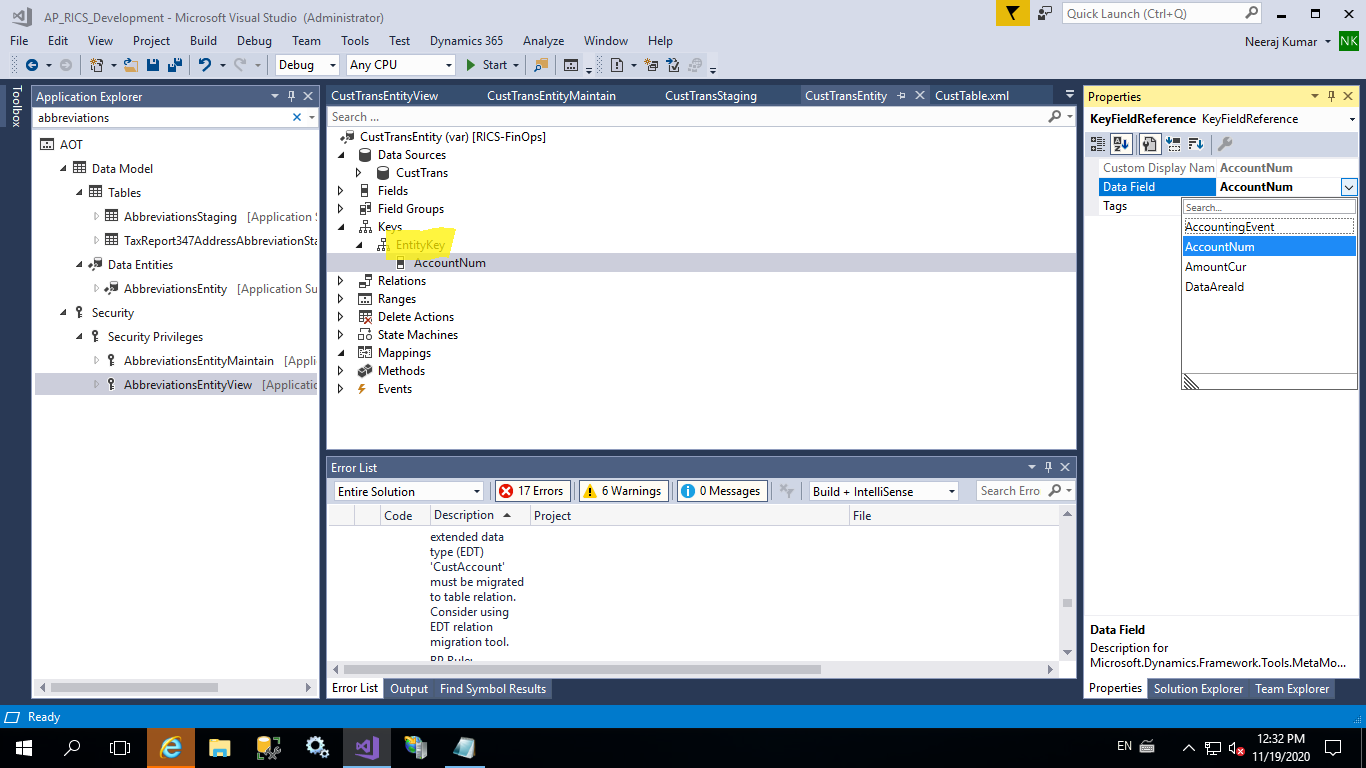
1030.Capture2.png

  • imokhtar Profile Picture
    Microsoft Employee on at

    Hi Neeraj,

    you can follow the steps in this document docs.microsoft.com/.../build-consuming-data-entities to create the data entity instead of copy existing one

  • Martin Dráb Profile Picture
    238,745 Most Valuable Professional on at

    1. You can't use RecId field in the entity key if the entity doesn't have such a field. You'll need to add a field mapped to RecId before you can add it to the key. You can't name it RecId, because that's a reserved name. Use Id, TransId or something like that.

    2. Why do you want to change Primary Company Context?

Under review

Thank you for your reply! To ensure a great experience for everyone, your content is awaiting approval by our Community Managers. Please check back later.

Helpful resources

Quick Links

Introducing the 2026 Season 1 community Super Users

Congratulations to our 2026 Super Stars!

Congratulations to our 2025 Community Spotlights

Thanks to all of our 2025 Community Spotlight stars!

Leaderboard > Finance | Project Operations, Human Resources, AX, GP, SL

#1
André Arnaud de Calavon Profile Picture

André Arnaud de Cal... 558 Super User 2026 Season 1

#2
Giorgio Bonacorsi Profile Picture

Giorgio Bonacorsi 402

#3
Diego Mancassola Profile Picture

Diego Mancassola 261

Last 30 days Overall leaderboard

Product updates

Dynamics 365 release plans