web
You’re offline. This is a read only version of the page.
close
Skip to main content

Announcements

No record found.

News and Announcements icon
Community site session details

Community site session details

Session Id :
Finance | Project Operations, Human Resources, ...
Answered

Recurring Integration Scheduler Executing but Never Finished

(0) ShareShare
ReportReport
Posted on by 1,214

Hi,

I'm trying to use Recurring Integration Scheduler for the first time: https://github.com/microsoft/Recurring-Integrations-Scheduler/wiki

I installed the application in our cloud hosted DEV environment.

D365 instance validation using service authentication is successful.
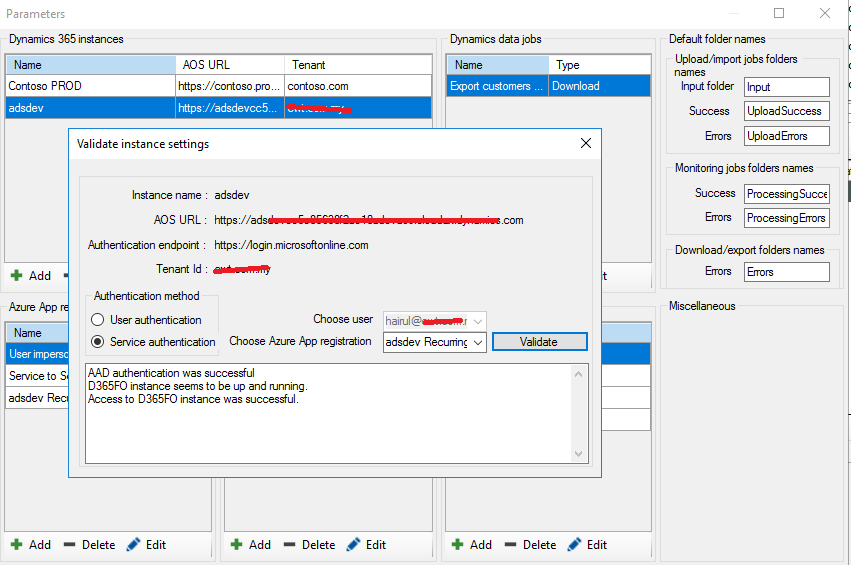
AAD-authenticate-success.png


Scheduled data job to export customers is created in D365, with recurring every 10 minutes.

Download data job is created in the scheduler application, with equivalent activity id.
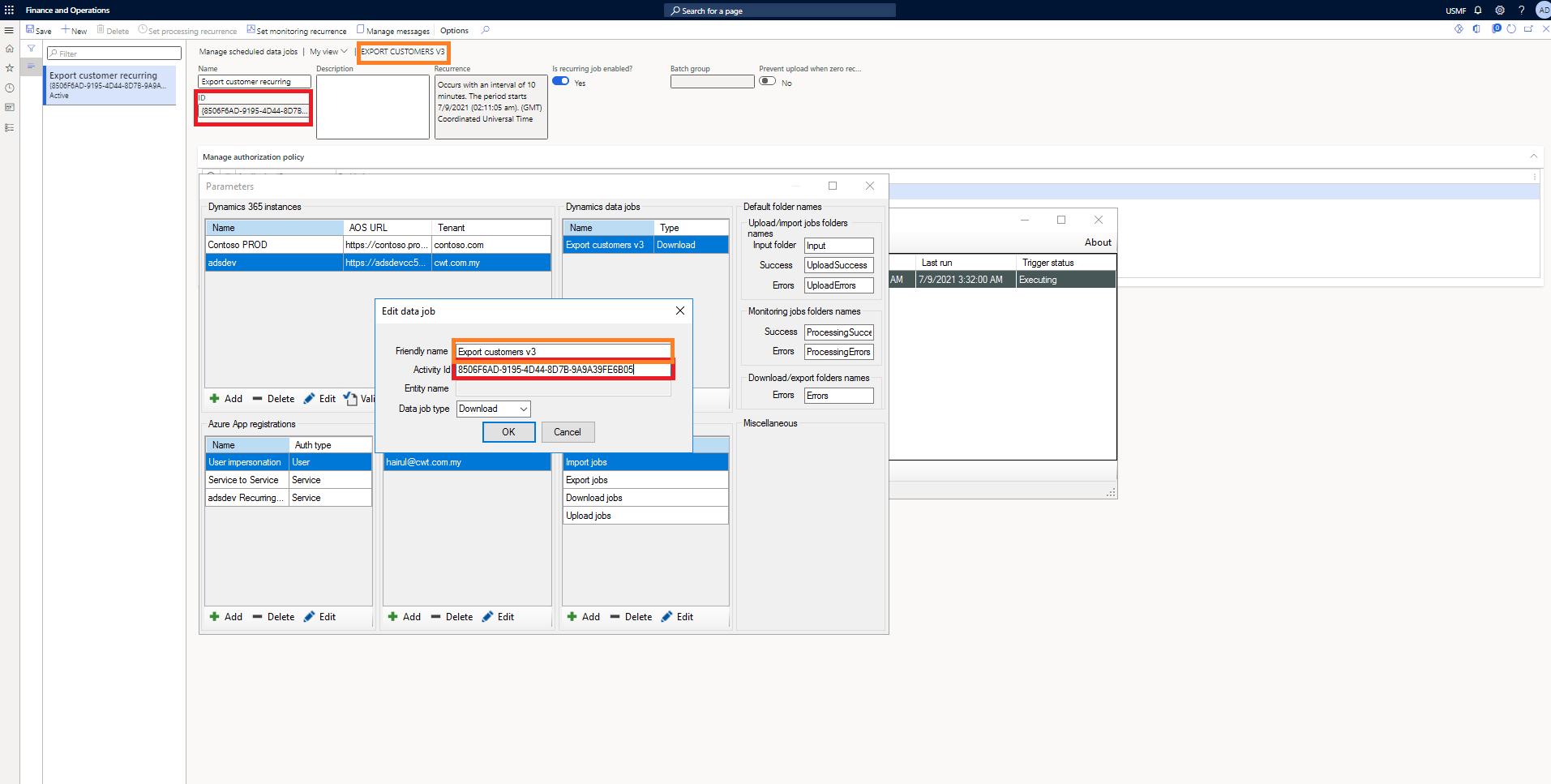
datajob.png

The recurrence is running in D365 every 10 minutes.
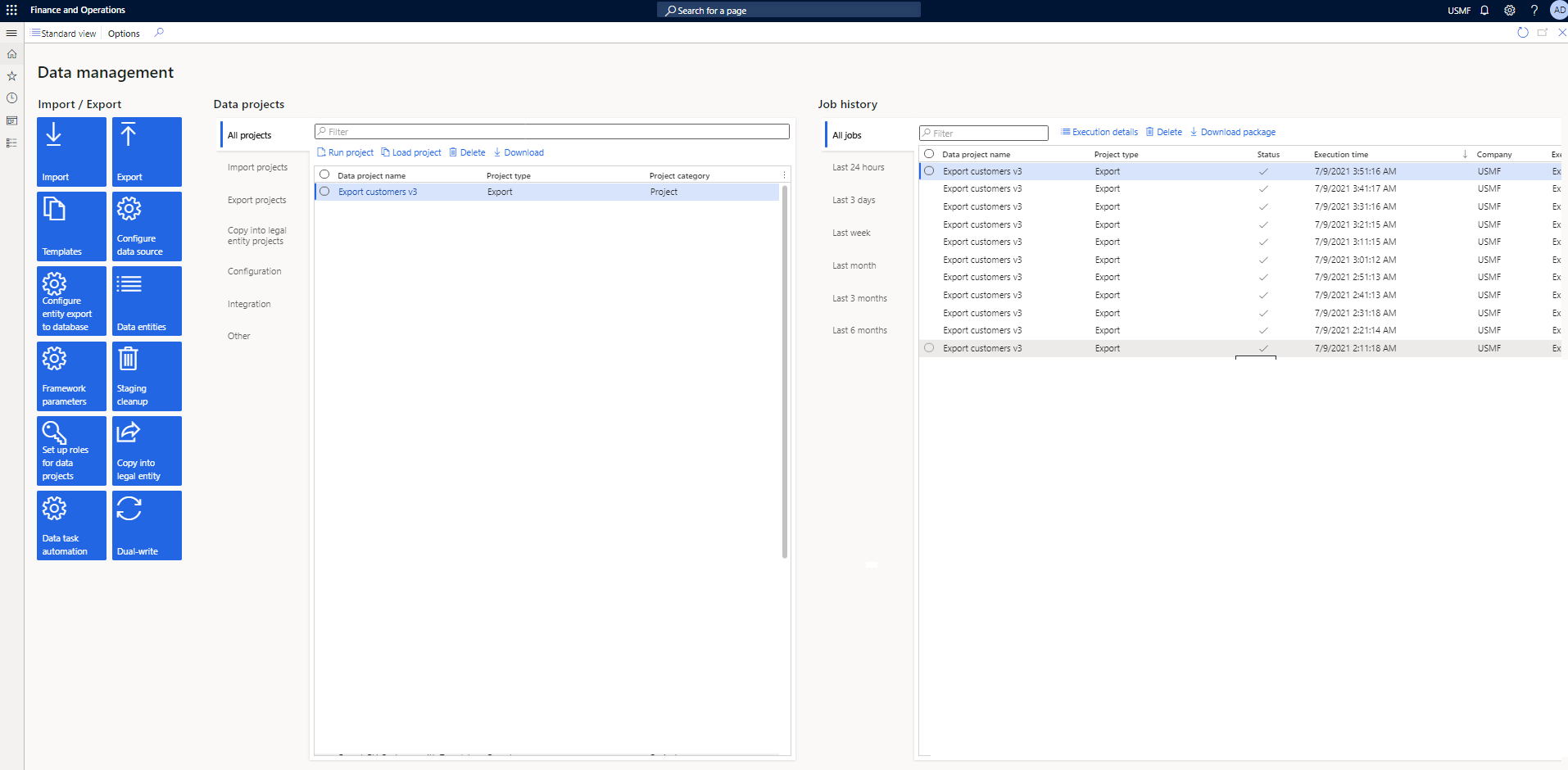
recurrence-run.png

I created Export job in the scheduler application and schedule it every 10 minutes. When triggered, the job is executing but never finished. No success, no error.
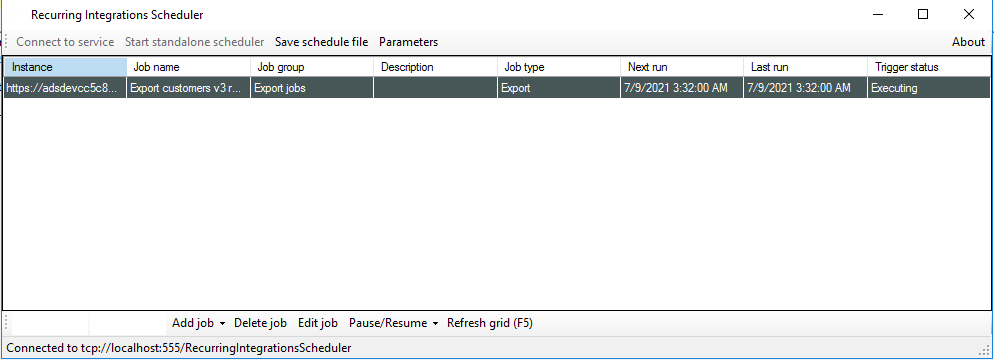
executing.png

I checked Event viewer, it says the job is called, but with empty activity id.
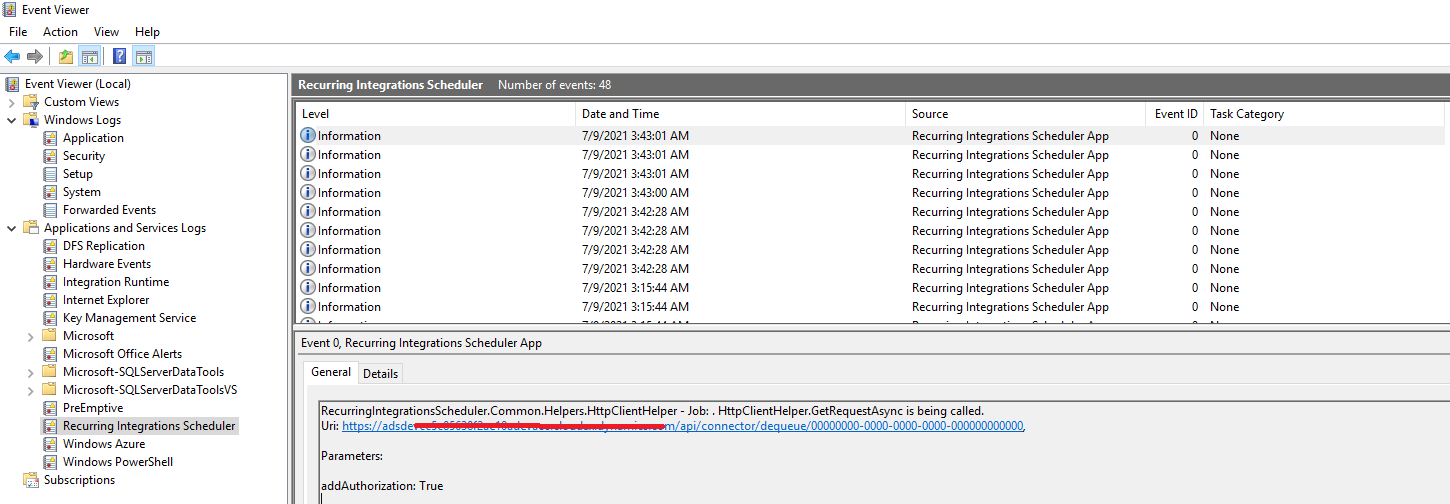
0654.event.png

What am I missing here? Thank you.

I have the same question (0)
  • Suggested answer
    Ludwig Reinhard Profile Picture
    Microsoft Employee on at

    Hi

    Please have a look at the integration options mentioned on MS docs.

    docs.microsoft.com/.../integration-overview

    My knowledge is that RIS was never meant being used for live implementations but for testing only.

    Best regards,

    Ludwig

  • Suggested answer
    nmaenpaa Profile Picture
    101,166 Moderator on at

    You can actually debug the applicaton to see where it goes wrong - just use the source code package that MS provides:

    "Download latest release from releases section or compile your own installation package by following instructions found in Setup folder."

  • Suggested answer
    Martin Dráb Profile Picture
    239,022 Most Valuable Professional on at

    It seems to me that you're using "Download" job type, which calls the old API. It depends on batch jobs inside F&O - it's likely that you haven't configured them.

    You should use the "Export" job type rather than "Download". It doesn't use batch jobs in F&O; scheduling is managed by RIS.

  • Verified answer
    HAIRUL HAZRI Profile Picture
    1,214 on at

    Seems like this is a known issue with version 3.3.0.0.

    I downgraded to 3.2.0.0 and now I'm able to export & import my preferred package.

Under review

Thank you for your reply! To ensure a great experience for everyone, your content is awaiting approval by our Community Managers. Please check back later.

Helpful resources

Quick Links

Introducing the 2026 Season 1 community Super Users

Congratulations to our 2026 Super Stars!

Congratulations to our 2025 Community Spotlights

Thanks to all of our 2025 Community Spotlight stars!

Leaderboard > Finance | Project Operations, Human Resources, AX, GP, SL

#1
Giorgio Bonacorsi Profile Picture

Giorgio Bonacorsi 617

#2
André Arnaud de Calavon Profile Picture

André Arnaud de Cal... 461 Super User 2026 Season 1

#3
Syed Haris Shah Profile Picture

Syed Haris Shah 298 Super User 2026 Season 1

Last 30 days Overall leaderboard

Product updates

Dynamics 365 release plans


