I took a working R3 system and upgraded it to CU13. After the upgrade, which completed without errors, AX is now stuck in Retail Essentials mode.
Just to get this out of the way, I have already tried everything in both of these links with no luck:
https://community.dynamics.com/ax/f/33/t/255561
https://kurthatlevik.com/2014/09/18/dynamics-ax-2012-r3-retail-essentials/
1. I can go to File > View > Modules and individually turn areas back on, but they disappear upon restarting the client.
2. I can get to developer mode and open any form without issue.
3. If I open the license configuration form, there are only two config keys in the list:
Retail (checked)
- Full Feature Set (also checked)
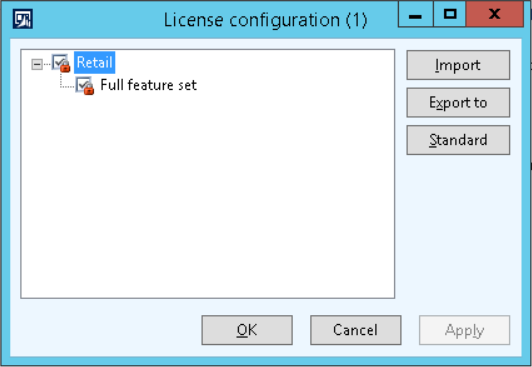
4. If I open the license information form, our license key is loaded (I also tried reapplying it), but the bottom half of the form that shows the tabs with the different license keys is missing.
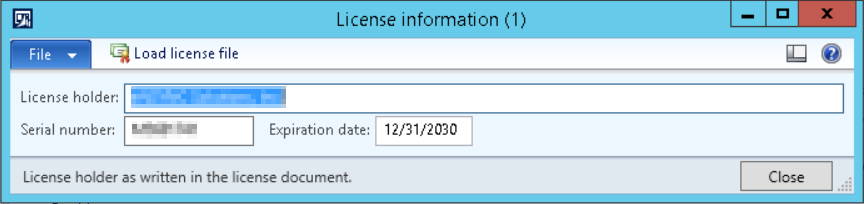
5. I have already tried clearing all AUC files, full compiles, syncs, CILs, etc.
Thankfully, this is a DEV environment, but I really don't want to go through the trouble of restoring everything and backtracking.
Any suggestions?
Thanks,
- Brad


