web
You’re offline. This is a read only version of the page.
close
Skip to main content

Notifications

Announcements

No record found.

Community site session details

Community site session details

Session Id :
Microsoft Dynamics AX (Archived)

Error while trying to open table SYSUSERLOG.

(0) ShareShare
ReportReport
Posted on by 250

When I try to access SYSUSERLOG table I get the following error 

You are not authorized to access table ‘User log’ (SysUserLog). Contact your system administrator.
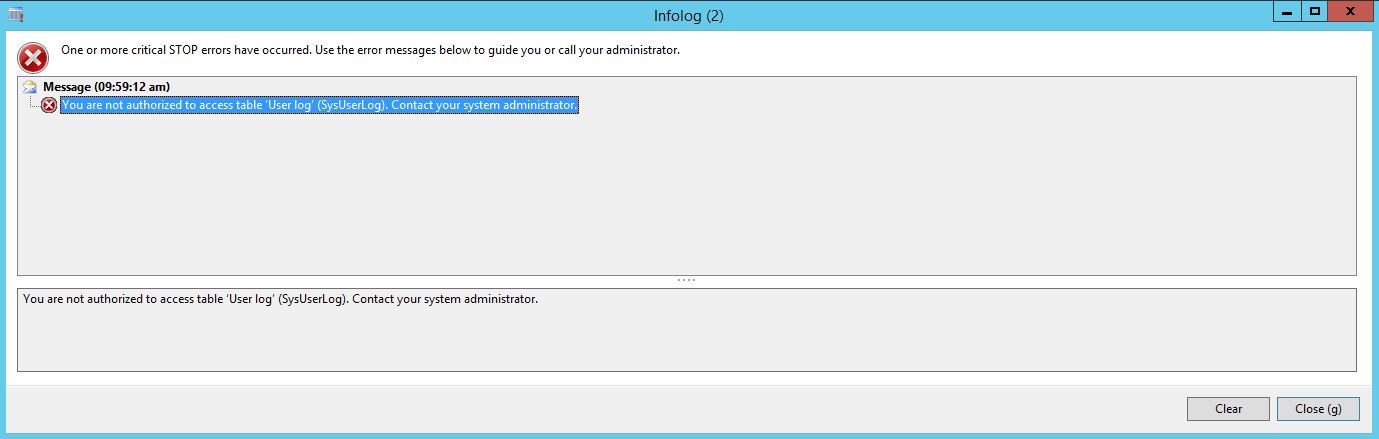
8156.error.JPG

When I query the table from the SQL server, the table seems to be empty ! Is it supposed to be empty ? Am I missing something here ?

*This post is locked for comments

I have the same question (0)
  • AhmadHammoud Profile Picture
    250 on at

    Yeah I do.

  • Sohaib Cheema Profile Picture
    49,438 User Group Leader on at

    how about Visible property of your Table?? is that set as NO.

    if that is the case, it is very obvious to get this error.

  • AhmadHammoud Profile Picture
    250 on at

    Thank Sohaib for your reply, yes I have the Visible property set to yes.

    I have found a similar issue posted however it is regarding AX 4.0, the resolution was to check user log under Administration menu and to Synchronize AOT. That however is not possible with R3.

    Any Ideas ?

  • Sohaib Cheema Profile Picture
    49,438 User Group Leader on at

    do you think its synchronization issue? if its so, I suspect if there was any recent code upgrade done on model store? because by default visible property of this table is Yes.

    What are you thoughts on origin of this issue? and what happens if you synchronize it now, in present state?

  • Verified answer
    Tommy Skaue Profile Picture
    Moderator on at

    Hi

    Please verify you have the correct configuration for this table turned on. Open License Configuration and look for the "User log"-function.

    Reference: technet.microsoft.com/.../aa550657.aspx

    EDIT: I see you've already confirmed this, but as Sohaib states, it sounds like your environment is either out of sync, or the configuration must be turned off. 

  • AhmadHammoud Profile Picture
    250 on at

    Tommy, much appreciated I had to activate the liscense configuration. Sohaib thanks as well.

Under review

Thank you for your reply! To ensure a great experience for everyone, your content is awaiting approval by our Community Managers. Please check back later.

Helpful resources

Quick Links

Responsible AI policies

As AI tools become more common, we’re introducing a Responsible AI Use…

Neeraj Kumar – Community Spotlight

We are honored to recognize Neeraj Kumar as our Community Spotlight honoree for…

Leaderboard > 🔒一 Microsoft Dynamics AX (Archived)

#1
Martin Dráb Profile Picture

Martin Dráb 4 Most Valuable Professional

#1
Priya_K Profile Picture

Priya_K 4

#3
MyDynamicsNAV Profile Picture

MyDynamicsNAV 2

Last 30 days Overall leaderboard

Featured topics

Product updates

Dynamics 365 release plans
