web
You’re offline. This is a read only version of the page.
close
Skip to main content

Notifications

Announcements

Community site session details

Community site session details

Session Id :
Microsoft Dynamics NAV (Archived)

Edit integration table field mapping

(0) ShareShare
ReportReport
Posted on by

Hi Community,

I'm investigating the possibilities for integrating NAV 17 with Dynamics CRM.

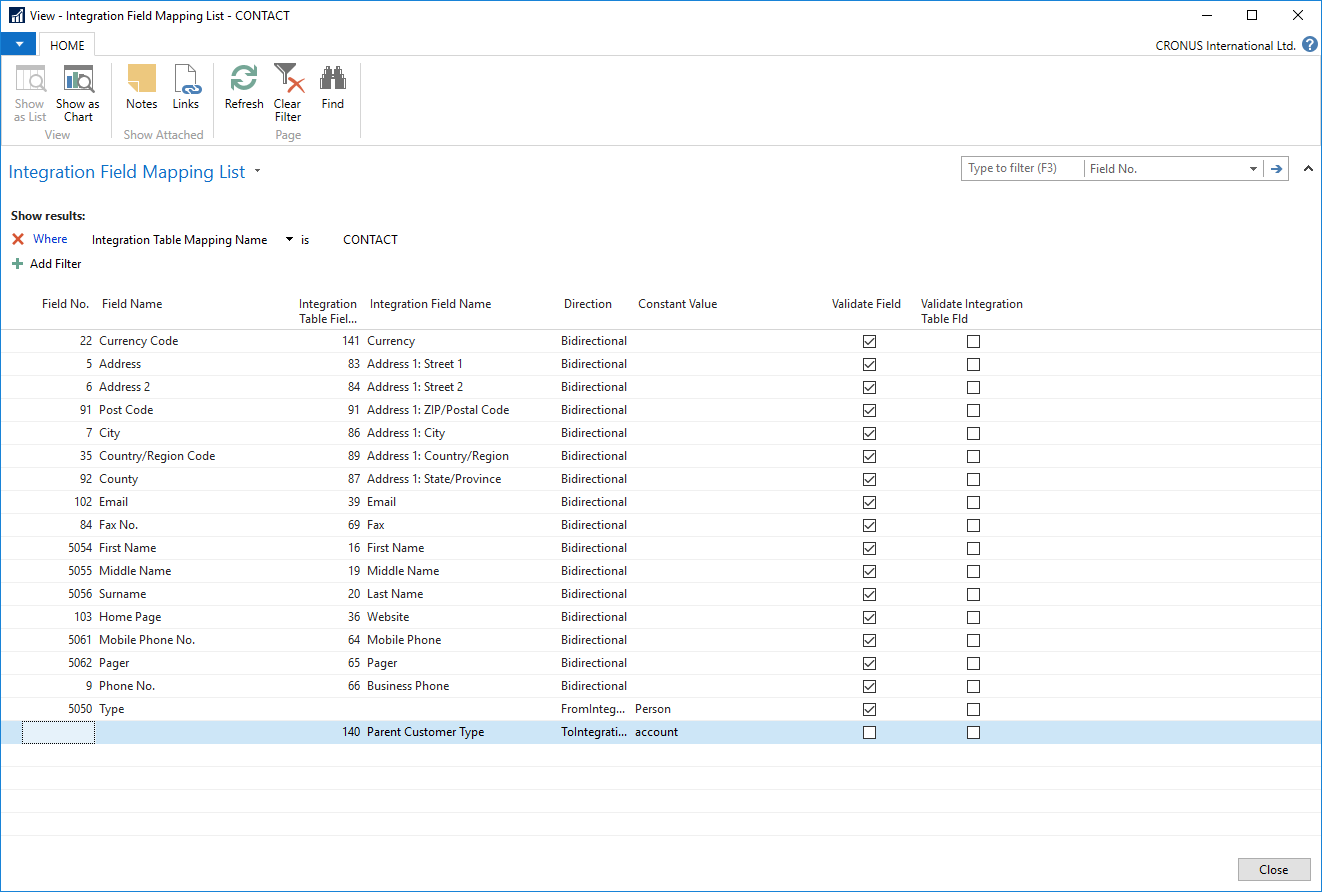
How would I go about changing the field mappings? I'm not able to edit them in this view.

Say, I wanted to map City to E-Mail instead.
fieldmappings.png

*This post is locked for comments

I have the same question (0)
  • Community Member Profile Picture
    on at

    You can find the CRM field numberings in the NAV CRM tables (5340-5370). Just open 'about this page' click 'table fields' and you'll see the field numberings in parantheses after the CRM field name.  

  • Community Member Profile Picture
    on at

    This worked for me .Thanks! But I have a question, if the environment is a Dynamics 365 for sales online , how do I find the column number of the field?  Thank you

  • Community Member Profile Picture
    on at

    Thanks for sharing your experiences with this!

  • Community Member Profile Picture
    on at

    Agreed - this is the only way.

    For example we use Customer>Name 2 (column 4) as the TradingAs name - we mapped this to the YomiName (column 133) in 5341 CRM Account so the TradingAs name could be displayed in CRM. To do this we added a row in 5336 Integration Field Mapping as follows

    CUSTOMER 4 133 Bidirectional

  • Verified answer
    MMankin Profile Picture
    on at

    mphip,

    I have just recently worked on this and the only was to change the direction or change mapping is through the Dev environment.   When you run table 5336 it lists all the fields that are mapping.   I did confirm that this is the only way to edit it with a Microsoft tech.  

  • Community Member Profile Picture
    on at

    50 views and no answers. I hope my question isn't too unclear or plain stupid! I'm not a NAV developer after all.

    The server is set-up from the Azure NAV 17 template. Could it be that I'm not allowed to edit these without a developer license?

Under review

Thank you for your reply! To ensure a great experience for everyone, your content is awaiting approval by our Community Managers. Please check back later.

Helpful resources

News and Announcements

Season of Giving Solutions is Here!

Quick Links

Responsible AI policies

As AI tools become more common, we’re introducing a Responsible AI Use…

Neeraj Kumar – Community Spotlight

We are honored to recognize Neeraj Kumar as our Community Spotlight honoree for…

Leaderboard > 🔒一 Microsoft Dynamics NAV (Archived)

#1
HoangNam Profile Picture

HoangNam 7

Last 30 days Overall leaderboard

Featured topics

Product updates

Dynamics 365 release plans
