web
You’re offline. This is a read only version of the page.
close
Skip to main content

Notifications

Announcements

No record found.

Community site session details

Community site session details

Session Id :
Finance | Project Operations, Human Resources, ...
Suggested Answer

Thai Localization - Tax invoice

(0) ShareShare
ReportReport
Posted on by 978

Hi experts,

I am checking the localization for Thai land and have some issues, can someone help to advice?

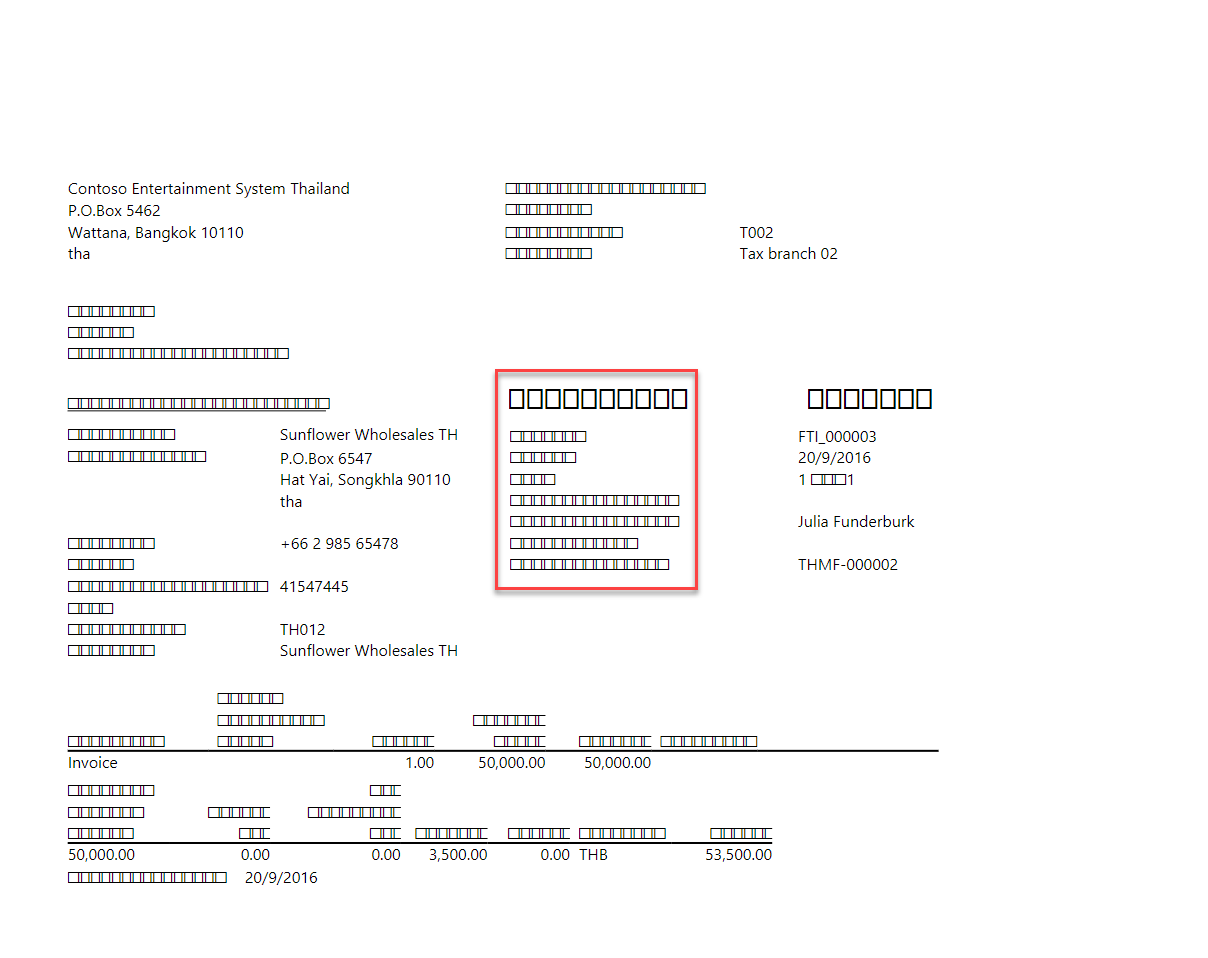
1. Printed Tax invoice: the font of the report seem to have issue.
pastedimage1636698851259v1.png

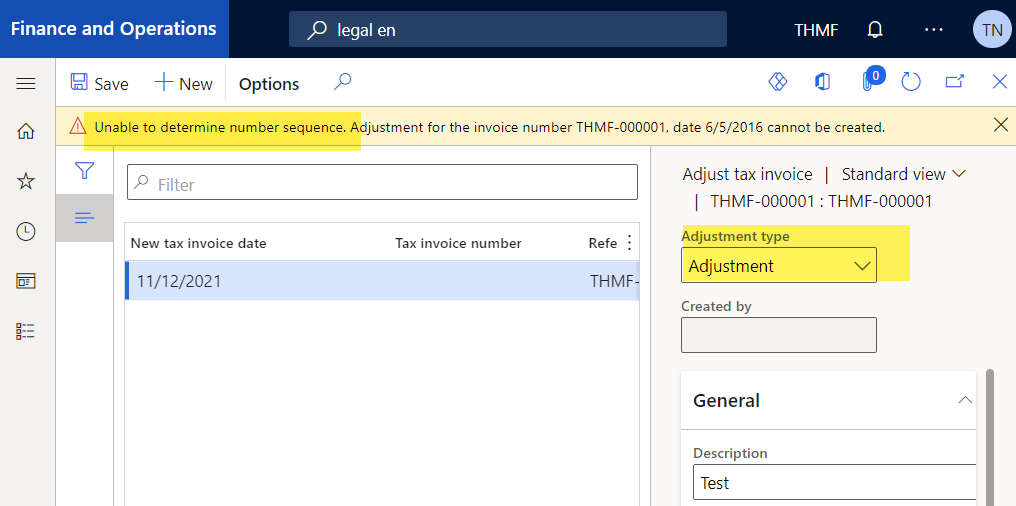
2. Adjust Tax invoice: cannot chose Adjustment type: Adjustment. I have check the number sequence for THMF, all of the number sequences have been filled in AR Parameter.
pastedimage1636698904913v3.png

Installed product version : 10.0.16 (10.0.689.10004)

Thank in advance,

Thu

I have the same question (0)
  • André Arnaud de Calavon Profile Picture
    301,075 Super User 2025 Season 2 on at

    Hi Thu,

    Probably you can get some help via the Thailand localization documentation: docs.microsoft.com/.../thailand

    About the invoice, is this a standard or custom invoice report?

  • Suggested answer
    Alireza Eshaghzadeh Profile Picture
    14,679 Super User 2025 Season 2 on at

    Hi ThuNgo,

    You can check the following post on Microsoft docs regarding Thailand tax invoice like Andre mentioned:

    docs.microsoft.com/.../apac-tha-tax-invoices

    On the user option, check that of you have provided setup for Date, time, and number format.

  • ThuNgo Profile Picture
    978 on at

    Hi,

    Thank for your reply.

    No 1: I think there is missing font setting for Thai language. I can download the invoice and see the character display in Thai language, but cannot when i view it on system.

    pastedimage1636939464118v1.png

    But i'm dont know how to add the font.

    Best regards,

    Thu

Under review

Thank you for your reply! To ensure a great experience for everyone, your content is awaiting approval by our Community Managers. Please check back later.

Helpful resources

Quick Links

Responsible AI policies

As AI tools become more common, we’re introducing a Responsible AI Use…

Neeraj Kumar – Community Spotlight

We are honored to recognize Neeraj Kumar as our Community Spotlight honoree for…

Leaderboard > Finance | Project Operations, Human Resources, AX, GP, SL

#1
Martin Dráb Profile Picture

Martin Dráb 551 Most Valuable Professional

#2
André Arnaud de Calavon Profile Picture

André Arnaud de Cal... 450 Super User 2025 Season 2

#3
BillurSamdancioglu Profile Picture

BillurSamdancioglu 278 Most Valuable Professional

Last 30 days Overall leaderboard

Product updates

Dynamics 365 release plans
