web
You’re offline. This is a read only version of the page.
close
Skip to main content

Notifications

Announcements

No record found.

Community site session details

Community site session details

Session Id :
Microsoft Dynamics GP (Archived)

Excel is not Getting Data from Analysis Cubes GP 2010

(0) ShareShare
ReportReport
Posted on by 487

I have installed Analysis Cubes on GP 2010 and it seems like working fine. Process the cubes as well.
When I open Excel 2007,  Data -> From Analysis Services
I mentioned Server Name with (use windows authentication) and it gives me the data (all cubes).
I selected SALES Cube and Finish. A pivot table is created, with (right side) Pivot Table Field List. But no matter what I select from that list, Excel generate no Data.
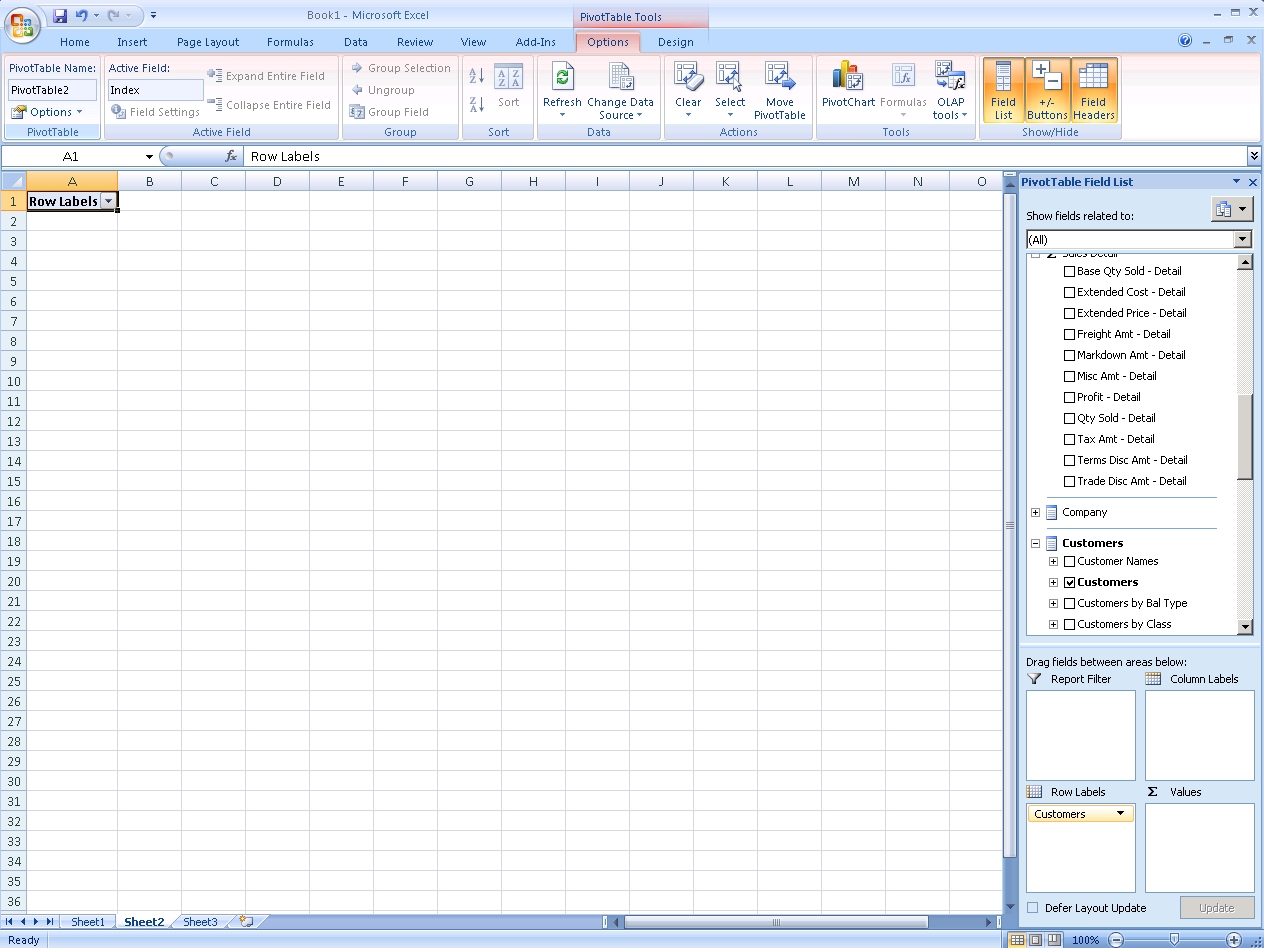
Excel_5F00_Cubes.jpg

Furthermore, I have not created any Definition ID in Dynamics GP 2010 -> Tools -> Analysis Cubes -> Create Pivot Table Reports

Do I need to create Definition ID for every Cube? I can see all the Cubes from Cube drop down list. But don't know how to create these Definitions?
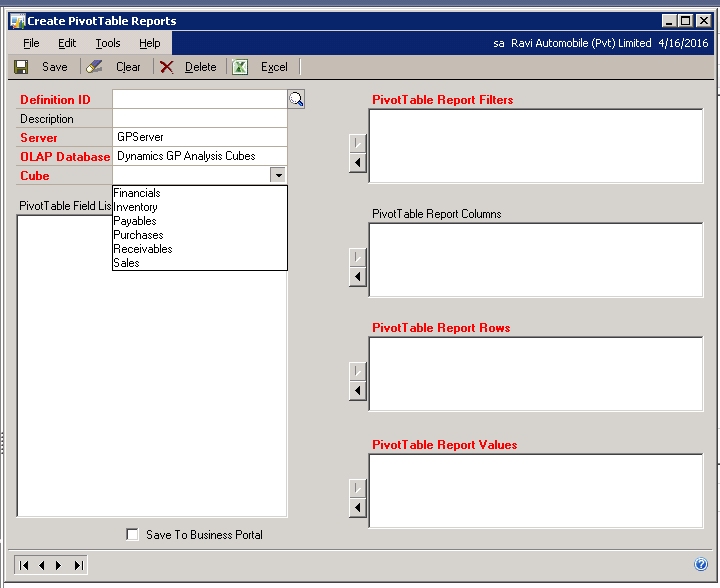
Analysis_2D00_Cubes.jpg


Kindly help.

*This post is locked for comments

I have the same question (0)
  • Verified answer
    Beat Bucher  GP Geek  GPUG All Star Profile Picture
    28,058 Moderator on at

    Hi Adeel,

    Out-of-the-box, Analysis Cubes are already populated with some default queries, as you can already see a list of fields (which indicates probably that your security seems to be right).

    I've never used the built-in Analysis Cubes for GP, though that has been something on my list for a long time.. I've used cubes with Excel for other applications and aside of the security, can't really see another source of the problem.

    You said that the cubes can be processed, but have actually checked if there is any data inside the dimensions thru SQL SSAS in Studio Management ?

  • adeel333 Profile Picture
    487 on at

    Got your point and I have checked the dimensions and you're right, there is no data :(
    I process the cubes again, it was again successful but still no data...
    then I uninstall Analysis Cubes, deleted DynamicsGPWarehouse database, deleted 'Dynamics GP Analysis Cubes' database from Analysis Server, deleted DynamicsUser.

    Reinstalled and reconfigured Analysis cubes from GP 2010 DVD, but still no data.
    (see the attachment)

    Any idea, how to resolve this issue?

    Image323.jpg

  • Suggested answer
    Beat Bucher  GP Geek  GPUG All Star Profile Picture
    28,058 Moderator on at

    Adeel,

    I've never installed Analysis Cubes for GP in the past... but could give it  a try in my Test environment later this week...

    One thing I'd check first is the validity of the Data Sources properties for your Cube in SQL Analysis Services.. Make sure it points to the proper Database on your SQL GP server, and not some ghost DB/server that contains no data at all.

    Beat

  • adeel333 Profile Picture
    487 on at

    Thank you for your support. I have checked data source properties and with help of a few other tips, I finally generated DATA in dimensions :)

    However, there is UNKNOWN member in every dimension, why is that? How can I correct it, if that is an issue?

    Most important, while browsing MASTER DATE, I can see only UNKNOWN, how can I generate data for MASTER DATE dimension? I have tried while processing cubes again and again but no success. I am not getting required results in EXCEL.

    Every dimension is having data (including UNKNOWN member), but MASTER DATE is giving only UNKNOWN. so Excel is producing reports from Analysis Services but without DATE DIMENSIONS.

    Any idea?

  • Verified answer
    adeel333 Profile Picture
    487 on at

    Finally I have found the solution at

    redbeardblogging.blogspot.com/.../dynamics-gp-analysis-cubes-deployment.html

    Everything is working fine now for Analysis Cubes.

  • Beat Bucher  GP Geek  GPUG All Star Profile Picture
    28,058 Moderator on at

    Hi Adeel,

    That's great news! I'm glad you finally were able to solve the mystery.. Harry is a good friend and his blog post is indeed right on the point.. I'm sorry, I didn't have had any time to deploy the Analysis Cubes on my test GP system, too busy at work right now :-).

    But this thread and the blogs from Harry & Mariano will prove to be helpful when comes time to deploy those cubes.

  • adeel333 Profile Picture
    487 on at

    Thank you BUCHER. You're a great help.

Under review

Thank you for your reply! To ensure a great experience for everyone, your content is awaiting approval by our Community Managers. Please check back later.

Helpful resources

Quick Links

Responsible AI policies

As AI tools become more common, we’re introducing a Responsible AI Use…

Neeraj Kumar – Community Spotlight

We are honored to recognize Neeraj Kumar as our Community Spotlight honoree for…

Leaderboard > 🔒一 Microsoft Dynamics GP (Archived)

#1
Community Member Profile Picture

Community Member 2

#2
mtabor Profile Picture

mtabor 1

#2
Victoria Yudin Profile Picture

Victoria Yudin 1

Last 30 days Overall leaderboard

Featured topics

Product updates

Dynamics 365 release plans



