web
You’re offline. This is a read only version of the page.
close
Skip to main content

Announcements

No record found.

News and Announcements icon
Community site session details

Community site session details

Session Id :
Microsoft Dynamics CRM (Archived)

Error while opening Report URL...

(0) ShareShare
ReportReport
Posted on by

Hi Everyone,

I am trying to run a report from java script ,

function OpenOrderReport() {
debugger;
var rdlName = "Complaints Acknowledgement Report.rdl"; //Replace
var reportGuid = "FD140AAF-4DF4-11DD-BD17-0019B9312238"; //Replace
var entityType = "112"; //Replace
var entityGuid = Xrm.Page.data.entity.getId();
var url = Xrm.Page.context.getClientUrl() + "/crmreports/viewer/viewer.aspx?action=run&context=records&helpID=" + rdlName + "&id={" + reportGuid + "}&records=" + entityGuid + "&recordstype=" + entityType;
window.open(url, null, 800, 600, true, false, null);
}

The thing is when i am trying to open crm report URL

 Xrm.Page.context.getClientUrl() + "/crmreports/viewer/viewer.aspx?

It's not opening and i am getting following error
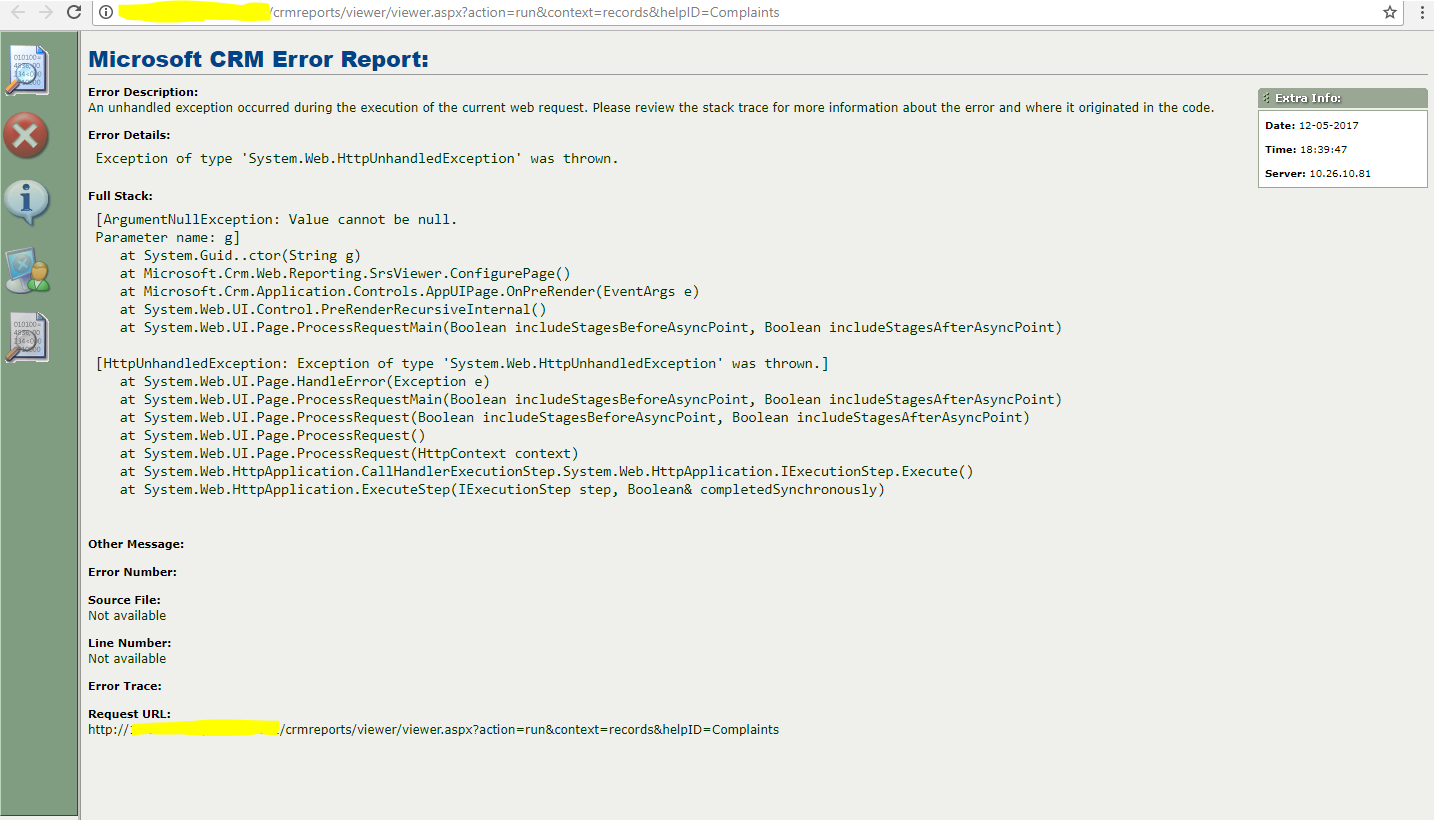
48330.Capture.PNG

Please Help me  on this....

*This post is locked for comments

I have the same question (0)
  • Suggested answer
    imayur Profile Picture
    630 on at

    Hi,

    Looks like "g" parameter is null from stacktrace.

    Why do you need  "&records=" + entityGuid + "&recordstype=" + entityType;" in url.

    Try without records and recordstype in url.

  • Suggested answer
    ARIFNIIT Profile Picture
    1,391 on at

    We can open a report by passing appropriate parameter values to the below URL

    [organization url]/crmreports/viewer/viewer.aspx 

    This URL accepts the following parameters:

    action: Two possible values for this parameter are run or filter. When run is used, the report will be displayed using the default filters. When filter is used, the report will display a filter that the user can edit before choosing the Run Report button to view the report.

    helpID: This parameter is optional. For reports that are included with Microsoft Dynamics 365 the value in this parameter allows the Help button to display appropriate content about this report when Help on This Page is chosen. The value should correspond to the report File Name attribute value.

    id: This parameter is the report ReportId attribute value.

    if you are using run in action then no need to pass record id and type. you can pass it into filter action.

    Try below code

    function OpenOrderReport() {
    debugger;
    var rdlName = "Complaints Acknowledgement Report.rdl"; //Replace
    var reportGuid = "FD140AAF-4DF4-11DD-BD17-0019B9312238"; //Replace
    var entityType = "112"; //Replace
    var entityGuid = Xrm.Page.data.entity.getId(); 
    var url = Xrm.Page.context.getClientUrl() + "/crmreports/viewer/viewer.aspx?action=run&helpID=" + rdlName + "&id={" + reportGuid + "}"
    window.open(url, null, 800, 600, true, false, null);
    }

  • Community Member Profile Picture
    on at

    Xrm.Page.context.getClientUrl() + "/crmreports/viewer/viewer.aspx

    even i tried using above url i am unable to connect ,it throws me the same error(in the pic).

  • ARIFNIIT Profile Picture
    1,391 on at

    Xrm.Page.context.getClientUrl() + "/crmreports/viewer/viewer.aspx  is the report viewer url. you need to pass action, helpId(optional) and report Id. without report Id how report viewer identify to open/run an report.

Under review

Thank you for your reply! To ensure a great experience for everyone, your content is awaiting approval by our Community Managers. Please check back later.

Helpful resources

Quick Links

Introducing the 2026 Season 1 community Super Users

Congratulations to our 2026 Super Stars!

Meet the Microsoft Dynamics 365 Contact Center Champions

We are thrilled to have these Champions in our Community!

Congratulations to the April Top 10 Community Leaders

These are the community rock stars!

Leaderboard > 🔒一 Microsoft Dynamics CRM (Archived)

Last 30 days Overall leaderboard

Featured topics

Product updates

Dynamics 365 release plans
