web
You’re offline. This is a read only version of the page.
close
Skip to main content

Announcements

No record found.

News and Announcements icon
Community site session details

Community site session details

Session Id :
Microsoft Dynamics CRM (Archived)

Not showing modules and their respecting entitys

(0) ShareShare
ReportReport
Posted on by 202

Hello Everyone ,

As i am creating new security role for for normal user to access some of the modules and their respecting Entity but ..

i have gone through some documents from online and give minimum previlages to log in in CRM ...so I m able to log in in CRM.

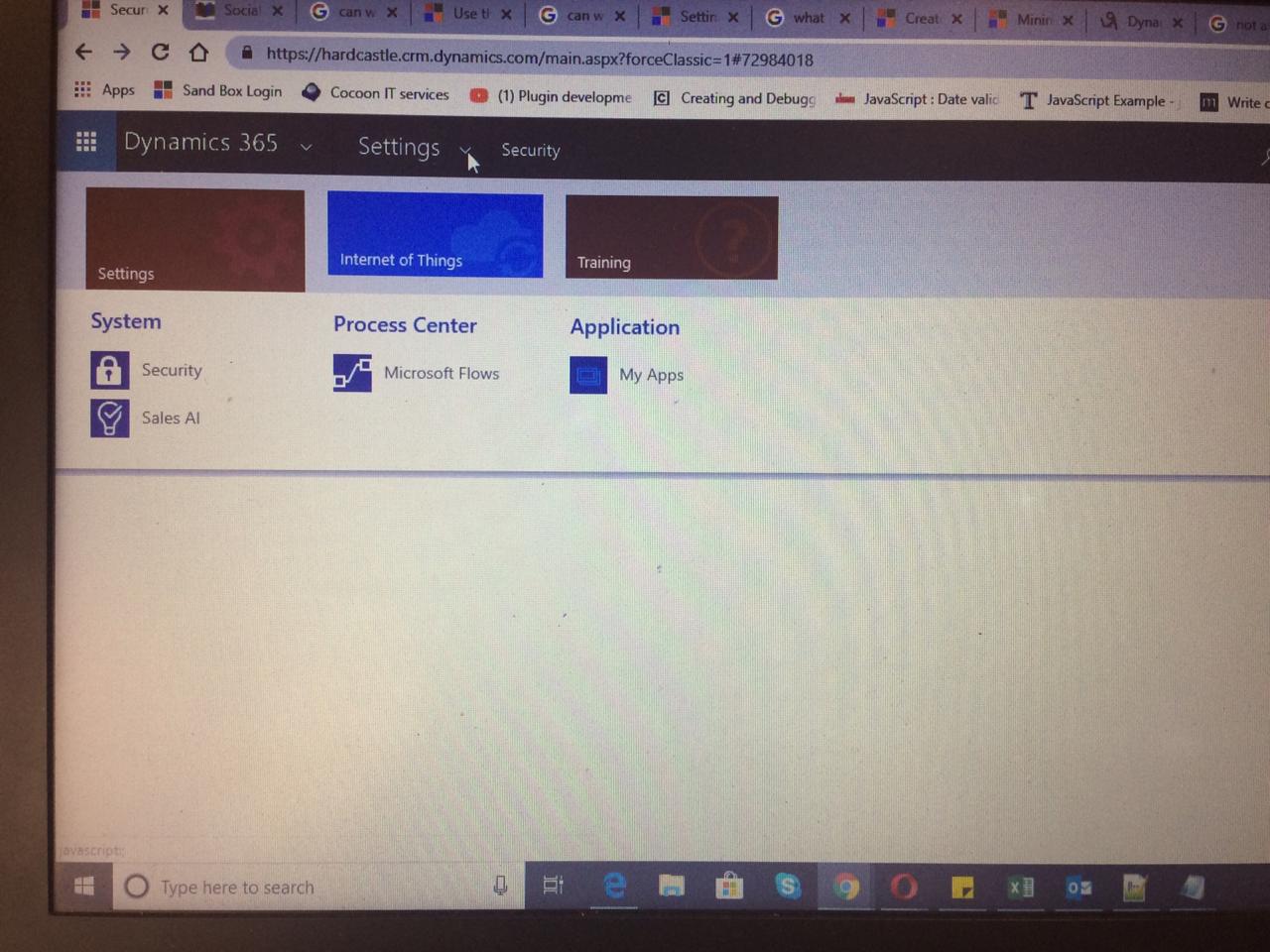
now what is happening that First going for  Account Entity and  giving Read Write and create permission but it not coming in Modules 

i can see that entity only  through Advanced find view...
66286dbb_2D00_2149_2D00_4261_2D00_93e8_2D00_fd8de4a35ad2.jpg

it has to come here in Account entity Under Sales Modules ..but i cant see sales modules itself ..

please let me know from where to get this things...

and please do not suggest me to copy existing security role and do ...

i have created new security role to understand this in better way .

thanks 

amit

*This post is locked for comments

I have the same question (0)
  • Suggested answer
    Rawish Kumar Profile Picture
    13,758 on at

    Hi Amit,

    Using only security roles privileges its difficult to get desired result.

    because to enable a module - you have to give permission on other entities too, also there is no exact/correct list of entities that we need to give access on to enable each module.

    hence people use role based sitemap, take help from here :

    crmtipoftheday.com/.../its-a-privilege

    community.dynamics.com/.../creating-a-role-based-sitemap-navigation-in-dynamics-crm

  • Suggested answer
    Rawish Kumar Profile Picture
    13,758 on at

    or simple there is option is to use the Apps in Dynamics 365.

    The Apps will allow you to create different Apps for different security roles. docs.microsoft.com/.../create-edit-app

  • Suggested answer
    Mahendar Pal Profile Picture
    45,095 on at

    Hi Amit,

    By giving read permission you should get it normally. Did you try to clear your browser cache ? if yes and still not able to see try to check other browser, another option is to add this entity to sitemap directly from inbuild sitemap designer.

Under review

Thank you for your reply! To ensure a great experience for everyone, your content is awaiting approval by our Community Managers. Please check back later.

Helpful resources

Quick Links

Introducing the 2026 Season 1 community Super Users

Congratulations to our 2026 Super Stars!

Meet the Microsoft Dynamics 365 Contact Center Champions

We are thrilled to have these Champions in our Community!

Congratulations to the April Top 10 Community Leaders

These are the community rock stars!

Leaderboard > 🔒一 Microsoft Dynamics CRM (Archived)

Last 30 days Overall leaderboard

Featured topics

Product updates

Dynamics 365 release plans
