web
You’re offline. This is a read only version of the page.
close
Skip to main content

Announcements

No record found.

News and Announcements icon
Community site session details

Community site session details

Session Id :
Microsoft Dynamics AX (Archived)

AX 2012 Address Setup Parameter & Zipcode Validation

(0) ShareShare
ReportReport
Posted on by

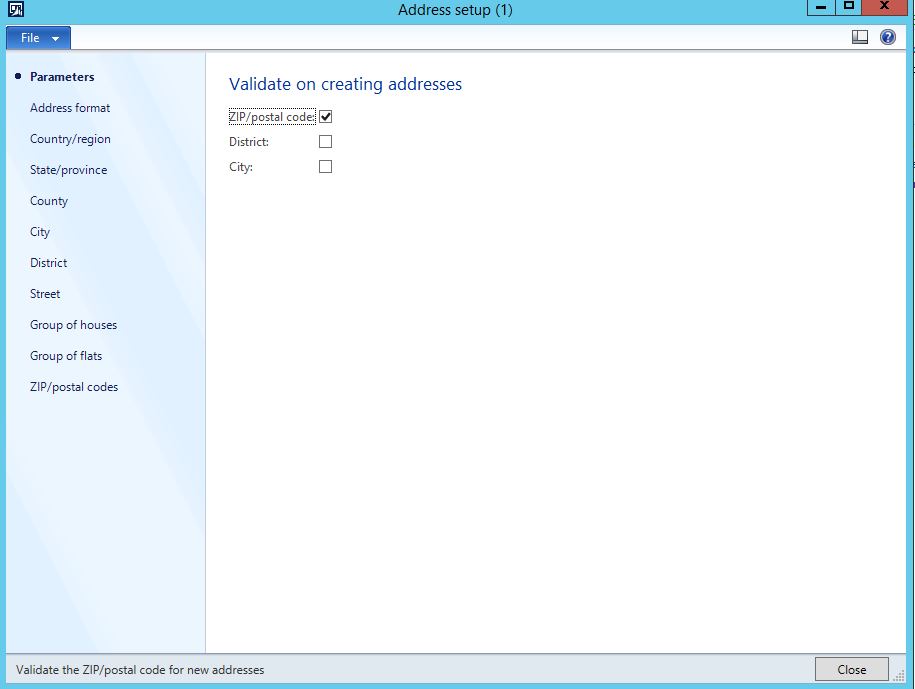
I did check "Zip/PostalCode" valdiation on Address Setup (Under Org Admin in AX 2012).

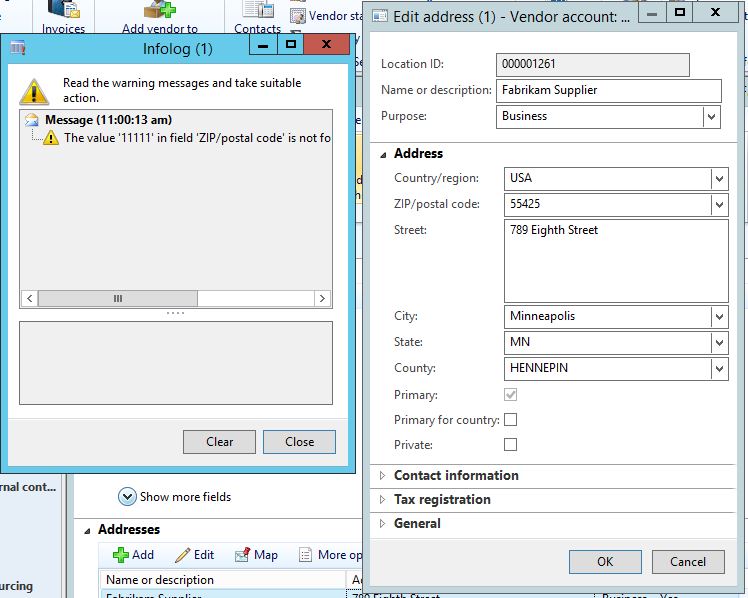
This enforces address validation when creating a new postal address for vendors/customers.

I assume this can be achieved by EDT reference or Table reference (relationship). But can someone help me understand how the relationship is validated ONLY when validate "Zip/PostalCode" in Address Setup Form is checked? How does this check mark drives relationship between LogisticsPostalAddress and Zipcode Master table? If this check in the parameter is NOT ON, then anything can be keyed in as Zipcode and no validation takes place. I wonder how this is achieved.
Address-Setup.JPG

2438.Error.JPG

*This post is locked for comments

I have the same question (0)
  • Verified answer
    Sohaib Cheema Profile Picture
    49,677 Super User 2026 Season 1 on at

    the validation is done at following location of AX

    \Data Dictionary\Tables\LogisticsPostalAddress\Methods\validateField

    have a look at below lines of code

    case fieldNum(LogisticsPostalAddress, ZipCode):
                if (parameters.ValidateZipCode)
                {
                    ret = this.LogisticsPostalAddressMap::validatePostalCode(_fieldIdToCheck) && super(_fieldIdToCheck);
                }
                else
                {
                    ret = true;
                }
                break;


  • Community Member Profile Picture
    on at

    Perfect, thanks for the quick response Sohaib. I did put that spot in debug and it did worked.

Under review

Thank you for your reply! To ensure a great experience for everyone, your content is awaiting approval by our Community Managers. Please check back later.

Helpful resources

Quick Links

Introducing the 2026 Season 1 community Super Users

Congratulations to our 2026 Super Stars!

Meet the Microsoft Dynamics 365 Contact Center Champions

We are thrilled to have these Champions in our Community!

Congratulations to the March Top 10 Community Leaders

These are the community rock stars!

Leaderboard > 🔒一 Microsoft Dynamics AX (Archived)

#1
Basit Profile Picture

Basit 1

#1
GL-01081504-0 Profile Picture

GL-01081504-0 1

#1
Roya Profile Picture

Roya 1

Last 30 days Overall leaderboard

Featured topics

Product updates

Dynamics 365 release plans
