Hi hcon,
You may check with the developer to understand the standard code why it is disabled, provided that all required setups you have already done.
Alternatively, you can also trigger email from below option.
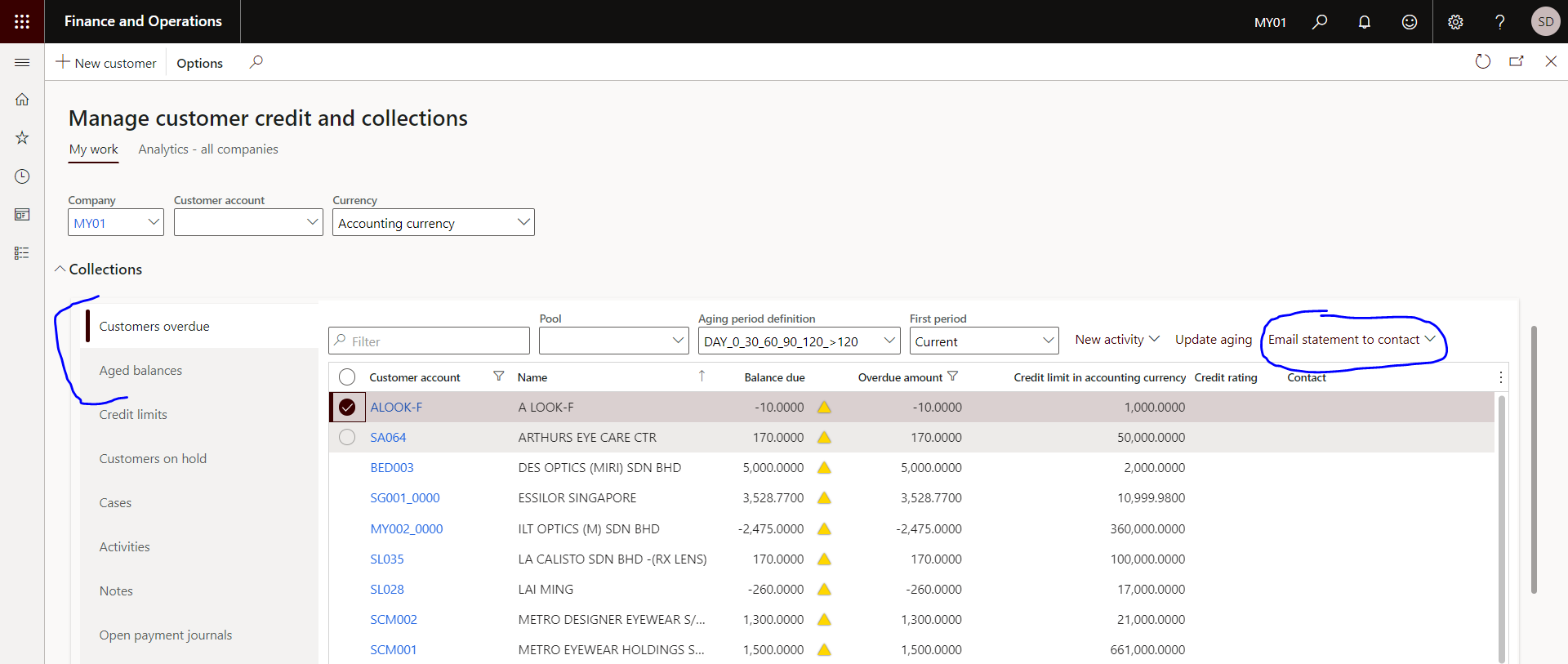
Go to Credit and collections > Workspaces > Customer credit and collections. Same you can also directly open in the 'Customer credit and collections' tile.
Expand the 'Collection' section and chose which detail to send to the customer such as Customer overdue or even aged balances. Then select the customer and click on 'Email statement to contact'.
A new drop down menu will come up with option to select the criteria, aging as of, Include settled transactions and determine the date of settled transactions to pick.
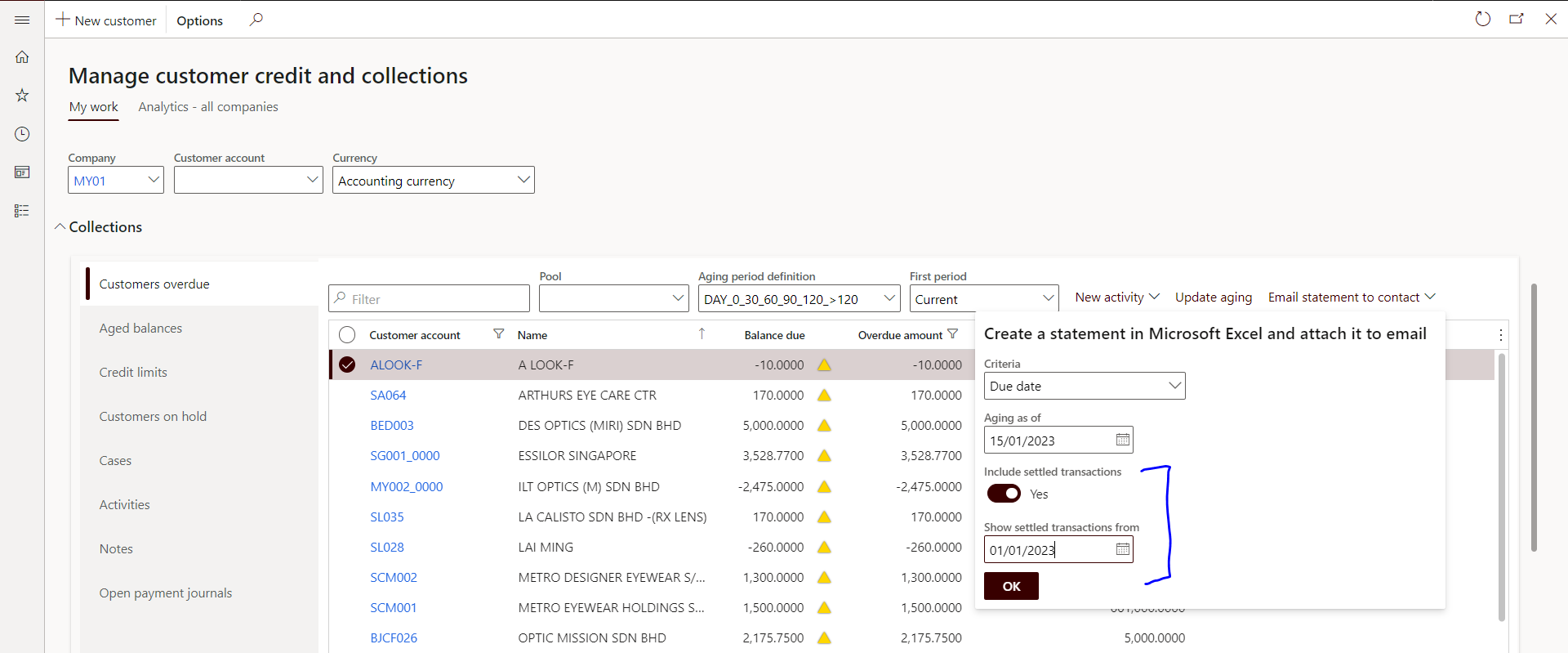
Point to note: By default, 'Show settled transactions from' will be disabled. Once you enable the 'Include settled transactions' check box, then this date selection field will be available.
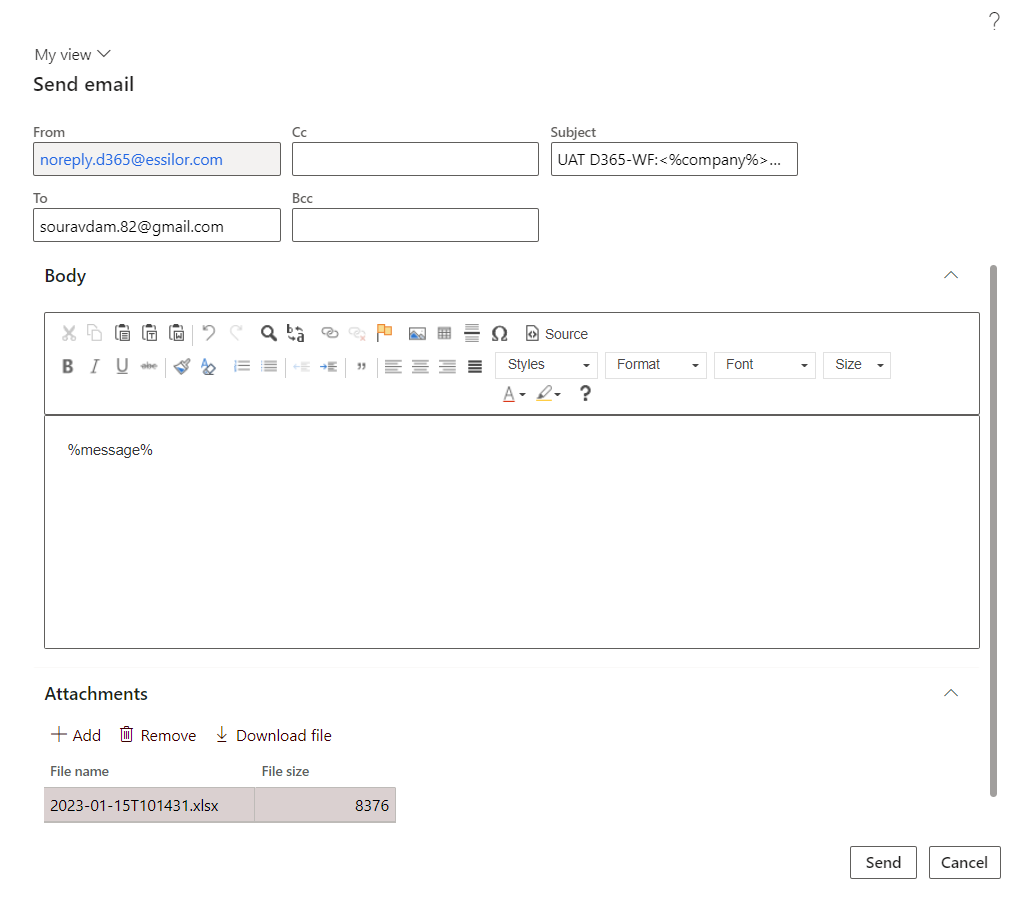
Once clicked OK, another temporary window will open to update the person whom the mail is to send including CC and BCC and Subject.
Click Send.
Regards,
Sourav


