web
You’re offline. This is a read only version of the page.
close
Skip to main content

Announcements

No record found.

News and Announcements icon
Community site session details

Community site session details

Session Id :
Microsoft Dynamics NAV (Archived)

Integration with Access DB

(0) ShareShare
ReportReport
Posted on by 511

Hi all,

Happy new year :)

I am working on an upgrade project from NAV 2009 to NAV 2016 and I would like to automate some manual tasks. The customer is updating Access DB with invoices and credit notes from Navision, and that happens manually.

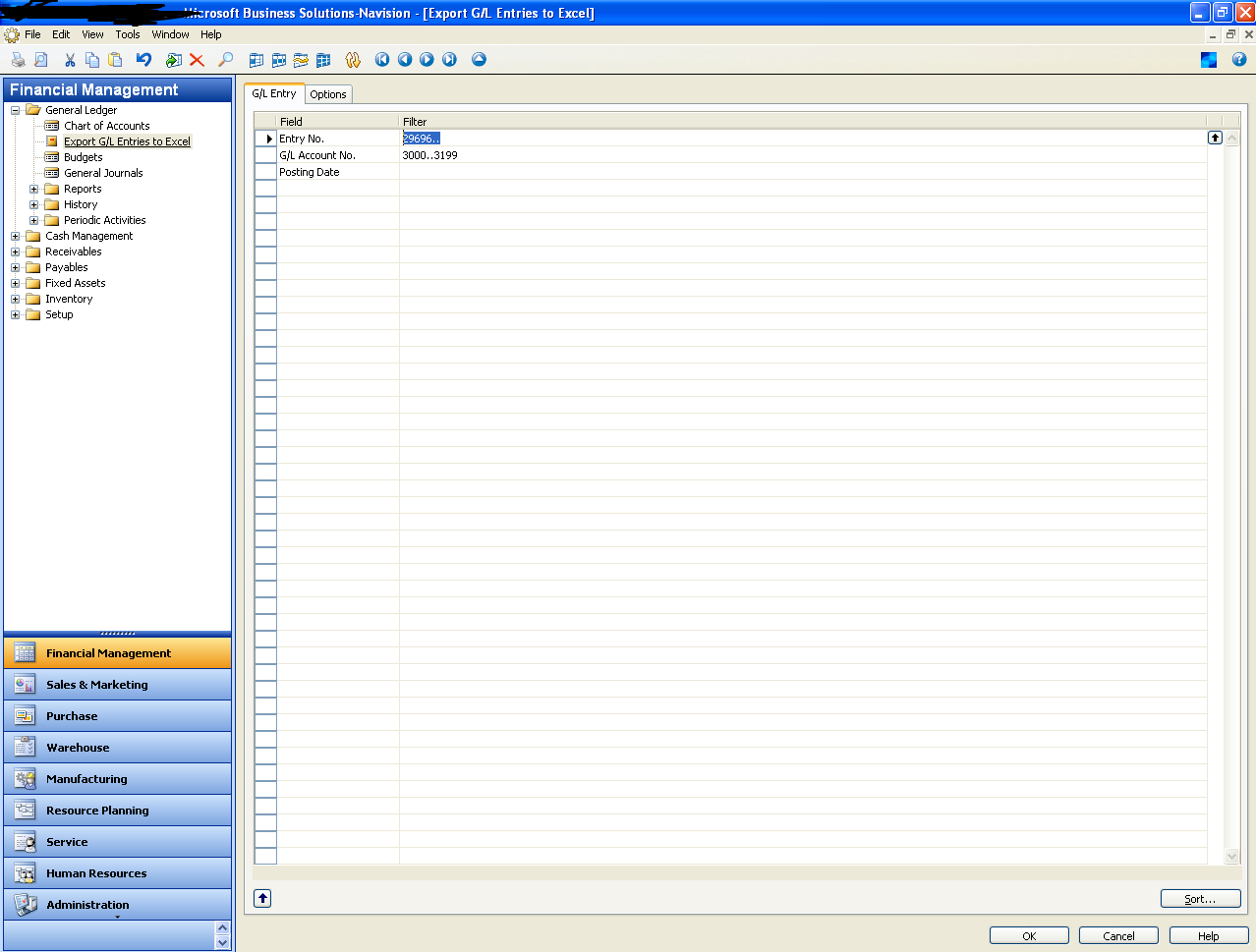
The report generates an xls file so the user can copy into Access.  The user also needs to make sure the layout is the same as the Access DB table before paste.
access-DB.png


When the window for parameters pops up, the user clicks on the sort button in the bottom right-hand corner to make sure it’s set to entry number. 

What's the best way to automate this task based on your experience?

Thanks!

*This post is locked for comments

I have the same question (0)
  • Verified answer
    keoma Profile Picture
    32,729 on at

    - link sql tables or views from the nav database into the access db

    - create queries in nav, publish them as web service, connect these web services as external data in access db

  • Suggested answer
    Maneesha Profile Picture
    5,891 on at

    Create "View" and publish it as a query to them

  • Verified answer
    Suresh Kulla Profile Picture
    50,278 Super User 2026 Season 1 on at

    Chris,

    Are you referring of creation of excel file from NAV or the whole process of creating the excel file and then copying into Access DB ?

    In NAV you can automate all your tasks using job queue. You can create an excel file using a report or code and then by using OleDB or ADO connection you can connect to the Access DB and Import the file or even without creating an excel file you can directly insert the data into the access database.

  • Verified answer
    Amol Salvi Profile Picture
    18,698 on at

    You can schedule job using job queue to generate excel file from Navision and then user can copy in Access DB.

  • Christos Christou Profile Picture
    511 on at

    Thanks Amol

  • Christos Christou Profile Picture
    511 on at

    Thanks Suresh

  • Christos Christou Profile Picture
    511 on at

    Thanks Jonathan

Under review

Thank you for your reply! To ensure a great experience for everyone, your content is awaiting approval by our Community Managers. Please check back later.

Helpful resources

Quick Links

Introducing the 2026 Season 1 community Super Users

Congratulations to our 2026 Super Stars!

Meet the Microsoft Dynamics 365 Contact Center Champions

We are thrilled to have these Champions in our Community!

Congratulations to the April Top 10 Community Leaders

These are the community rock stars!

Leaderboard > 🔒一 Microsoft Dynamics NAV (Archived)

#1
TAHER_El_Mehdi Profile Picture

TAHER_El_Mehdi 2

#1
sliderxb Profile Picture

sliderxb 2

#1
broberts Profile Picture

broberts 2

Last 30 days Overall leaderboard

Featured topics

Product updates

Dynamics 365 release plans
