web
You’re offline. This is a read only version of the page.
close
Skip to main content

Announcements

No record found.

News and Announcements icon
Community site session details

Community site session details

Session Id :
Customer experience | Sales, Customer Insights,...
Answered

Map a required field from Opportunity BPF to Account form

(0) ShareShare
ReportReport
Posted on by 265

Hello Everyone, 

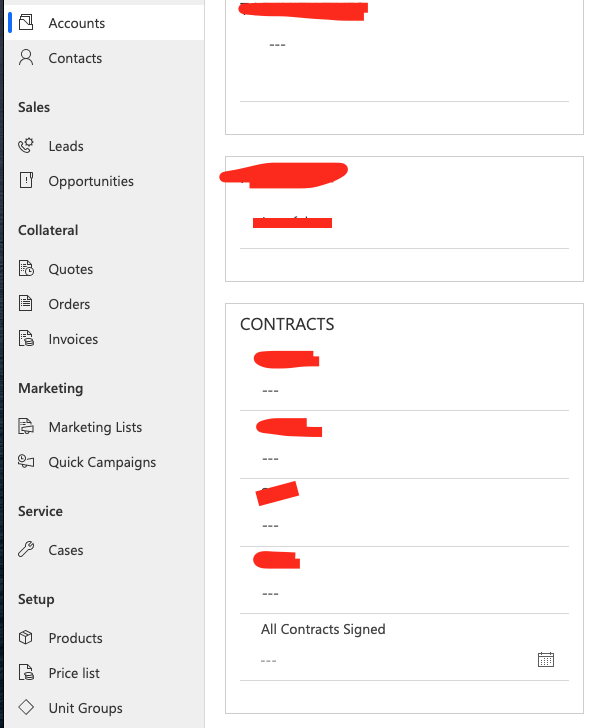
I am aiming to put a custom field in the final stage of the BPF of "Contract Signed: [data type=Date]". When I reach this part of my BPF I want the user to fill in this field and have it map back to the account for future reference. Once the contracts are signed we can create multiple opportunities with this client through different product lines. So having this information to signal the end of the CLOSE stage but also notify future sales reps they are good to go with further products is important. 

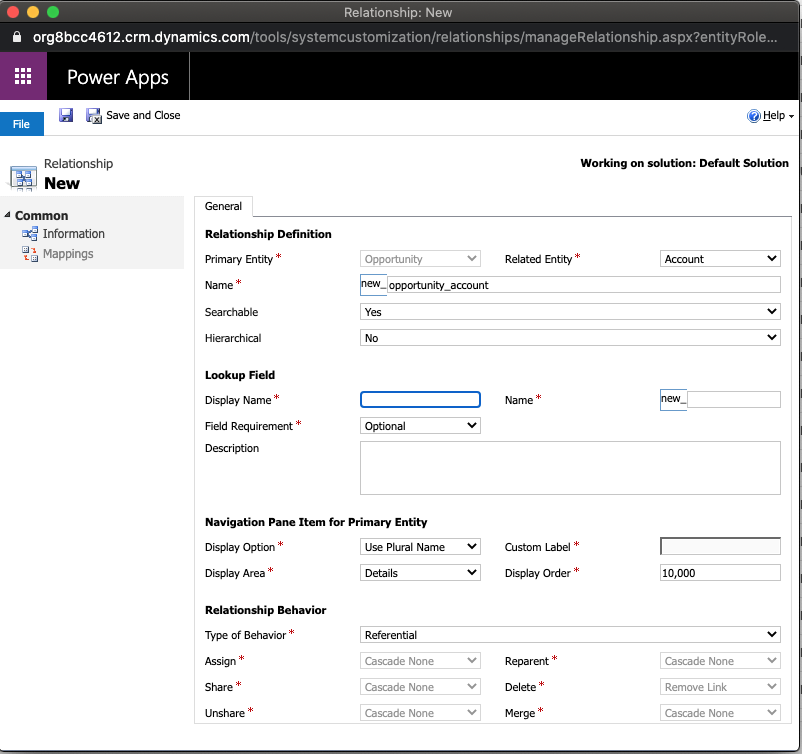
I am having trouble mapping it since I don't see an OOB mapping relationship from Opportunity to Account. 

Below is what I have done. 
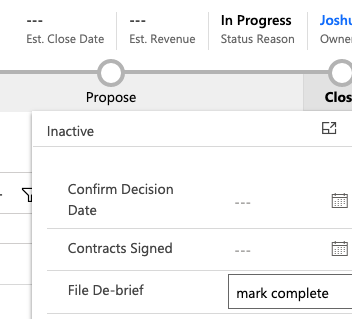
Screen-Shot-2020_2D00_07_2D00_31-at-6.59.06-PM.pngScreen-Shot-2020_2D00_07_2D00_31-at-6.59.35-PM.pngScreen-Shot-2020_2D00_07_2D00_31-at-7.25.07-PM.png

Since I don't want this field on the account form to be updated until it is entered in the Opportunity BPF on the opportunity form I think it needs to map from Opportunity to Account in 1:N relationship but I am just not confident. 

Can anyone help me with this one?

I'm also curious if I can make this date field required on the BPF and then calculated on the Account so the field is locked from the account form. 

Thank you all!

Josh 

I have the same question (0)
  • Verified answer
    Bipin D365 Profile Picture
    28,985 Moderator on at

    Hi,

    Custom field is only available on BPF not on Form?

    If yes then create OOB workflow on Opportunity entity and trigger should be On Change of custom field.

    Now add Update record step then select Potential Custom(Account)->Set Properties->Map Custom field from Oppotunity to Account.

    You can also add check condition to check if potential customer(Account) contains data.

    If field is also on Form then you will have to create another field to keep current active stage name from Sync workflow on BPF entity to update this field. Make this workflow sync.

    Create another async workflow to map field from opp to account, Add check if current bpf stage is last stage and potential custom(Account) contains data .

    If found helpful, Please mark my answer verified.

  • Dribblej Profile Picture
    265 on at

    Thank you Bipin. This pointed me in the right direction.

Under review

Thank you for your reply! To ensure a great experience for everyone, your content is awaiting approval by our Community Managers. Please check back later.

Helpful resources

Quick Links

Introducing the 2026 Season 1 community Super Users

Congratulations to our 2026 Super Stars!

Meet the Microsoft Dynamics 365 Contact Center Champions

We are thrilled to have these Champions in our Community!

Congratulations to the March Top 10 Community Leaders

These are the community rock stars!

Leaderboard > Customer experience | Sales, Customer Insights, CRM

#1
ManoVerse Profile Picture

ManoVerse 184 Super User 2026 Season 1

#2
11manish Profile Picture

11manish 125

#3
CU11031447-0 Profile Picture

CU11031447-0 100

Last 30 days Overall leaderboard

Product updates

Dynamics 365 release plans