web
You’re offline. This is a read only version of the page.
close
Skip to main content

Notifications

Announcements

No record found.

Community site session details

Community site session details

Session Id :
Small and medium business | Business Central, N...
Answered

Import limit when importing CSV file

(0) ShareShare
ReportReport
Posted on by 25

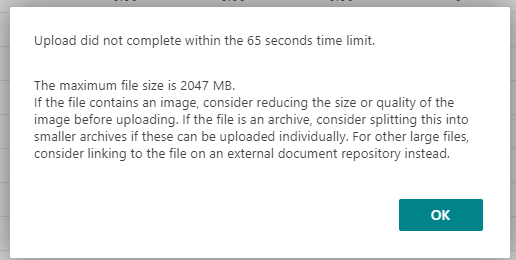
I am trying to import a large .csv file into Business Central (BC18, on premise) using either an XMLport or an instream.  The size of the file is 50-100 mb, containing 50 columns and up to 1,000,000 lines.

When I import the file into a holding table using an XMLport, I get the following error (note that I increased the Max Upload Size to 2047mb) if done through the web client:pastedimage1633461967549v1.png
Attempting the import using UploadIntoStream gives a similar error:
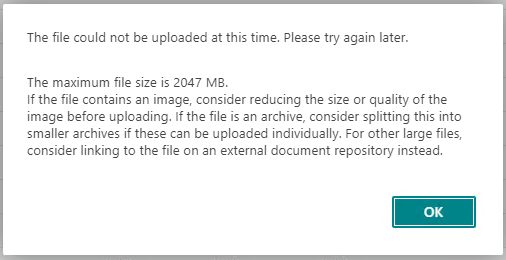
pastedimage1633462070517v2.png

This upload works much better when done directly from the app server, but the system will be upgraded to the cloud soon and I'm hoping to get this upload working better from the web client. 

I'm considering writing an Azure function to import this file in sections, but I'm wondering if there is something I'm overlooking, since the file size is well below the maximum specified in the error.

Thank you!

I have the same question (0)
  • Suggested answer
    Marco Mels Profile Picture
    on at

    Hello,

    Independent of the solution you use, here are the operational limits:

    docs.microsoft.com/.../operational-limits-online

    Thanks.

  • Dan Palmer Profile Picture
    25 on at

    Hi Marco,

    That's part of my confusion - Microsoft's documentation seems to say that I can upload a file up to 350 mb, but my file fails when it reaches 40-50 mb.

    Thanks,

    Daniel

  • Suggested answer
    Marco Mels Profile Picture
    on at

    Hello,

    Here is a posting my colleague answered.

    community.dynamics.com/.../the-file-could-not-be-uploaded-because-it-was-too-large

    Thanks.

  • Verified answer
    Dan Palmer Profile Picture
    25 on at

    Hi Marco,

    Thanks for the information - I'll try these steps out and let you know if it takes care of the issue.  We're going to migrate them to the cloud so some of these options won't be available at that point, but it will help narrow down the cause if I do get the import working better on-prem.

    Thanks!

    Daniel

Under review

Thank you for your reply! To ensure a great experience for everyone, your content is awaiting approval by our Community Managers. Please check back later.

Helpful resources

Quick Links

Responsible AI policies

As AI tools become more common, we’re introducing a Responsible AI Use…

Neeraj Kumar – Community Spotlight

We are honored to recognize Neeraj Kumar as our Community Spotlight honoree for…

Leaderboard > Small and medium business | Business Central, NAV, RMS

#1
OussamaSabbouh Profile Picture

OussamaSabbouh 3,143

#2
Jainam M. Kothari Profile Picture

Jainam M. Kothari 1,694 Super User 2025 Season 2

#3
YUN ZHU Profile Picture

YUN ZHU 1,067 Super User 2025 Season 2

Last 30 days Overall leaderboard

Featured topics

Product updates

Dynamics 365 release plans
