web
You’re offline. This is a read only version of the page.
close
Skip to main content

Notifications

Announcements

No record found.

Community site session details

Community site session details

Session Id :
Microsoft Dynamics 365 | Integration, Dataverse...
Answered

problem with security role in case entity

(0) ShareShare
ReportReport
Posted on by 215

i changed write permsion in case entity to user level security role but user still can edit the case form .

i checked share permision and everything in teams and BU security role.

what i must do check to solve this problem ?

I have the same question (0)
  • Linn Zaw Win Profile Picture
    3,407 on at

    Can you please check the following forum thread with the similar issue? As mentioned in one of the answers, you can use Entity Security Role tool to see which security roles have access to the Case entity. Then, use the User Security Manager tool to see which security roles a user has, including the security roles of his team.

    https://community.dynamics.com/365/f/dynamics-365-general-forum/391987/hide-entity-to-certain-users/1054615

  • ehsan af Profile Picture
    215 on at

    i checked everything in Entity Security Role and  User Security Manager .

    user still can edit the case form :/

  • Jomy Jose Profile Picture
    290 on at

    Check whether the user is the manager of another user. In that case user may have the edit privilege's of cases owned by sub level.

    Also if the record owned by same user then user level privilege's will allow him to edit.

  • Linn Zaw Win Profile Picture
    3,407 on at

    When you checked everything in Entity Security Role and User Security Manager, you did not see any role that would grant write privilege to the Case entity, is that correct?

    Can you double-check by using Your User Security - Magnified tool from XrmToolBox for that user and look into the Case row?

    If you also don't see any role with write access to Case entity in that role,

    • another possibility is access teams. Please check if there is access teams implemented in your system.
    • Finally, please also check the cascading behaviour of the N:1 relationship from Case to the parent entities to see if there is any of them may cause this issue with Share Cascading and Reparent Cascading.

    pastedimage1591873596420v1.png

  • ehsan af Profile Picture
    215 on at

    I checked everything .

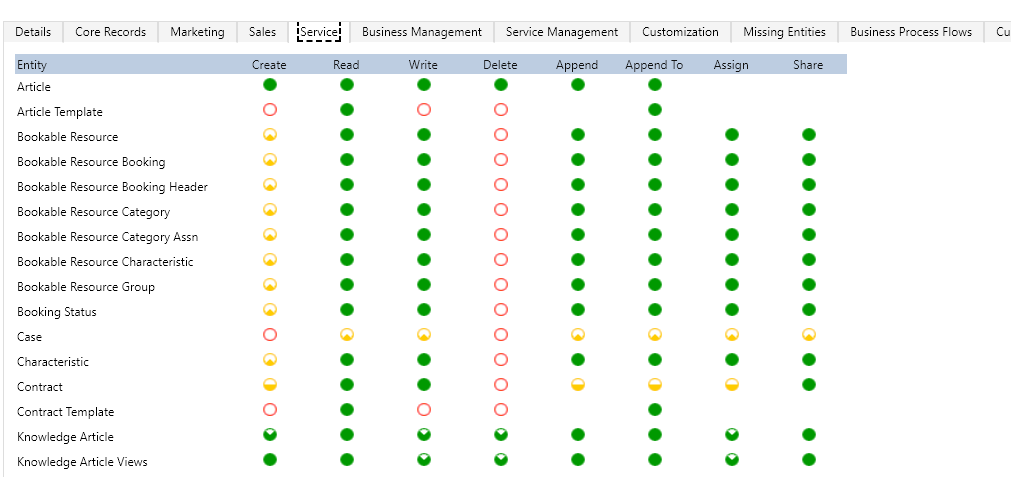
    Even when the user is limited to "user" read security role to case entity , but can still see the record when asigned to another user.

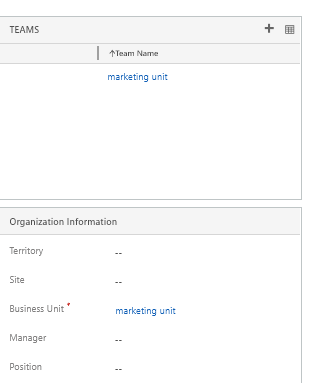
    I checked everything and clear user from all teams member.

    I checked N:1 realationship and changed it to cascading none in reparent and share.

    and user only has one security role that in read and write permision that set to user level security role in case entity.

    I use dynamics 365 On-Premises version 9.0.13.11 .

    Could this be a bug from Microsoft?
    7587.png5305.png

  • Suggested answer
    gdas Profile Picture
    50,091 Moderator on at

    Have you tried to create new security role and assign to the  user?Make sure when you create new roles create copy from system define roles.see if this works.

    Also please try to apply different user and check.

  • Verified answer
    Linn Zaw Win Profile Picture
    3,407 on at

    Even if you change the relationship to cascading none in reparent and share, the existing auto-share will not be reverted for the existing records.
    If your environment is on-prem, will you be able to run a SQL query on POA table? Replace @UserId with the impacted user and @CaseGUID with the GUID of the case record that the user can see (but not supposed to).

    SELECT *
    FROM PrincipalObjectAccess
    WHERE PrincipalId = @UserId
    AND ObjectId = @CaseGUID

  • ehsan af Profile Picture
    215 on at

    thank you linn.

    existing records not effected in new permisions defined in security role and new records work correctly after set cascading none for n:1 relationship for parent filed (contact) .

    It caused a lot of trouble and wasted my time.

    thanks

Under review

Thank you for your reply! To ensure a great experience for everyone, your content is awaiting approval by our Community Managers. Please check back later.

Helpful resources

Quick Links

Responsible AI policies

As AI tools become more common, we’re introducing a Responsible AI Use…

Neeraj Kumar – Community Spotlight

We are honored to recognize Neeraj Kumar as our Community Spotlight honoree for…

Leaderboard > Microsoft Dynamics 365 | Integration, Dataverse, and general topics

#1
Siv Sagar Profile Picture

Siv Sagar 93 Super User 2025 Season 2

#2
#ManoVerse Profile Picture

#ManoVerse 74

#3
Martin Dráb Profile Picture

Martin Dráb 64 Most Valuable Professional

Last 30 days Overall leaderboard

Product updates

Dynamics 365 release plans