Hey Guys,
I've recently gotten more into Power Automate and I just love it - the functionality is crazy. However, I am not loving the lack of documentation for errors. So here are the most common errors I've come across, some best practices & how to fix that super annoying reference error for lookup values.
0x80040265 Error - Message: String was not recognized as a valid Boolean.
I received this error when I was trying to use option sets to filter my data, but I was using 0/1 vs true/false. Filters should be ODATA queries like new_ishubspotlead eq true NOT new_ishubspotlead eq 1.
Dataverse Search Rows (Preview) uses relevance search, so what I would recommend is a filter based on rows. I did just the first record, since the top result from relevance is usually the most accurate.

HOW TO RESOLVE TEXT TO LOOKUP ERRORS:
First thing you find is that Power Automate wants the plural form of your entity & the GUID. ex, /systemusers(GUID). You may not know how to get the plural name, because sometimes it isn't as easy as account(s). Sometimes it's more complicated, like transactioncurrencies from Transaction Currency field. What you want to find is the collection name in the solution layers. (how?) in classic, select your entity, select Solution Layers, then look at the system layer - you'll see a collection name. This is the name to use in Power Automate with the formatting /pluralentity(GUID). This is the most direct method I've found so far.


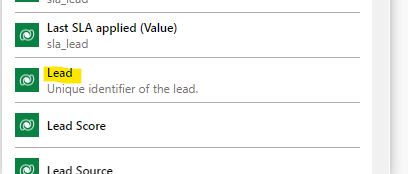
You might ask, what's a GUID - that's the records unique ID. Power Automate tries to call it out, but you can also find GUID's based on (Value) indicators. Such as:
OR





