web
You’re offline. This is a read only version of the page.
close
Skip to main content

Announcements

No record found.

News and Announcements icon
Community site session details

Community site session details

Session Id :
Business Central forum

Importing Payroll transactions from QuickBooks

(0) ShareShare
ReportReport
Posted on by 645

I've used QuickBooks Payroll for years, and yet I can't seem to find any guidance on actually creating an export file of Payroll transactions.

I have installed the QuickBooks Payroll connector within Financials.  I've searched the "help" functions within both QuickBooks and Financials.  I've also googled this-- all to no avail.

The depth of guidance within the Financials "learn more" is basically: "To do this, you first import a file that you receive from the payroll provider into the General Journal window."  I realize Microsoft isn't responsible for providing detailed guidance on Intuit's products, but has anyone actually done this payroll import from QuickBooks?  If so, can you indicate the actual steps you followed to produce the export file?

I get the vague impression I am missing something that should be obvious...

I have the same question (0)
  • Chris Bulson Profile Picture
    Microsoft Employee on at

    Hello David,

    It's expecting an IIF file.  When you go through the steps to export to IIF I would expect that 'Payroll' data would be something available for you to select.

    community.intuit.com/.../1437417-export-or-import-iif-files

    Thanks,

    Chris

  • Dave Boehm Profile Picture
    645 on at

    Yes Chris, I would expect that too.  Unfortunately, none of the QB list exports involve payroll.  In the past, I've actually been to the QuickBooks help hyperlink you've mentioned.  It actually is quite informative.  When (from within QuickBooks Pro 2015) you go to File | Utilities | Export, you can see the exportable lists.  Of course, none involve payroll.

    Curiously enough, the last choice in the Export menu is "Payroll to XML...".  This dialogue does give you the ability to export payroll transactions for a selected year (e.g. 2017).  When you export these transactions, you get everything at transaction level for the entire year, though.

    Needless to say, this is very different from the Ceridian import.  Ceridian basically gives you a true G/L summarization for a payroll run.  I would have expected to see the same sort of thing from QuickBooks.

    This is beginning to look like one of those situations where everyone knows someone, who knows someone, who is pretty sure it works.  Does anyone actually know how it works?  If so, I'd surely like to know how...

  • Chris Bulson Profile Picture
    Microsoft Employee on at

    Hello Dave,

    I'm collecting more information on this feature and will report back when I have a better answer.

    Thanks,

    Chris

  • Dave Boehm Profile Picture
    645 on at

    Any luck, Chris?  Since the QB P/R interface was developed by "Microsoft" and is available on the AppSource, it would make sense that the developer would have (should have) tested this.  If so, the developer must know from whence their test data came...

  • Chris Bulson Profile Picture
    Microsoft Employee on at

    Hello Dave,

    Sorry about the wait on this.  I got some more info on how this is supposed to work.  QuickBooks allows for you to import payroll data into it from an IIF file.  There are a number of payroll services out there that support exporting to an IIF file format for import to QuickBooks.  This is what we support and is meant to be used for with this extension.

    We're looking at getting them to update the description on AppSource to better explain this.

    Thanks,

    Chris

  • Dave Boehm Profile Picture
    645 on at

    Thanks for your response, Chris.

    Unfortunately, I really can't see where your response is accurate.  I don't think this extension has anything to do with importing data INTO QuickBooks.  The description of the extension on AppSource is as follows:

    "Import payroll transaction to Dynamics 365 for Financials from files in the Quickbooks IIF format. Aggregated payroll data, including date, payroll account, description, and amount, will be imported to your G/L accounts according to mappings that you perform once per payroll account".

    This description basically indicates that I'll be using the extension to import data INTO Financials.  I don't see where it would make any sense to be exporting data OUT of Financials and into QuickBooks.  This is especially true for salaried employees.

    Once you install the extension, you'll see an additional action on the General Journal screen.  When you click on this action (i.e. "Import Payroll Transactions"), you are prompted with the following message:
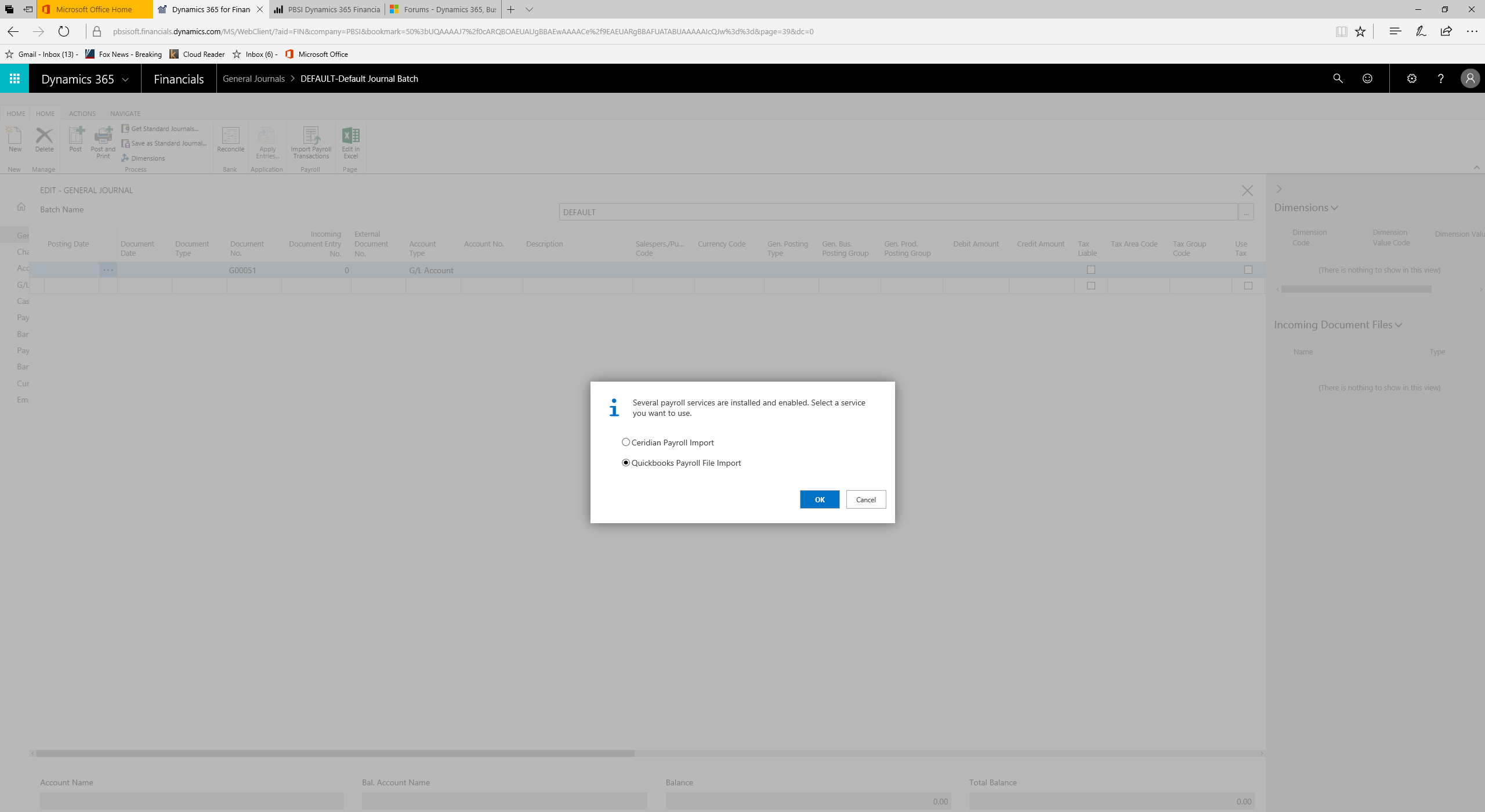
    2017_2D00_08_2D00_29-_2800_1_2900_.png

    When I select QuickBooks, I get the next screen:
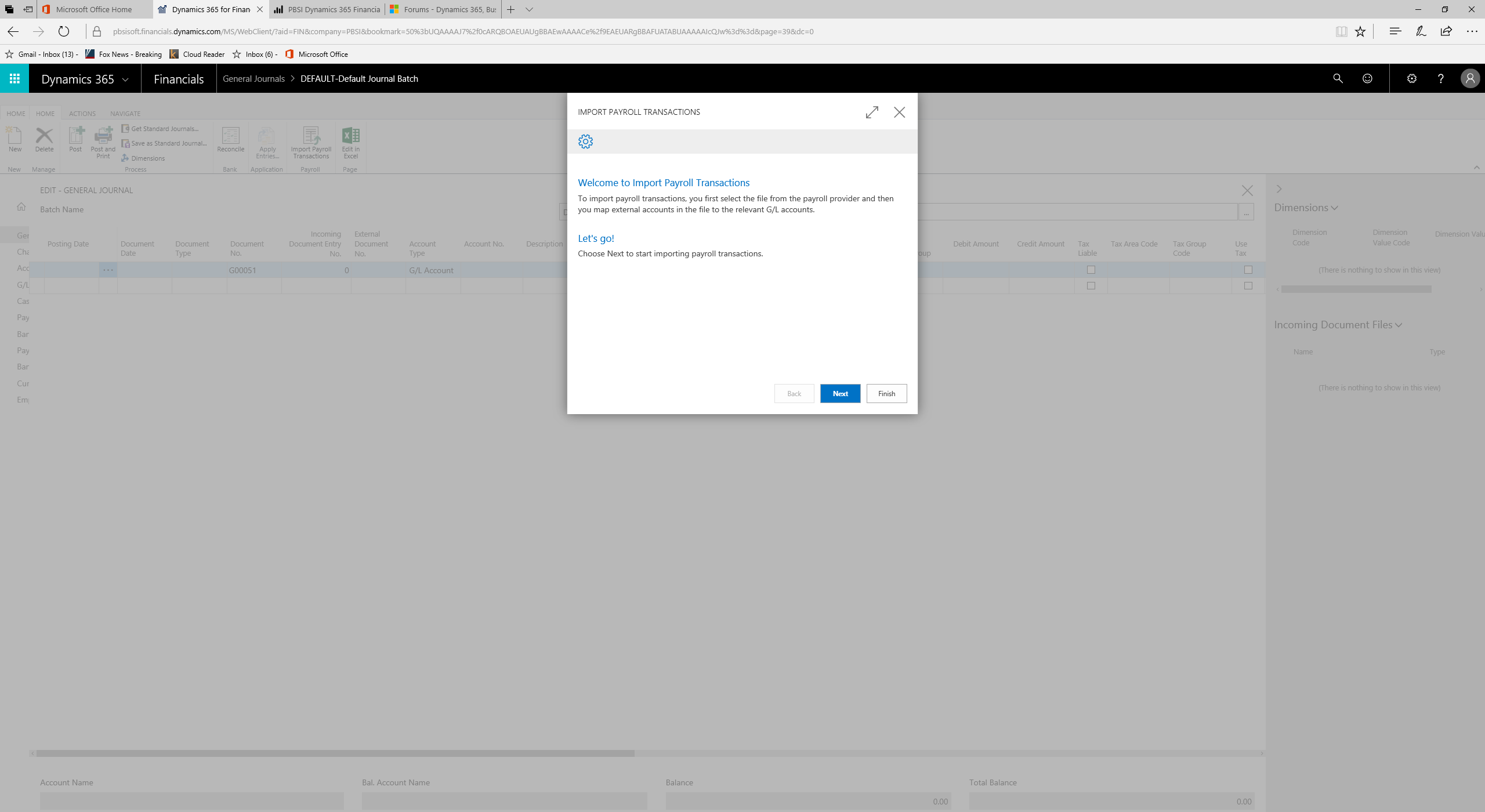
    2017_2D00_08_2D00_29-_2800_1_2900_.png

    I then go through a series of dialogs to import the P/R information INTO Financials.  The Ceridian import works pretty much the same way.  In each instance, either QB or Ceridian is used to process payroll, with the result being imported INTO Financials as a G/L entry.

  • Verified answer
    Chris Bulson Profile Picture
    Microsoft Employee on at

    Hello Dave,

    Sorry for the confusion on this and in re-reading my post I did not explain this well.

    The purpose is not to import data into QuickBooks and is indeed to import data into Financials.  The purpose is NOT to export that data from QuickBooks, but from other Payroll services that support the export to IIF format.

    QuickBooks allows you to import Payroll data from 3rd party Payroll services that support the export to an IIF file.  This extension is mimicking that functionality in also allowing you to import Payroll IIF files from 3rd party Payroll services that have this functionality.

    This is not explained well in the product description at the moment unfortunately.

    Thanks,

    Chris

  • Dave Boehm Profile Picture
    645 on at

    Thanks, Chris.

    Okay, so I can import data into Financials that is formatted as an IIF.  This makes sense.

    In my initial question back in July, I was essentially asking how to get this IIF out of QuickBooks after running a P/R in QuickBooks.  It now looks like that can't be done.  The IIF has to come from a P/R provider who is capable of exporting an IIF.  ADP would be an example of this sort of P/R provider.  To the best of my knowledge, QuickBooks isn't this sort of P/R provider.  Is this what you are hearing from within Microsoft, as well?

  • Chris Bulson Profile Picture
    Microsoft Employee on at

    Hello David,

    Correct, QuickBooks doesn't have the ability to export payroll data to an IIF file.  We are simply providing the same functionality as QuickBooks in allowing you to import a Payroll file that has been exported in this format.

    Thanks,

    Chris

Under review

Thank you for your reply! To ensure a great experience for everyone, your content is awaiting approval by our Community Managers. Please check back later.

Helpful resources

Quick Links

November Spotlight Star - Khushbu Rajvi

Congratulations to a top community star!

Forum Structure Changes Coming on 11/8!

In our never-ending quest to help the Dynamics 365 Community members get answers faster …

Dynamics 365 Community Platform update – Oct 28

Welcome to the next edition of the Community Platform Update. This is a status …

Leaderboard > Business Central

Last 30 days Overall leaderboard

Featured topics

Product updates

Dynamics 365 release plans
